Curated pack · signage cad blocks
Free signage and wayfinding CAD block pack
By Saumyajit Maity · Published 24 May 2026 · Updated 18 Jun 2026
Signage and wayfinding turn a building people can walk through into a building people can navigate, and a signage plan is the drawing that locates every sign and says what it carries. This free signage and wayfinding CAD block pack gathers the marks that plan needs — directional and flag signs, room and zone identifiers, statutory and safety notices, pictograms (toilets, lifts, stairs, reception, accessibility), totem and monolith outlines, and projecting and suspended sign symbols — in DWG and DXF for AutoCAD 2004 or later. Everything is free for personal and commercial use, no signup, no watermark.
Use the pack to draw wayfinding strategies, sign-location plans, sign schedules and the setting-out for individual sign types. Because the sign symbols sit at consistent plotted sizes and carry a clear marker, you can scatter them across a large floor plate and still read which sign goes where, then list them in a schedule the sign manufacturer works from.
Wayfinding is a design discipline in its own right: signs have to appear exactly where a visitor makes a decision — at the entrance, at every junction, at the lift lobby — and no more often, because over-signing is as confusing as under-signing. A consistent block library lets you place a sign marker at each decision point, tag it with a sign type, and build the whole strategy as data rather than as a scatter of unmanaged text.
What the signage pack covers
The pack spans the signage families a building needs. Directional: flag and finger-post signs, overhead directional signs, and floor-mounted totems and monoliths. Identification: room-name and room-number signs, zone and floor identifiers, and door signs. Statutory and safety: fire-action notices, no-smoking, mandatory and prohibition signs, and the safety pictograms that overlap with the fire pack.
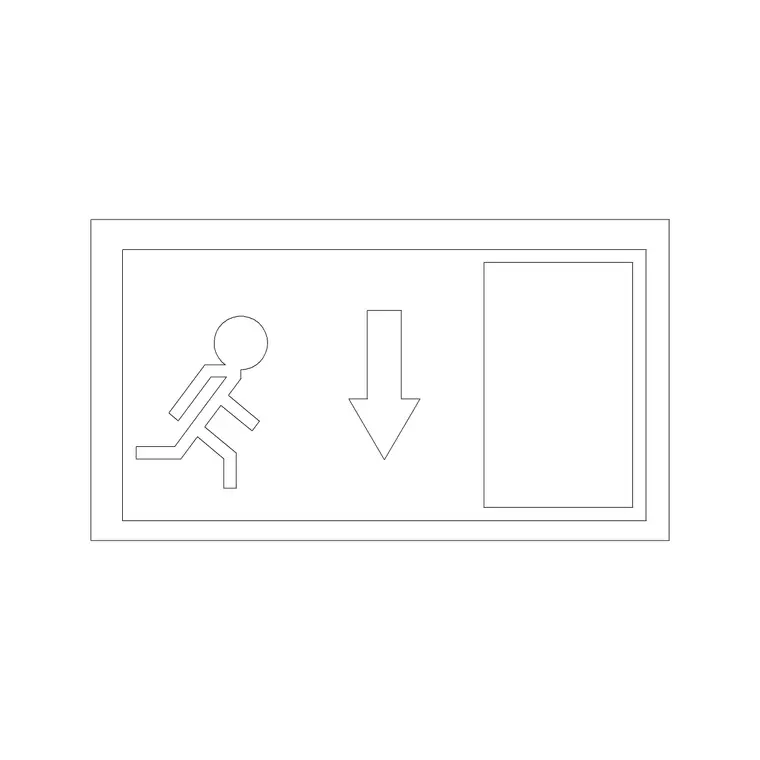
Pictograms: toilets (male, female, accessible, unisex), lifts, stairs, escalators, reception, exits and accessibility symbols. Sign-type outlines: projecting, suspended, wall-mounted and free-standing sign markers drawn so the mounting type reads on the plan. Each is a block reference on its own layer, so the whole signage layer overlays the architecture as one set.
Sign markers vs sign artwork
A signage plan is not the place to draw finished sign artwork — that belongs to the graphic-design package. On the plan, each sign is a marker: a symbol that says 'a sign of this type sits here, facing this way', tagged with a sign-type code that links to the sign schedule and the artwork sheets. The pack is built around this distinction, providing clear, consistent markers rather than detailed sign graphics, so the plan stays readable even when a floor carries dozens of signs.
This is why attributes matter so much for signage. Attach a sign-type code and a message reference to each marker block, and the plan becomes a database: you can extract a sign schedule listing every sign, its location, its type and its message, which is precisely the deliverable a signage manufacturer quotes and fabricates from.
Building a wayfinding plan
Work from the architectural base with circulation, entrances and cores referenced in. Walk the building mentally from each entrance as a first-time visitor and place a directional sign at every point where they must make a decision: the entrance, each junction, the lift lobby, the stair. Add identification signs at the destinations — room names and numbers, zone identifiers — and the statutory notices where regulations require them.
Resist the urge to over-sign: a sign at every junction guides, but a sign every few metres overwhelms. Keep directional, identification and statutory signs on separate layers so you can review each layer of the strategy independently and plot a clean sign-location plan. The scaled markers let you check that an overhead sign clears the structure and a projecting sign clears the circulation route.
Per-sign-type notes
Different sign types carry different plan considerations. Overhead and suspended signs need a structural fixing and a headroom check, so the marker should note the mounting height and the plan should confirm it clears the door heads and the ceiling services. Projecting (flag) signs read along a corridor, so place them where they are seen end-on by an approaching visitor, and check they don't intrude into the required clear circulation width.
Totems and monoliths are free-standing and have a real footprint, so they are drawn closer to true size and must be checked against the floor circulation — a monolith in the middle of a lobby is a wayfinding aid or a trip hazard depending on where it lands. Accessibility pictograms should follow the recognised access symbols so they read consistently with the accessibility provisions elsewhere in the building.
Who uses the signage pack
Wayfinding and signage designers use it to produce sign-location plans and schedules. Architects and interior designers use it to integrate signage into the building design and to coordinate sign positions with the structure and the services. Sign manufacturers use it to take off quantities and locate every sign for fabrication and installation.
Facilities managers use it to keep an accurate record of the signs in a building for maintenance and updates. Pair the signage pack with the building-symbols category — for the accessibility and safety marks — and the office and bathroom categories so the pictograms align with the spaces they point to across a coordinated set.
From plan to sign schedule
The real power of a block-based signage plan is the schedule it generates. Because every sign marker carries attributes — a unique sign reference, a type code, the message text, the mounting method — you can extract a complete sign schedule directly from the drawing: a numbered list of every sign with its location, type and content, ready for the manufacturer to price and produce. That removes the error-prone step of transcribing signs from a drawing into a separate spreadsheet by hand.
Keeping the signage as consistent, attributed blocks also makes change cheap. When a room is renamed or a route changes, you edit the marker and re-extract the schedule, and the plan and the schedule stay in step. The same library that places the signs manages them through fabrication, installation and the inevitable later revisions — which is exactly what turns a one-off drawing into a maintainable wayfinding system, all from a free, consistent set of blocks.
Free download
Browse the full library — DWG & DXF, no signup.
Questions
Frequently asked
What signage and wayfinding blocks are included?+
Directional flag and overhead signs, totems and monoliths, room and zone identifiers, statutory and safety notices, and pictograms for toilets, lifts, stairs, reception, exits and accessibility, plus markers for projecting, suspended, wall and free-standing sign types.
Do the blocks show finished sign artwork?+
No — on a signage plan each sign is a marker, not finished artwork. The markers carry a sign-type code linking to the schedule and the separate artwork sheets. This keeps a busy floor plan readable and lets you extract a sign schedule from the drawing.
Can I extract a sign schedule from these blocks?+
Yes. Attach attributes — a sign reference, type code, message and mounting method — to each marker, and you can extract a complete sign schedule straight from the drawing, which is the deliverable a sign manufacturer quotes and fabricates from.
Are the signage CAD blocks free for commercial use?+
Yes. Every sign marker and pictogram downloads free in DWG and DXF with no signup, no watermark and no attribution requirement, and they are cleared for commercial wayfinding plans and sign schedules.
Related downloads
Blocks for this guide

Related categories
Related guides
Curated pack
Free MEP CAD Block Pack — DWG & DXF Download
Free MEP CAD block pack in DWG and DXF — electrical, mechanical and plumbing symbols, fixtures and equipment for AutoCAD services drawings. No signup.
Curated pack
Free Electrical Symbols CAD Block Pack — DWG
Free electrical symbols CAD block pack in DWG and DXF — sockets, switches, light points, data outlets and distribution boards for AutoCAD layouts.
Curated pack
Free HVAC CAD Block Pack — DWG & DXF Download
Free HVAC CAD block pack in DWG and DXF — fan-coil units, AHUs, grilles, diffusers, ductwork fittings and radiators for AutoCAD mechanical drawings. No signup.