Block landing · shrub cad block
Free shrub CAD blocks for AutoCAD
By Saumyajit Maity · Published 15 May 2024 · Updated 2 Apr 2026
Shrubs are the ground-level layer of a planting scheme — the bushes and woody plants that fill beds and borders between the trees and the lawn. On a drawing a shrub is smaller and lower than a tree but appears in far greater numbers, often as a mass that fills a bed rather than as a single specimen. In plan a shrub is a small, sometimes irregular blob or cluster; in elevation it is a low, rounded mound below the height of the trees. This page collects free shrub CAD blocks in DWG and DXF, drawn to scale and ready for AutoCAD 2004 or later, free for personal and commercial use with no signup or watermark.
Shrubs are what make a planting plan feel complete. Trees give the structure, but the shrubs fill the beds, define the edges of spaces, and carry most of the colour and texture at eye level. A bed shown as a blank hatch reads as unfinished; the same bed filled with shrub symbols reads as a designed, planted scheme.
Individual shrubs versus shrub masses
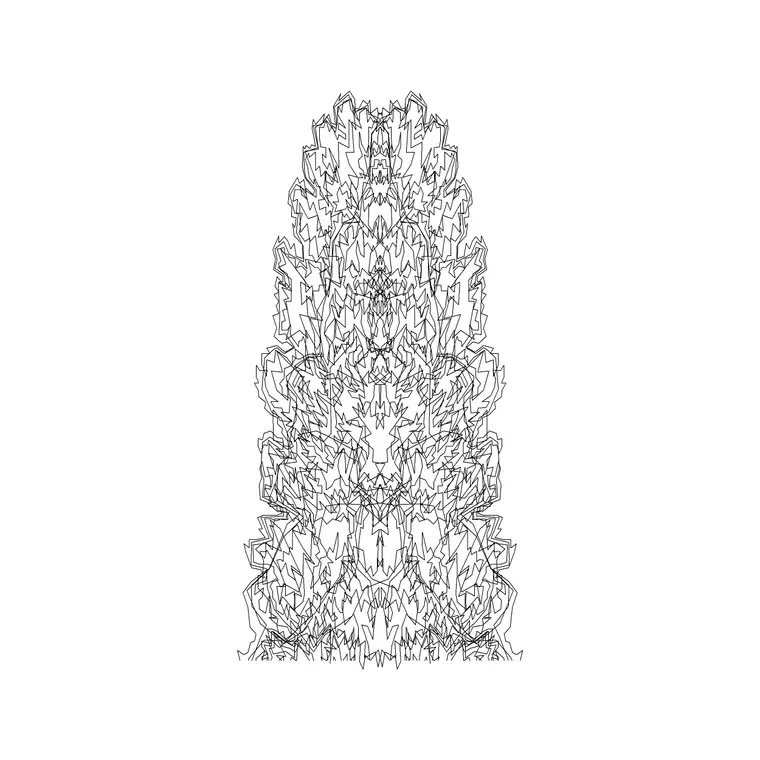
Shrubs are drawn two ways depending on the scale and the design. An individual shrub block is a single bush — useful for a specimen shrub, a feature in a small bed, or a sparse planting where each plant reads on its own. A shrub mass is a group symbol that fills a whole bed with a continuous texture, used where dozens of shrubs are planted close together and you want to show the bed as one planted area rather than counting every bush.
Most detailed planting plans use both: individual blocks for specimen or sparse planting, and a mass hatch or grouped symbol for dense beds. The blocks here include both a single shrub and a larger bush mass, so you can fill a small accent bed and a sweeping border from the same library.
Shrub dimensions to design around
Use these reference figures: a typical garden shrub spreads roughly 0.5–2 m and stands 0.5–2 m tall, with large feature shrubs reaching 2–3 m or more and low groundcover shrubs staying well under half a metre. They occupy the band below the small ornamental trees and above the groundcover and grass.
Spacing within a bed depends on the shrub's mature spread and how quickly you want the bed to fill in — closer for fast cover, wider to let each plant develop. In plan, size the shrub symbol to that 0.5–2 m spread, and for a mass planting set the symbols close enough that the bed reads as continuous cover at maturity. Drawing them to a real spread keeps a planting schedule's quantities honest.
Inserting shrubs and filling a bed
Shrub blocks are drawn full size in millimetres. Set INSUNITS to millimetres (or insert at 0.001 in a metre drawing) so the symbols land at the right size. For elevations, snap the base to your ground line; for plans, snap the insertion to the centre of the shrub.
To fill a bed, you can array or scatter individual shrub blocks across the planting area, or drop in a shrub-mass symbol and stretch it to the bed outline. For a natural look, vary the scale and rotation of individual blocks so the planting does not look gridded. Where a bed is dense, a hatch or grouped mass reads more cleanly than hundreds of individual symbols and keeps the file light.
Shrubs, edges and structure at ground level
Shrubs do more than fill space — they define edges and structure at the human scale. A clipped low shrub can edge a path, a taller shrub mass can screen a boundary or a utility, and a bed of mixed shrubs can separate a seating area from a thoroughfare. On a drawing, the shrub layer is where a lot of the spatial definition happens below tree height.
Drawing shrubs to their real spread lets you check that a screening shrub will actually be tall and dense enough for the job, or that an edging shrub will not sprawl across the path it is meant to define. Keep the shrub layer distinct from the trees so you can read the ground-level planting separately and produce a clean shrub-planting plan.
Where shrub blocks are used
Shrubs appear on virtually every planting plan: residential gardens, public-realm beds and borders, car-park and roadside planting, courtyards, and the understorey beneath trees. They are the most numerous planting element on most drawings, because beds are filled with shrubs in far greater quantity than trees are planted.
Keep them on the planting layer, often on a sub-layer of their own so the shrub planting can be read and scheduled separately from the trees. Pair these blocks with the tree, hedge and groundcover blocks in the trees-and-plants category. A complete planting plan layers trees over a shrub understorey over groundcover and grass — and the shrub blocks are the busy middle of that stack.
Scheduling and reading a shrub-planting plan
Because shrubs are planted in quantity, they are where a planting schedule does most of its work. By drawing shrubs to their true spread and tagging the masses by species, you can derive realistic quantities — how many of each shrub a bed needs at the chosen spacing — straight from the drawing, which is exactly what a landscape contractor pricing the job wants.
Readability matters too. On a small-scale plan, dense shrub beds read best as a simple hatch or mass symbol per species rather than individual plants; on a detailed plan, individual blocks show the planting design. Keeping a tidy shrub layer with a clear symbol per planting type lets the same drawing produce a legible overview and a detailed, schedulable shrub-planting plan, and the blocks here are drawn to support both.
Free download
Browse the full library — DWG & DXF, no signup.
Questions
Frequently asked
How big is a shrub on a CAD drawing?+
A typical garden shrub spreads and stands roughly 0.5–2 m, with large feature shrubs at 2–3 m and low groundcover shrubs under half a metre. Size the symbol to the shrub's mature spread for realistic bed quantities.
Are the shrub CAD blocks free for commercial use?+
Yes. Every shrub block downloads free in DWG and, where available, DXF, with no signup, no watermark and no attribution requirement, and is cleared for commercial project use.
Should I draw individual shrubs or a shrub mass?+
Use individual shrub blocks for specimen or sparse planting and a shrub-mass symbol or hatch for dense beds where dozens are planted close together. Most detailed plans use both, depending on the bed.
Do the shrub blocks include both plan and elevation views?+
Many do. They ship with a low rounded elevation for sections and a plan symbol or mass for filling beds, in the same DWG where both views are included.
Related downloads
Blocks for this guide
Popular blocks to download
Related categories
Related guides
Block landing
Free Flower Plant CAD Blocks — DWG Download
Free flower plant CAD blocks in DWG and DXF — flowering annuals and perennials in plan and elevation for AutoCAD landscape plans. No signup, commercial OK.
Block landing
Free Flowering Shrub CAD Blocks — DWG Download
Free flowering shrub CAD blocks in DWG and DXF — ornamental shrubs in plan and elevation for AutoCAD planting and site plans. No signup, commercial OK.
Block landing
Free Herb Plant CAD Blocks — DWG Download
Free herb plant CAD blocks in DWG and DXF — herbs for kitchen gardens, raised beds and planters, in plan and elevation for AutoCAD. No signup, commercial OK.