Block landing · ring cad block
Free ring CAD block in DWG and DXF
By Saumyajit Maity · Published 19 Nov 2023 · Updated 1 Mar 2026
A ring is the most detailed small object in the accessories set, and it is the signature piece of any jewellery drawing. A single diamond ring on a roll or in a case window tells the viewer this fixture sells fine jewellery, no caption needed. This page offers a free ring CAD block in DWG and DXF — a diamond ring drawn cleanly for close-scale work — ready for AutoCAD 2004 or later, free for personal and commercial use with no signup and no watermark.
The ring block is built for the intimate drawings where jewellery is presented: display-case and counter details, ring-roll and pad layouts, window vignettes and interior presentation sheets in a jewellery, watch or bridal retail context. As a real block reference, it copies, mirrors, scales and recolours onto a styling layer, so whether you are laying out a tray of rings or placing a single hero stone, the same lightweight download does the job.
What the ring block depicts
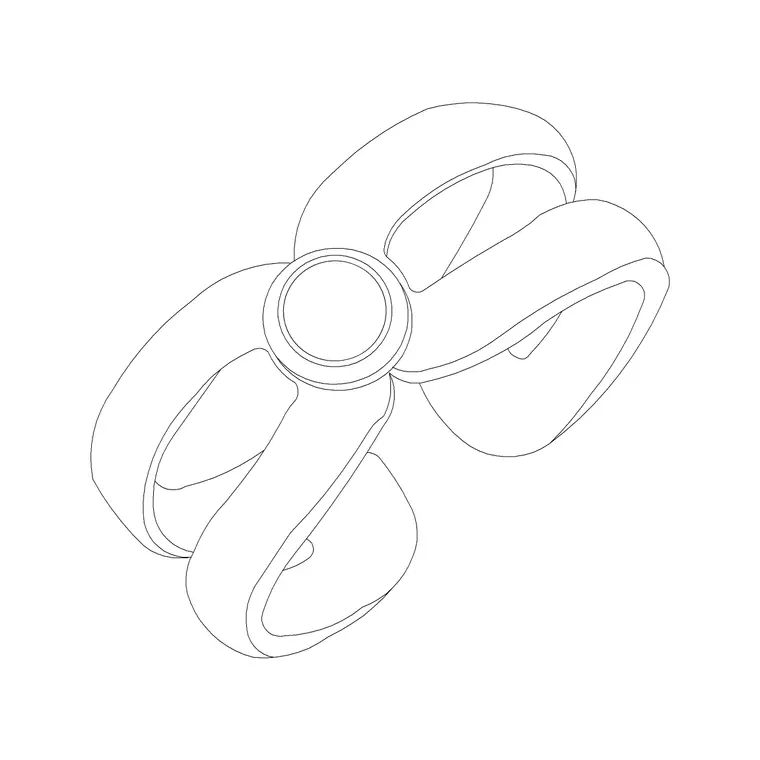
The block draws a ring as a band — a clean circle or oval for the finger opening — carrying a raised setting and a faceted stone at the top. The diamond is drawn with a few facet lines so it reads as a cut gem rather than a plain dome, which is what makes the piece register as a diamond ring rather than a generic band.
Because a ring is the rare accessory you might show from more than one angle, the block can serve both as a top view (looking down on a ring in a tray or on a pad) and as an elevation or three-quarter view (the ring standing in a slot, stone uppermost). As a single block reference it copies and mirrors as one object, so you can fill a ring tray with copies and vary the setting with a quick mirror or scale.
Plan and elevation for a ring
Unlike most accessories, a ring genuinely uses both views. The top view (effectively a plan looking down) is how you draw rings laid in a display tray, on a pad or in a counter insert — a grid of bands seen from above. The elevation or three-quarter view shows a ring stood upright in a roll or slot, the stone catching the eye, which is how a hero piece is presented in a window.
So when you compose a jewellery detail, reach for the top view to lay out a tray of stock and the elevation to feature a single ring. On a store plan the ring is far too small to show; it lives entirely on the close counter, case and window detail sheets.
Ring sizes to draw against
Keep these tiny but real dimensions in mind. A ring band's internal diameter runs roughly 15–22 mm across the common adult finger sizes, and the band itself adds a couple of millimetres of metal around that. The setting and stone sit above the band; a solitaire head might add 5–10 mm of height, with the stone itself anywhere from a few millimetres to over a centimetre across for a large diamond.
Those figures set the display geometry around the ring: a ring slot in a roll is only 8–12 mm wide, and a tray of rings is laid on a grid of perhaps 25–30 mm centres so the bands sit clear of each other. Because the block is drawn at a believable ring size, it keeps a tray or roll detail in honest proportion and stops the rings reading as bangles.
Inserting and laying out rings
The ring is drawn full size in millimetres. Insert at scale 1 in a millimetre drawing, 0.001 in a metre drawing, or set INSUNITS to millimetres so AutoCAD rescales on insertion. Use INSERT or drag the DWG from a tool palette, and snap the insertion point to the tray grid or the roll slot so the ring sits correctly.
To fill a tray, place one ring and ARRAY it on the tray's grid spacing, then mirror or lightly scale a few so the stock reads as varied pieces rather than identical clones. For a window hero, use the elevation view of the block, scaled up if the presentation needs the stone to read. Keep the rings on a fine styling layer so they freeze out for a clean casework drawing and thaw in for the presentation.
Who uses the ring block
Jewellery, bridal and watch retailers and their shopfit designers use the ring block to lay out display trays, rolls and window features so a counter or case drawing reads as stocked with fine pieces. Interior designers use it on dressing-table and vanity details where a ring dish styles the surface. Visualisers add it to presentation details that need a luxe, recognisable focal point.
It pairs naturally with the other small accessories blocks — necklaces, perfume bottles and handbags — to build a complete jewellery counter or dressing-table vignette. On a case detail, a tray of rings beside a draped necklace and a pendant card tells the full fine-jewellery story at a glance, with the ring as the precise, eye-catching hero.
Layering and reuse for fine detail
A ring is the finest linework in the accessories set, so keep it on a dedicated styling or display layer with a light lineweight, separate from the casework, glass and lighting. That keeps the technical counter or case drawing clean when the jewellery is frozen, while the presentation version thaws it on — the usual one-file, two-output discipline.
When you build a ring tray or roll you reuse, WBLOCK the laid-out arrangement as a styling assembly so a stocked ring display drops into the next shopfit in a single insert. Edit the source assembly later — change the band style or the tray grid — and every placement updates together, which keeps the detail consistent across all the case elevations in a store drawing set.
Free download
Browse the full library — DWG & DXF, no signup.
Questions
Frequently asked
Is the ring CAD block free for commercial use?+
Yes. The diamond ring block downloads free in DWG and, where available, DXF, with no signup, no watermark and no attribution requirement, and it is cleared for commercial jewellery, bridal and interior drawings.
Does the ring block come in plan or elevation?+
Both views are useful. A top view lays out rings in a display tray or pad seen from above; an elevation or three-quarter view stands a ring upright in a roll or window. Use whichever the detail calls for.
What size is the ring drawn at?+
The band's internal diameter is drawn around 15–22 mm to match common adult finger sizes, with the setting and stone above. A small uniform scale adjusts the stone for a larger or smaller diamond on a hero piece.
How do I lay out a tray of rings?+
Place one ring and ARRAY it on the tray's grid — roughly 25–30 mm centres keeps the bands clear of each other — then mirror or lightly scale a few so the stock reads as varied pieces rather than identical clones.
Related downloads
Blocks for this guide
Related categories
Related guides
Block landing
Free Picture Frame CAD Blocks — DWG Download
Download free picture frame CAD blocks in DWG and DXF — framed photos drawn in elevation for AutoCAD interior drawings. No signup, commercial use OK.
Block landing
Free Wall Art & Painting CAD Blocks — DWG
Download free wall art and painting CAD blocks in DWG and DXF — abstract art and canvases for AutoCAD interior elevations. No signup, commercial OK.
Block landing
Free Decorative Vase CAD Blocks — DWG Download
Download free decorative vase CAD blocks in DWG and DXF — designer vases and vases with flowers in plan and elevation for AutoCAD. No signup, commercial OK.