Block landing · pendant light cad block
Free pendant and suspended light CAD blocks in DWG
By Sumana Kumar · Published 18 Mar 2024 · Updated 28 Jan 2026
A pendant light is the single hanging fitting on a cord or rod that has become the default choice over kitchen islands, dining tables and reception desks — and because it drops from the ceiling into the working zone, it appears on both the reflected ceiling plan and the interior elevation. This page collects free pendant and suspended light CAD blocks in DWG and DXF: single pendants, clustered and linear arrangements, and bar-mounted suspensions, all drawn at true millimetre dimensions for AutoCAD 2004 or later. Everything is free for personal and commercial work, with no signup and no watermark.
Where a chandelier is a single large statement, a pendant is usually deployed in numbers — three over an island, a row down a bar, a cluster in a stairwell — so the discipline is spacing and drop height rather than sheer size. Use these blocks to detail kitchens, dining areas, bars and counters, reception desks and stairwell voids, and to space a run of pendants evenly with consistent drops.
Pendant vs chandelier: the difference in a drawing
A pendant and a chandelier both hang from the ceiling, but they behave differently in a drawing. A chandelier is one large central fitting whose diameter and drop dominate a formal room. A pendant is a smaller fitting, usually repeated — the design question is how many, at what spacing, and at what drop. That makes the pendant block a unit you array rather than a one-off you centre.
In plan the pendant reads as a small shade footprint you space along an island or table centreline. In elevation it is a slim drop — cord or rod, then shade — and the drop height is the dimension that ties a row of pendants together visually. The block is drawn so a run reads consistently when you array it.
Views and what's included
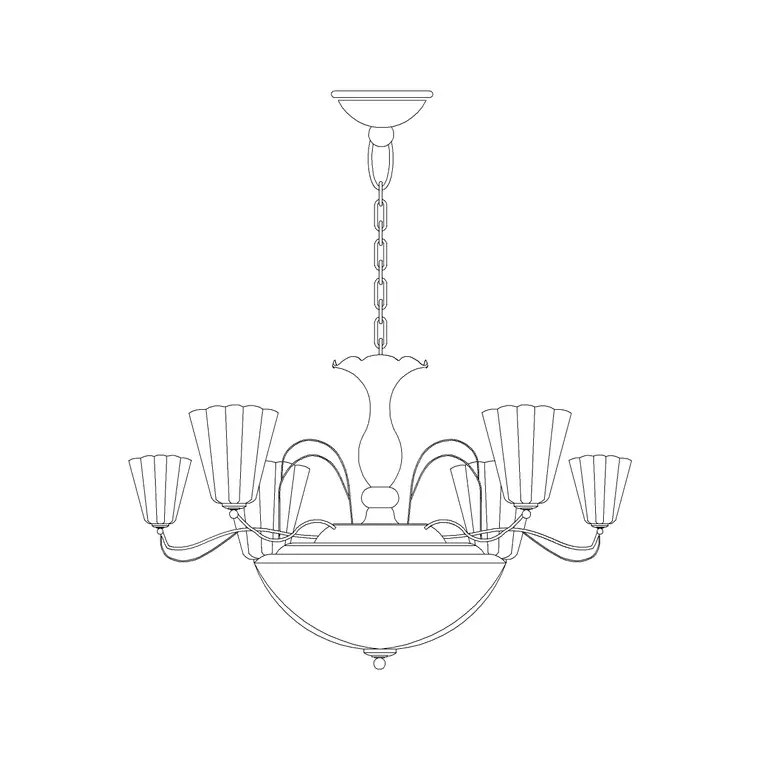
Pendant downloads here pair a small plan footprint with an elevation showing the suspension and shade. Single-pendant blocks are the building unit; some downloads include linear bar and clustered arrangements for islands and feature drops. The suspended-light blocks suit contemporary schemes where a clean shade hangs on a fine cord.
Where both views sit in one DWG, insert the one your drawing needs and freeze the rest. The cord, the ceiling rose and the shade are separate elements so you can adjust the drop length without redrawing the shade — useful, because pendant drop is the figure you most often tune.
Typical pendant dimensions and drop heights
Reach for these ranges as you scale and place pendants. Shade diameter: roughly 200–400 mm for a domestic pendant, with mini-pendants nearer 100–200 mm and statement shades larger. Drop (overall length from ceiling to bottom of shade): adjustable, commonly 600–1500 mm depending on ceiling height and use.
The working rule is the height of the shade base above the surface below. Over a kitchen island or dining table, aim for roughly 750–900 mm of clear space between the worktop or table and the bottom of the pendant so the light works without blocking sightlines across the surface. For a row of pendants over an island, space them evenly — equal centres along the island length read far better than uneven gaps, and the scaled block lets you set that spacing exactly.
How to insert and array the block
These pendant blocks are drawn full size in millimetres. Insert at scale 1 in a millimetre drawing, 0.001 in a metre drawing, or set INSUNITS to millimetres so AutoCAD rescales on insertion.
Run INSERT or drag the DWG from a tool palette, snap the plan footprint to the island or table centreline, then use ARRAY (rectangular along the run, or path array along a curved counter) to repeat the pendant at equal centres. In elevation, place the ceiling rose on the ceiling line and set the drop to your chosen height. Because each pendant is a single block reference, a change to the drop in the definition updates the whole row at once.
Where pendant light blocks are used
Pendant lights appear over kitchen islands and breakfast bars, dining tables, reception and bar counters, café and restaurant tables, stairwell voids and bedside positions. They are a staple of contemporary residential, hospitality and commercial interiors, where a row or cluster of pendants gives both task light and a design feature. On a reflected ceiling plan they mark the fitting positions and the spacing that the electrician sets out.
Pair the pendant blocks with ceiling light, chandelier and wall light blocks to build a complete lighting layer, and with island, dining-table and counter blocks from the kitchen and furniture sets to compose the space. As licence-clear blocks they suit presentation drawings, FF&E packs and student work.
Spacing a run of pendants over an island
Most pendant mistakes are spacing mistakes, and they show up immediately when the fitting is a scaled block on a real plan. Over an island, the usual approach is to divide the island length into equal parts and centre a pendant in each — three pendants on a long island typically sit at the quarter, half and three-quarter points, or at even centres with equal end margins, depending on the look. Eyeballing this on a blank ceiling almost always drifts; arraying a scaled block against the island outline gets it right and gives you a dimension to put on the drawing.
Drop height is the partner to spacing. A row of pendants only reads as a deliberate feature if every shade hangs at the same height, so set one drop and array it rather than placing each pendant freehand. Keeping the pendants on a lighting layer lets you produce a clean reflected ceiling plan with the spacing dimensioned, which is exactly what the contractor needs to set the fittings out on site without re-interpreting the design.
Free download
Browse the full library — DWG & DXF, no signup.
Questions
Frequently asked
What's the right drop height for a pendant over an island?+
Aim for roughly 750–900 mm of clear space between the worktop or table and the bottom of the pendant. That lights the surface without blocking sightlines. Drawing the scaled block in elevation lets you set and dimension the drop precisely.
How do I space a row of pendants evenly?+
Insert one pendant block, then use ARRAY along the island or table centreline at equal centres — for example, three pendants at even spacing with matching end margins. Arraying a scaled block keeps the spacing consistent and gives you a dimension for the drawing.
Do the pendant blocks include plan and elevation views?+
Yes, many do. The plan footprint is for the reflected ceiling plan and the elevation shows the suspension and shade. Where both views are in one DWG, insert the one you need and freeze the other.
Are the pendant light blocks free for commercial use?+
Yes. Every block downloads free in DWG and, where available, DXF, with no signup, no watermark and no attribution requirement, and they are cleared for commercial project use.
Related downloads
Blocks for this guide

Popular blocks to download
Related categories
Related guides
Block landing
Free Lighting Fixtures CAD Blocks — DWG Download
Download free lighting fixtures CAD blocks in DWG and DXF — chandeliers, wall lights, downlights and pendants in plan and elevation for AutoCAD.
Block landing
Free Table Lamp CAD Blocks — DWG Download
Download free table lamp CAD blocks in DWG and DXF — classical and decorative table lamps in plan and elevation for AutoCAD 2004+. No signup, commercial-use OK.
Block landing
Free Floor Lamp CAD Blocks — DWG Download
Download free floor lamp CAD blocks in DWG and DXF — straight and arc floor lamps in plan and elevation for AutoCAD 2004+. No signup, free for commercial use.