Block landing · oak tree cad block
Free oak tree CAD blocks for AutoCAD
By Saumyajit Maity · Published 11 Feb 2024 · Updated 12 Jun 2026
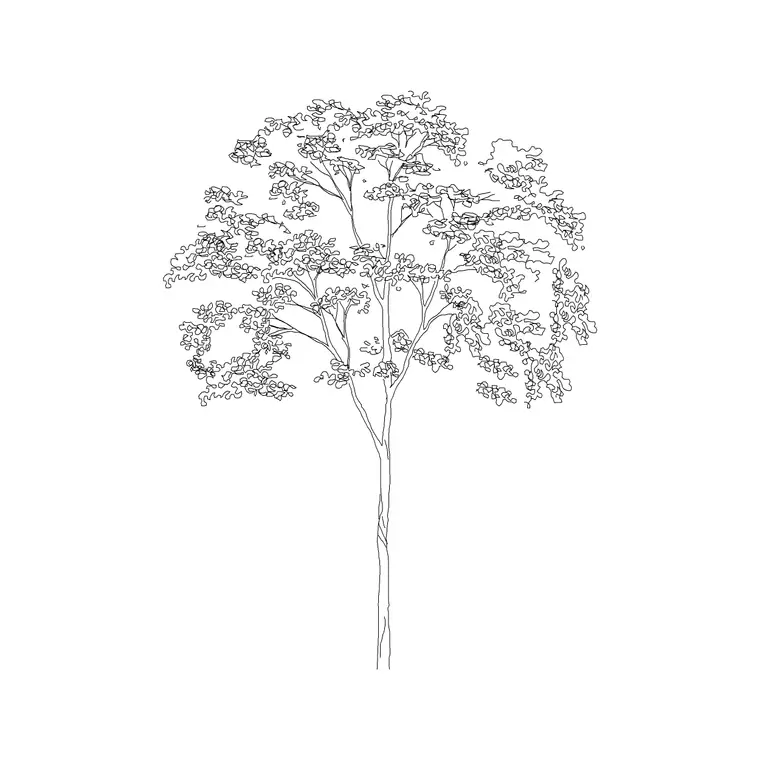
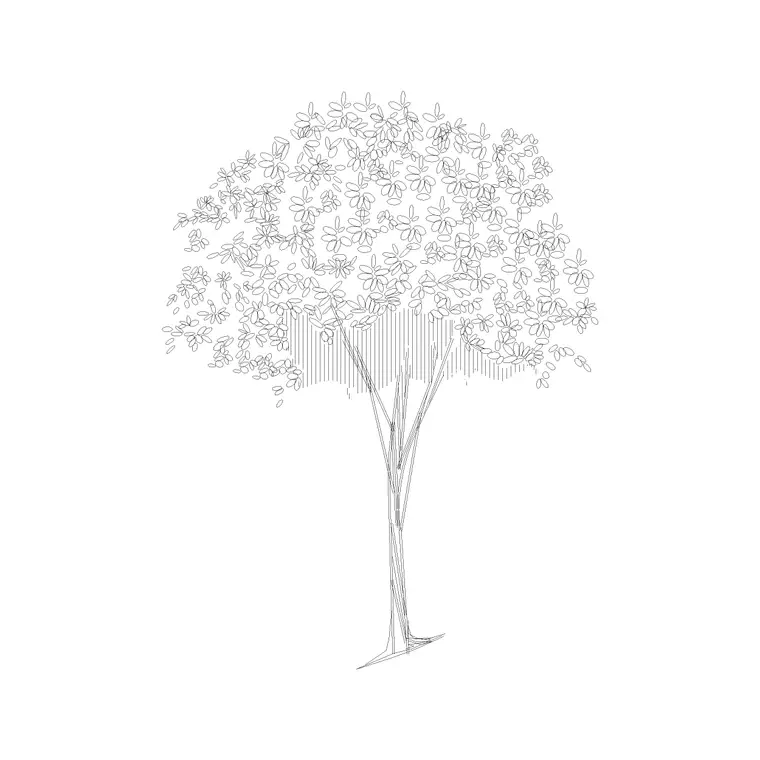
The oak is the specimen tree, and it deserves a block that captures its character rather than a generic blob. An oak in elevation has a stout, often short trunk and a broad, irregular, gnarled crown that spreads wide and a little chaotically; in plan it is a large, lobed canopy circle, frequently the biggest tree on the sheet. This page collects free oak tree CAD blocks in DWG and DXF, drawn to scale and ready for AutoCAD 2004 or later, free for personal and commercial use with no signup or watermark.
Oaks matter on a drawing for reasons beyond size. A mature oak is often a protected, retained or heritage feature that the rest of the scheme has to work around — its position, its crown spread and its root protection area become design constraints. So an oak block is frequently not decoration but a fixed obstacle to plan against, which is why getting its true spread right is so important.
Drawing the character of an oak
An oak does not read like a neat lollipop tree. The trunk is usually thick and relatively short, dividing into heavy limbs that give the crown an irregular, spreading, slightly asymmetric outline. In elevation that gnarled, broad-shouldered silhouette is recognisably an oak rather than a generic round tree, and the better blocks carry that branch character.
In plan the oak is a wide, lobed canopy — often the largest crown on the drawing — frequently drawn with a richer texture to distinguish a specimen from background planting. The blocks here keep trunk, branch structure and canopy outline on separate layers so you can show the bare winter framework or a full summer crown, and so a retained oak can be flagged distinctly from new planting.
Oak dimensions and the root protection area
Oaks are big and long-lived. Use these reference figures: a young or ornamental oak might stand 6–10 m, a maturing oak 12–18 m, and a veteran specimen 20–30 m or more, with crown spreads that can match or exceed the height — a mature oak commonly spreads 15–25 m. They are among the widest trees you will draw.
With a retained oak, the canopy is not the only footprint that matters: there is a root protection area (RPA) around the trunk that construction must keep clear. The exact RPA is calculated from the trunk diameter per the relevant standard, so do not invent a figure — but do reserve a generous zone around any existing oak on the plan, because new foundations, paving and services usually have to stay outside it.
Inserting an oak in plan and elevation
Oak blocks are drawn full size in millimetres. Set INSUNITS to millimetres (or insert at 0.001 in a metre drawing) so the tree lands at true size. For elevations, snap the trunk base to your ground line; for plans, snap the insertion to the trunk at the canopy centre — which, for a retained oak, is the surveyed position the rest of the layout pivots around.
For a new specimen oak, scale the crown to the spread you expect at the design year and give it room — an oak planted too close to a building is a future problem. For a retained oak, scale the block to the surveyed crown spread and then draw the root protection zone around the trunk so the design clearly keeps construction clear of it.
Specimen oaks versus background trees
An oak is usually a feature, so draw it as one. On a planting plan, a specimen oak earns a richer, more detailed symbol than the background trees, and often its own label or schedule reference. In elevation it anchors a view, so it is worth the extra branch detail that makes it read as a real, characterful tree rather than filler.
That distinction also helps coordination. By drawing retained and specimen oaks distinctly — perhaps on their own sub-layer, with a clear symbol and the root protection area shown — you make sure the constraint they represent is impossible to miss when someone else picks up the drawing to set out paving, drainage or a building line nearby.
Where oak tree blocks are used
Oak blocks appear on parkland and estate plans, heritage and conservation-area drawings, large residential gardens, campus and institutional grounds, and any site where a mature oak is being retained. They are the classic specimen tree for a formal lawn, an avenue terminus or a focal point in a designed landscape, and the retained-tree symbol on countless development sites built around an existing oak.
Keep specimen and retained oaks clearly on the planting layer, and pair these blocks with the broader deciduous, conifer and shrub blocks in the trees-and-plants category. An oak as the structural specimen, supporting deciduous and shrub planting around it, is a textbook composition these blocks are made to draw.
Designing around a retained oak
When an existing oak is staying, it flips from a graphic to a constraint, and the block becomes a planning tool. Place it at its surveyed trunk position, scale the crown to the surveyed spread, and draw the root protection area around it; everything else — buildings, paving, level changes, services — then has to be arranged to respect that zone. Drawing it accurately up front saves a redesign when an arboriculturist points out a clash later.
A mature oak is also a strong amenity asset, so designers often deliberately frame views to it, set buildings back from it, or make it the centrepiece of a space. Getting its true crown spread and protection zone onto the plan early lets you make those moves confidently, and the oak blocks here are drawn broad and characterful precisely so a retained specimen reads as the significant feature it is.
Free download
Browse the full library — DWG & DXF, no signup.
Questions
Frequently asked
How big should I draw a mature oak tree block?+
A mature oak commonly stands 20–30 m tall with a crown spread of 15–25 m — often as wide as it is tall. Scale the block to the surveyed or design-year spread; for a retained oak, also reserve the root protection area around the trunk.
Are the oak tree CAD blocks free for commercial use?+
Yes. Every oak block downloads free in DWG and, where available, DXF, with no signup, no watermark and no attribution requirement, and is cleared for commercial project use.
Do the oak blocks include both plan and elevation views?+
Many do. They ship with an elevation showing the broad, characterful oak silhouette for sections and a wide lobed canopy plan for site plans, in the same DWG where both are included.
How do I show a retained oak on a site plan?+
Place the block at the surveyed trunk position, scale the crown to the surveyed spread, put it on its own layer, and draw the root protection area around the trunk so construction is kept clear of it.
Related downloads
Blocks for this guide
Related categories
Related guides
Block landing
Free Flower Plant CAD Blocks — DWG Download
Free flower plant CAD blocks in DWG and DXF — flowering annuals and perennials in plan and elevation for AutoCAD landscape plans. No signup, commercial OK.
Block landing
Free Flowering Shrub CAD Blocks — DWG Download
Free flowering shrub CAD blocks in DWG and DXF — ornamental shrubs in plan and elevation for AutoCAD planting and site plans. No signup, commercial OK.
Block landing
Free Herb Plant CAD Blocks — DWG Download
Free herb plant CAD blocks in DWG and DXF — herbs for kitchen gardens, raised beds and planters, in plan and elevation for AutoCAD. No signup, commercial OK.