Block landing · metal chandelier cad block
Free metal chandelier CAD blocks for AutoCAD
By Saumyajit Maity · Published 1 Nov 2022 · Updated 27 Mar 2026
A metal chandelier is the wrought-iron, brass or industrial-frame fitting that gives a room a defined, often heavier character — think a candle-style iron frame in a hallway, a black metal cage over a kitchen island, or a brushed-brass tier in a restaurant. This page offers a free metal chandelier CAD block in DWG and DXF, drawn to true millimetre size so its frame footprint and drop read accurately on the page. It is free for personal and commercial work, with no signup and no watermark.
The thing that distinguishes a metal chandelier in a drawing is the frame: arms, candle-arms and cages create a more articulated plan symbol than a smooth modern ring, and the fitting is genuinely heavy, so its fixing matters. Drop the scaled block onto a reflected ceiling plan and you can centre it, judge how much of the ceiling its arm-spread occupies, and flag the fixing point for the structural engineer — all from geometry rather than estimation.
What a metal chandelier block represents
A metal chandelier reads as a framed, multi-arm fitting: a wrought-iron candle frame, a brass tiered piece, or a welded-steel industrial cage carrying exposed bulbs. In plan it is more articulated than a plain ring because the arms radiate outward, so the symbol communicates both the central body and the arm-spread that governs how much ceiling the fitting commands.
The block is a single clean reference — frame, arms and lamp positions read as one object you centre, scale and rotate. Drawn as a block, the heavier metal frame still behaves like any other luminaire on the plan: copy it, array it down a corridor of repeated fittings, or place a single statement piece, and a later edit through the block definition updates every instance.
Views and what's included
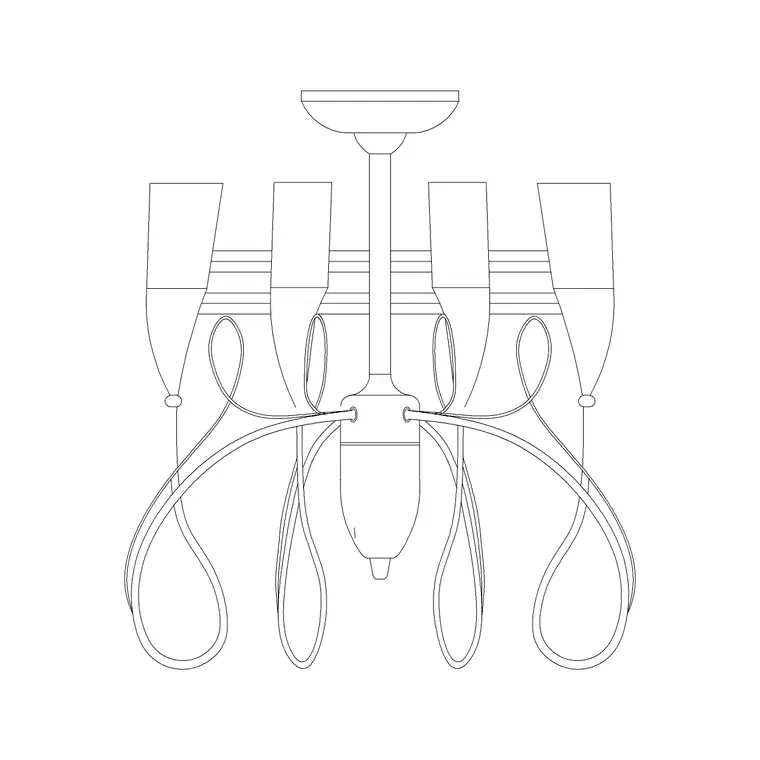
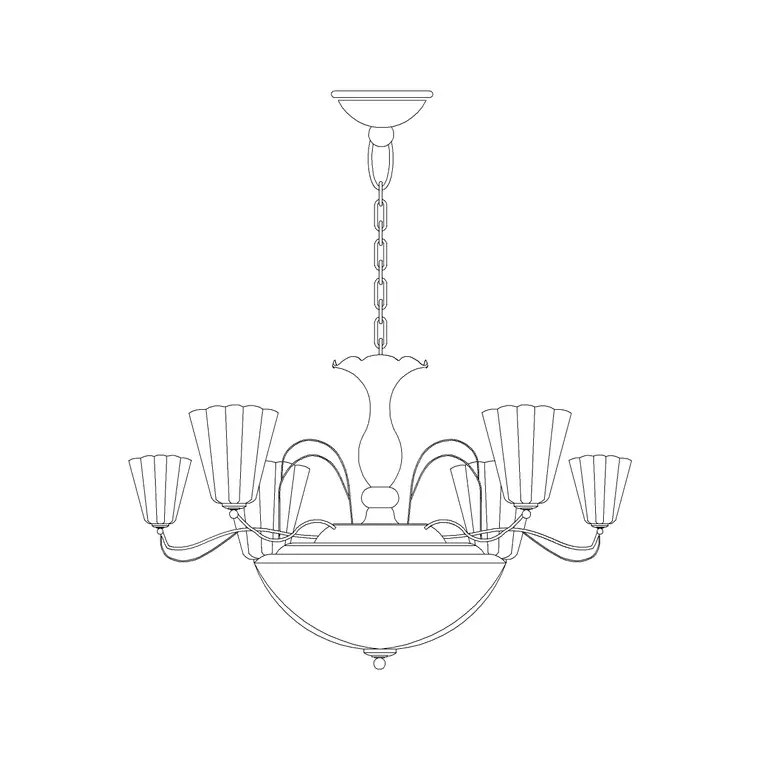
The plan / reflected-ceiling-plan view shows the chandelier's arm-spread and central body from below — the symbol you centre over a table and dimension to the walls. The elevation or side view shows the metal frame face-on at its drop, with the tiers, candle-arms or cage drawn so the character reads; this is the view you place in an interior elevation or a section to prove head clearance and set the hanging height.
Where both views ship together in a single DWG, one download covers the ceiling plan and the room elevation. A detailed iron frame can be busy at small scale, so for a 1:100 sheet you may simplify the elevation while keeping the richer version for a 1:20 feature drawing.
Typical sizing to design around
Treat these as typical ranges and confirm against the real fitting. A residential metal chandelier — a hall or dining frame — commonly spans 500–900 mm across the arms, while larger tiered or industrial pieces over an island, a stairwell or a restaurant table can run beyond a metre. Candle-style frames tend to be taller in proportion than a flat modern ring, so the elevation height is worth checking as much as the plan diameter.
Drop follows ceiling height: over a table the underside typically sits 700–900 mm above the surface; in a tall hall or void the same frame may hang much lower to bring it into the room. Because metal fittings are heavy, the most important coordination dimension is often the fixing point, not the size — and that is exactly what a scaled, correctly-placed block lets you dimension for the structural detail.
How to insert and place the block
The block is drawn full size in millimetres; insert at scale 1 in a millimetre drawing, 0.001 in a metre template, or set INSUNITS to millimetres so AutoCAD rescales automatically. Run INSERT, snap the insertion point to the centre of the frame, and centre it over the table or room — snap to the intersection of the table diagonals for a clean centring.
For the elevation, snap the suspension top to the ceiling line so the drop and the head clearance read against the floor. Keep the fitting on the lighting layer; because a metal chandelier is a load as well as a luminaire, it is worth marking its fixing position clearly so the structural and electrical sets pick it up from the same point.
Where metal chandeliers are used
Metal chandeliers suit traditional and industrial interiors alike: country-house halls and dining rooms with wrought-iron candle frames; loft and warehouse conversions with black-steel cages; restaurants, bars and hotel lobbies where a brass tiered piece sets the tone. They are deliberate, character-setting fittings, so they usually anchor the symmetry of a room and its ceiling.
Use the metal chandelier alongside the rest of the lighting category — wall lights and recessed downlights for the supporting layers — to build a coordinated reflected ceiling plan. Because the fitting is heavy, the same scaled symbol that the architect places to set the look is what the structural engineer uses to confirm the soffit fixing, and what the electrical engineer hangs the feature circuit from.
Layering, weight and scheduling
Keep the metal chandelier on the lighting layer, and consider a distinct sub-layer or colour for feature luminaires so a reviewer can pick the statement pieces out of a dense reflected ceiling plan at a glance. Tag the fitting with a luminaire-type attribute — a feature code such as MC-01 — so it lands in the lighting schedule for the electrical contractor and the cost plan.
With a metal chandelier the weight note matters: because the fixing has to carry a real load, it helps to call up the approximate weight or at least flag 'confirm fixing' against the tagged block so the structural detail is not forgotten. Tagging and dimensioning straight from the drawing keeps the look, the load and the wiring coordinated. Where the same frame repeats across rooms, array the block rather than copying geometry so any substitution propagates through the definition.
Free download
Browse the full library — DWG & DXF, no signup.
Questions
Frequently asked
Is the metal chandelier CAD block free for commercial projects?+
Yes. It downloads free in DWG and DXF with no signup, no watermark and no attribution requirement, and it is cleared for commercial project use.
How is a metal chandelier block different from a plain round one?+
A metal chandelier reads as a framed, multi-arm fitting — candle-arms, tiers or a cage — so its plan symbol is more articulated and shows the arm-spread, where a plain round chandelier reads as a smooth ring or circle.
Does the block flag the fixing for the structural engineer?+
The block places the fitting accurately so you can dimension its centre as the fixing point. Metal chandeliers are heavy, so it is good practice to tag the block with a 'confirm fixing' note for the structural detail.
What scale is the block drawn at?+
Full size in millimetres. Insert at scale 1 in a millimetre drawing, 0.001 in a metre drawing, or set INSUNITS to millimetres so AutoCAD rescales the block automatically on insertion.
Related downloads
Blocks for this guide

Related categories
Related guides
Block landing
Free Lighting Fixtures CAD Blocks — DWG Download
Download free lighting fixtures CAD blocks in DWG and DXF — chandeliers, wall lights, downlights and pendants in plan and elevation for AutoCAD.
Block landing
Free Table Lamp CAD Blocks — DWG Download
Download free table lamp CAD blocks in DWG and DXF — classical and decorative table lamps in plan and elevation for AutoCAD 2004+. No signup, commercial-use OK.
Block landing
Free Floor Lamp CAD Blocks — DWG Download
Download free floor lamp CAD blocks in DWG and DXF — straight and arc floor lamps in plan and elevation for AutoCAD 2004+. No signup, free for commercial use.