Block landing · medium tree cad block
Free medium tree CAD blocks for AutoCAD
By Saumyajit Maity · Published 31 Dec 2024 · Updated 30 Jan 2026
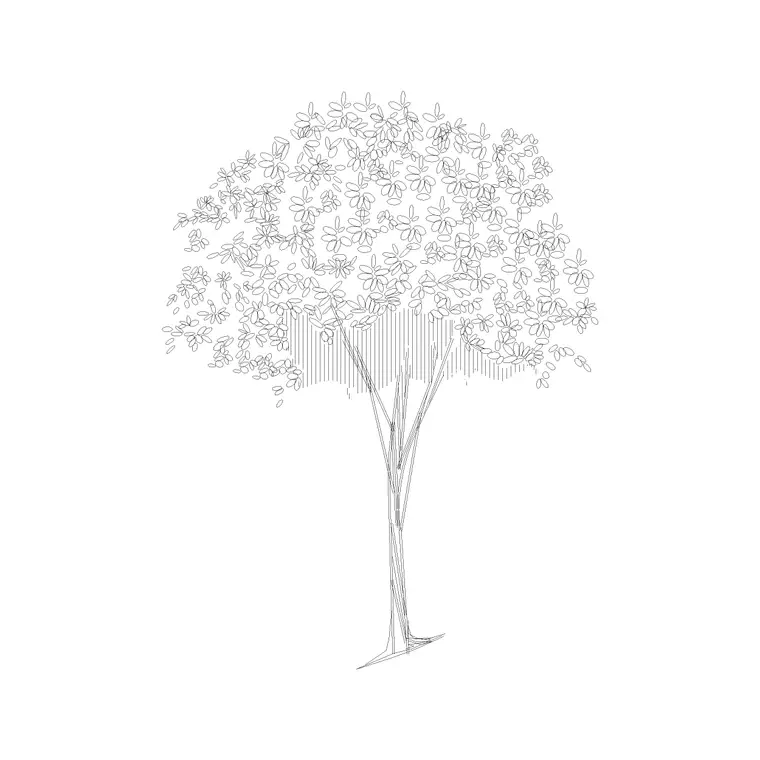
Medium trees are the dependable middle ground of a planting scheme — too large to be a shrub or ornamental, too modest to dominate like a parkland giant. In elevation a medium tree is a comfortably proportioned trunk and crown that sits well against a two- or three-storey building; in plan it is a moderate canopy circle that fills a garden or lines a street without overwhelming it. This page collects free medium tree CAD blocks in DWG and DXF, drawn to scale and ready for AutoCAD 2004 or later, free for personal and commercial use with no signup or watermark.
Medium trees do a lot of quiet, useful work. They are the default street tree on a residential road, the courtyard tree that gives shade without blotting out the building, and the middle tier between big structural specimens and low ornamentals. Because they fit so many situations, a good medium tree block is one of the most-reused planting symbols in a drawing set.
Where medium trees sit in the hierarchy
Planting design tends to work in tiers: big structural trees set the frame, medium trees fill the middle ground, and small ornamentals and shrubs add detail at ground level. The medium tree is the connective tier — large enough to give real shade and presence, small enough to suit a domestic garden, a courtyard or a tight urban street where a parkland tree would not fit.
That in-between role is exactly why they are so widely used. A medium tree reads correctly against a typical house or a low office block, where a huge canopy would look out of scale and a tiny ornamental would look lost. The blocks here are drawn at that moderate, versatile size, with trunk, branches and canopy on separate layers for seasonal and detail control.
Medium tree dimensions to design around
Use these reference figures for the medium category: roughly 8–12 m tall with a 5–8 m crown spread at maturity. That puts them comfortably below the 15–25 m of a large shade tree and well above the 4–8 m of a small ornamental. Typical species in this band include many rowans, field maples, hornbeams, ornamental cherries and smaller limes.
The moderate spread makes spacing straightforward. A row of medium street trees usually sits on a spacing that lets the 5–8 m crowns grow to touch without the heavy overlap a big tree demands, which is part of why they suit narrower residential streets and courtyards. Size the plan circle to that mid-range spread and the layout reserves a sensible, realistic footprint for each tree.
Inserting and spacing medium trees
Medium tree blocks are drawn full size in millimetres. Set INSUNITS to millimetres (or insert at 0.001 in a metre drawing) so the canopy lands at the right diameter. For elevations, snap the trunk base to your ground line; for plans, snap the insertion to the trunk at the canopy centre.
To line a street, array the block along the planting line at a spacing based on the 5–8 m spread — close enough for a continuous canopy effect over time, open enough that each tree keeps its shape. Vary the scale and rotation a little across the row so the planting reads naturally. Because medium trees suit repetition, they array beautifully down a residential road or around a courtyard edge.
Choosing a medium tree over a large or small one
Reach for a medium tree when the space needs greenery and shade but cannot host a big canopy: a domestic front or back garden, a courtyard between buildings, a residential street with services and narrow verges, or a car park where modest shade trees soften the asphalt without dropping heavy limbs over vehicles.
Reach for a large tree instead when you want a single dominant specimen to define a space, and for a small ornamental when the spot is genuinely tight or the tree is decorative detail near a doorway or path. The medium tree is the safe default for most everyday situations, which is why it is worth keeping a couple of medium blocks — one rounded, one more upright — in your working library.
Where medium tree blocks are used
Medium trees populate residential streets, domestic gardens, courtyards, car parks, school grounds, business parks and the bulk of everyday landscape drawings. They are the most generally useful tree size and the one you will array most often, because they fit the scale of the buildings and spaces that make up most projects.
Keep them on the planting layer, and pair these blocks with the big tree, small ornamental and shrub blocks in the trees-and-plants category. A typical scheme uses big trees sparingly for structure, medium trees as the everyday workhorse, and small ornamentals and shrubs for ground-level detail — and the medium tree is the tier that ties the composition together.
Medium trees and a balanced planting plan
A planting plan that uses only one size of tree tends to read flat, so the medium tree's real value is in combination. Place a few big trees for structure, then use medium trees to carry the scheme through the middle of the site — along streets, around courtyards, between the big specimens — and the plan gains depth and rhythm without any single tree dominating.
Because they array so well, medium trees are also the easiest tier to standardise. Keep one or two reliable medium blocks in your template, set them on the planting layer with a consistent symbol, and you can populate most of a scheme quickly, reserving the big and small blocks for the moments that need a specimen or a detail. That habit keeps your planting plans both fast to produce and consistent across a project.
Free download
Browse the full library — DWG & DXF, no signup.
Questions
Frequently asked
What size is a medium tree on a CAD drawing?+
A medium tree is roughly 8–12 m tall with a 5–8 m crown spread at maturity — between a large shade tree and a small ornamental. Size the plan circle to that mid-range spread for realistic spacing.
Are the medium tree CAD blocks free for commercial use?+
Yes. Every medium-tree block downloads free in DWG and, where available, DXF, with no signup, no watermark and no attribution requirement, and is cleared for commercial project use.
When should I use a medium tree instead of a large one?+
Use a medium tree where the space cannot host a big canopy — domestic gardens, courtyards, narrow residential streets and car parks — and where a tree should give shade and presence without dominating the building.
Do the medium tree blocks include both plan and elevation views?+
Many do. They ship with an elevation for sections and a moderate canopy circle in plan for site plans, in the same DWG where both views are included.
Related downloads
Blocks for this guide
Popular blocks to download
Related categories
Related guides
Block landing
Free Flower Plant CAD Blocks — DWG Download
Free flower plant CAD blocks in DWG and DXF — flowering annuals and perennials in plan and elevation for AutoCAD landscape plans. No signup, commercial OK.
Block landing
Free Flowering Shrub CAD Blocks — DWG Download
Free flowering shrub CAD blocks in DWG and DXF — ornamental shrubs in plan and elevation for AutoCAD planting and site plans. No signup, commercial OK.
Block landing
Free Herb Plant CAD Blocks — DWG Download
Free herb plant CAD blocks in DWG and DXF — herbs for kitchen gardens, raised beds and planters, in plan and elevation for AutoCAD. No signup, commercial OK.