Curated pack · laundry room cad block pack
Free laundry room CAD block pack for AutoCAD
By Sumana Kumar · Published 3 Feb 2026 · Updated 3 May 2026
The laundry or utility room is small, heavily serviced and easy to under-plan, yet it carries plumbing, drainage, ventilation and an appliance stack that all have to fit a tight footprint. This free laundry room CAD block pack collects the equipment you draw on every utility layout — washing machines and dryers, utility sinks, worktops, drying and ironing zones and storage — in DWG and DXF, drawn at true millimetre sizes and ready to insert into AutoCAD 2004 or later. Free for personal and commercial work, no signup, no watermark.
Use the pack to lay out laundry rooms, utility rooms, apartment laundry closets and shared building laundries. Because the appliances sit on the standard 600 mm module and ship with elevation views, you can plan the run, the stack and the worktop over the machines as a coordinated unit the moment the blocks land.
The set is built around services: the washer and dryer that fix the plumbing and venting wall, the sink beside them, the worktop and storage that turn the leftover space into something useful — all on one consistent module so the run snaps together.
What's in the laundry pack
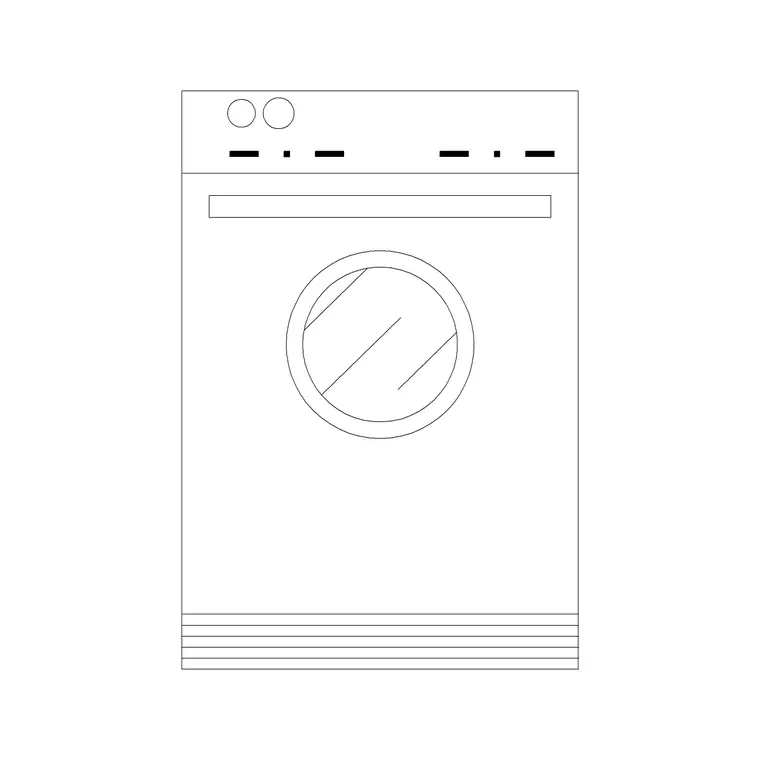
The pack covers the utility-room kit. Appliances: washing machines and tumble dryers on the standard 600 mm module — including a washers-and-dryers elevation block for drawing the appliance run face-on — and stacked washer-dryer footprints for tight closets. Wet zone: a deep utility sink with drainer for hand-washing and soaking. Surfaces and storage: worktops that run over the machines, base and tall cabinets, and a drying and ironing zone.
Each is a clean block you can copy and array as a unit. The appliances and cabinets share the 600 mm grid so they line up into a continuous run, and the elevation views let you draw the worktop and any wall units over the machines. Keep the appliances, the worktop and the storage on separate layers and one drawing produces the layout plan and the utility elevation.
How to use the set together
Fix the services wall first. The washer needs water supply and drainage; the dryer (unless it's a condenser or heat-pump model) needs an external vent. Put both against the wall that carries those services, side by side or stacked if the room is tight, and the rest of the layout follows. Add the utility sink next to the machines so it shares the plumbing zone.
Run a worktop over the front-loading machines to reclaim the surface — it's the single best move in a small utility room — and line the remaining wall with base and tall storage. Set aside a corner or a wall for drying and ironing. Keep checking the appliance door swing: a front-loader's door is wide and, in a galley utility, can clash with an opposite run or block the route, so confirm at least 1000 mm of clear floor in front of an open machine.
Washer and dryer notes
Washing machines and dryers are built on the 600 mm module — roughly 600 mm wide and 600 mm deep — so they line up with kitchen-style cabinetry and slot under a continuous worktop. That standard footprint is why the appliances in this pack snap into a run without leaving awkward gaps. Front-loaders dominate, and their wide swinging door is the clearance to watch in a narrow room.
Where floor space is scarce — an apartment laundry closet, say — a stacked washer-dryer puts the dryer on top of the washer, halving the floor footprint at the cost of height, so check it against a tall cupboard or a sloped ceiling. The washers-and-dryers elevation block is what you use to draw the run face-on, showing the machine fronts, the worktop above and any wall cabinets, which is exactly the view a joiner or installer wants.
Sink, worktop and storage
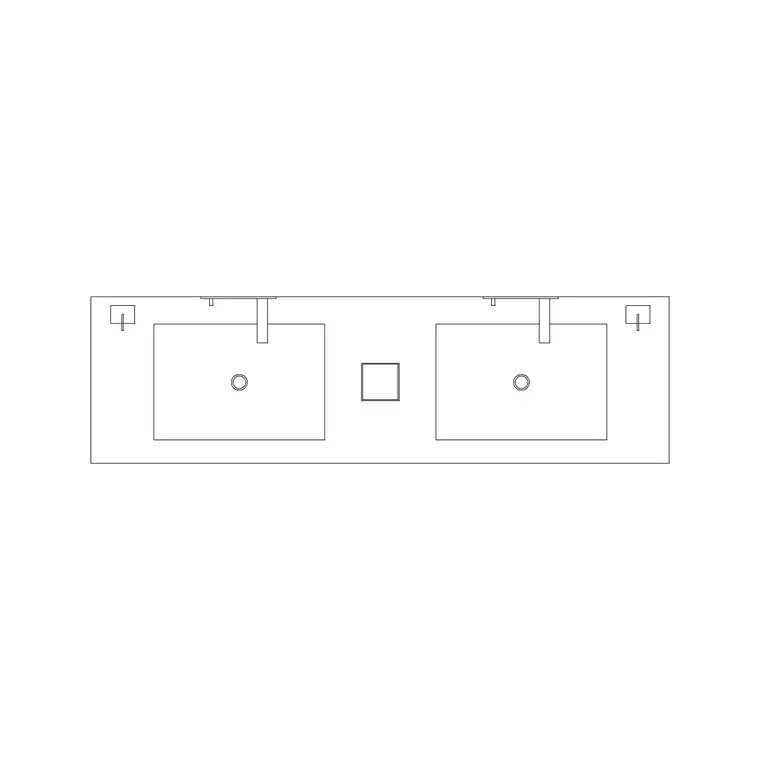
A utility sink is deeper and plainer than a kitchen sink — built for soaking, hand-washing and filling buckets — and it wants to sit in the plumbing zone beside the machines. Draw it with a drainer where space allows, and keep at least a small length of worktop beside it for sorting and folding.
The worktop over the machines is the workhorse surface: it gives somewhere to fold laundry and sort loads, and it ties the appliance run together visually. Base cabinets fill the gaps below; a tall cupboard houses the broom, vacuum and cleaning supplies that otherwise clutter the room. An ironing zone — a board that folds away or a fixed run — and a drying rail or airer complete the room. Keep all of it on the 600 mm grid where you can, so the storage and the appliances read as one coordinated run.
Plan and elevation
For the layout you work in plan: appliances, sink and storage seen from above along the services wall, with the appliance door swings and circulation checked. The plan blocks are what you array in a shared building laundry that repeats a bank of machines, or mirror when a utility is the handed twin of another unit's.
For the joinery and presentation drawings you switch to elevation, where the washers-and-dryers elevation block draws the machine fronts, the worktop over them and the wall cabinets face-on. Having the elevation view in the pack means the utility's plan and elevation come from one coordinated set rather than two unrelated drawings, so the worktop height over the machines and the wall-unit line read correctly.
Who uses the laundry pack
Interior designers and kitchen specialists use it to plan utility rooms alongside the kitchen as one services zone. Architects use it to confirm a laundry or utility fits its room with the plumbing, drainage and venting coordinated. Developers and facilities designers use the appliance blocks to lay out shared building laundries and apartment laundry closets, and to count machines for a communal facility.
Because the blocks are free and licence-clear, the same pack serves a single utility room or a multi-unit building laundry. Pair it with the bathroom and furniture sets to draw the whole wet-services side of a dwelling from one consistent library.
Free download
Browse the full library — DWG & DXF, no signup.
Questions
Frequently asked
What's in the laundry room pack?+
Washing machines and dryers on the 600 mm module (with a washers-and-dryers elevation block and stacked footprints), a utility sink, worktops, base and tall storage, and a drying and ironing zone — in plan and elevation.
What size are the washer and dryer blocks?+
They sit on the standard 600 mm module — roughly 600 mm wide and deep — so they line up with kitchen-style cabinetry under a continuous worktop. Stacked washer-dryer footprints are included for tight closets.
How much clearance do I need in front of the machines?+
Allow at least 1000 mm of clear floor in front of a front-loader so its wide door can swing open and a person can load and unload. In a galley utility, check the door doesn't clash with the opposite run.
Are the laundry blocks free for commercial use?+
Yes. Every block downloads free in DWG and, where available, DXF, with no signup, no watermark and no attribution requirement, cleared for commercial projects.
Related downloads
Blocks for this guide
Popular blocks to download
Related categories
Related guides
Curated pack
Free Bathroom CAD Block Pack — DWG & DXF
Free bathroom CAD block pack in DWG and DXF — WCs, basins, baths, showers and vanities drawn in plan, elevation and section. No signup, commercial-use OK.
Curated pack
Free Kitchen CAD Block Pack — DWG & DXF
A free kitchen CAD block pack in DWG and DXF — cookers, hobs, ovens, sinks, hoods and cabinets drawn in plan and elevation for AutoCAD. No signup, commercial-use OK.
Curated pack
Free Office CAD Block Pack — DWG & DXF
Free office CAD block pack in DWG and DXF — desks, workstations, conference tables and reception furniture in plan view. No signup, commercial-use OK.