Block landing · hanging light cluster cad block
Free hanging light cluster CAD blocks for AutoCAD
By Saumyajit Maity · Published 11 Jun 2026 · Updated 28 Jun 2026
A hanging light cluster is a group of pendants hung together at staggered drops — several cords descending from a shared or grouped ceiling point to make one composed feature, the kind you see over a stairwell void, a tall lobby or a large dining table. This page offers a free hanging light cluster CAD block in DWG and DXF, drawn to scale so the spread of the cluster in plan and the staggered drops in elevation read correctly. It is free for personal and commercial work, with no signup and no watermark.
A cluster is the most three-dimensional of the suspended fittings: its character comes from the different heights of the individual pendants, so both views genuinely matter. Drop the scaled block onto a reflected ceiling plan and you can see how wide a footprint the cluster occupies and centre it over the void or table; take it to the elevation and the staggered drops let you prove every pendant clears head height while filling the vertical space the way the design intends.
What a hanging light cluster is
A hanging light cluster is several pendants grouped as one feature, typically at different drops so the lights cascade through the vertical space rather than sitting in a flat row. The pendants may share a single large ceiling plate or descend from a tight group of roses. What makes it distinct from a single pendant or a rigid chandelier is the staggered, three-dimensional arrangement — the cluster fills a volume, not just a point.
The block is a single clean reference holding the whole group, so you place, centre and rotate the cluster as one object rather than positioning each pendant by hand. Because the individual drops are part of the design, the elevation view carries those different heights, while the plan shows the scatter of cord-points across the cluster's footprint.
Views and what's included
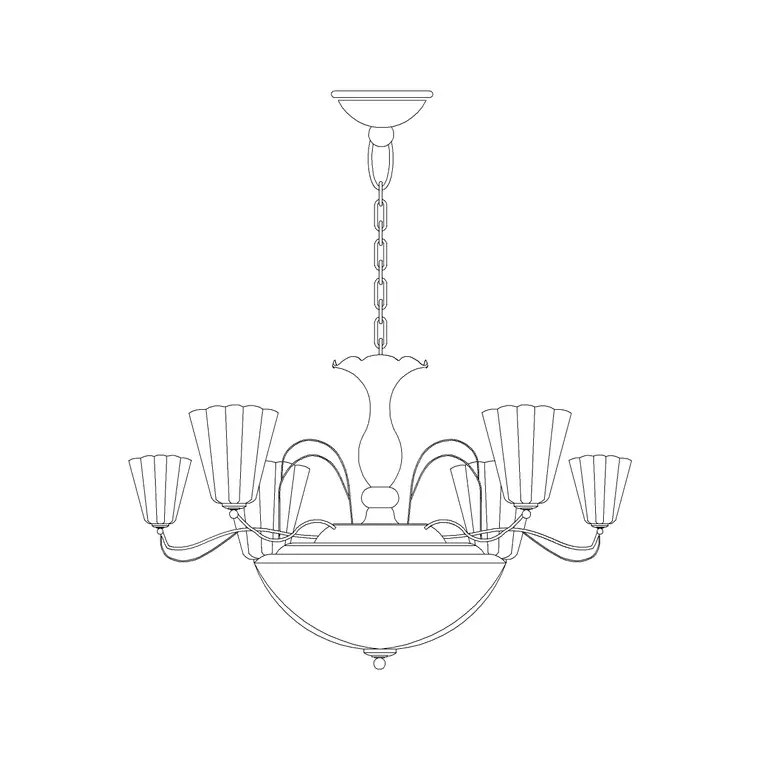
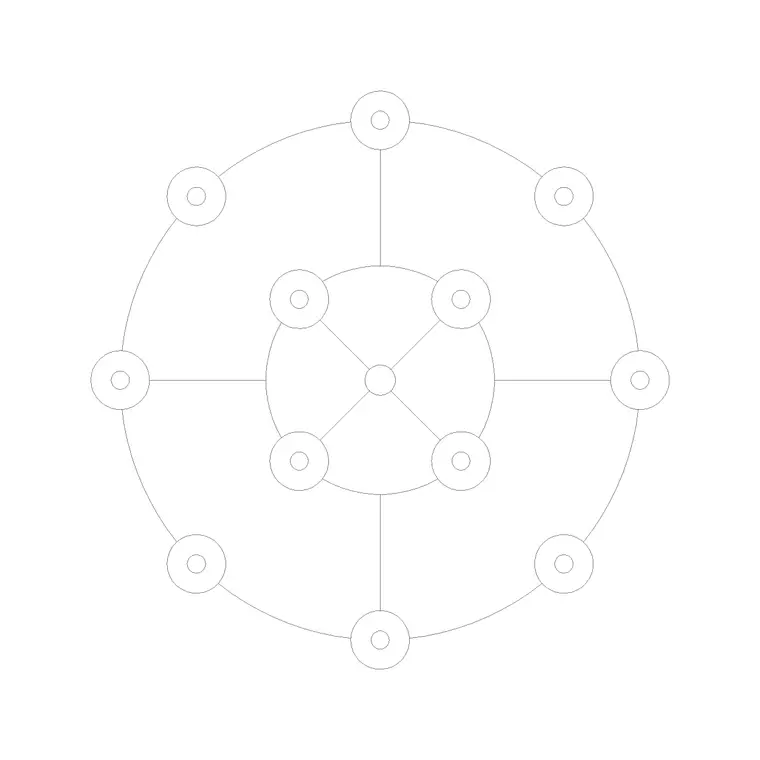
The plan / reflected-ceiling-plan view shows the cluster's footprint — the scatter of pendant positions seen from below — which you centre over a void, stair or table and dimension to the walls. The elevation or side view is where a cluster really earns its block: it shows the pendants at their staggered drops, so you can read how the cluster fills the vertical space and confirm the lowest pendant still clears head height.
Where both views ship in one DWG, a single download covers the reflected ceiling plan and the room or stair section. For a cluster the elevation is essential rather than optional, because the staggered drops are the whole point — a plan alone can't tell you whether the lowest pendant hangs into the walking zone of a stair below.
Typical sizing to design around
Treat these as typical ranges and confirm against the actual fitting. A hanging cluster's plan footprint commonly spans a few hundred millimetres for a tight three-pendant group over a table, up to a metre or more for a generous cluster over a stairwell or a double-height lobby. The defining dimension is the spread of drops: the pendants are deliberately set at different heights, often staggered across a range of several hundred millimetres so the cluster cascades.
Over a table the lowest pendant still wants its underside roughly 700–900 mm above the surface; in a stair void or double-height space the cluster as a whole is hung to fill the volume, with the lowest pendant kept clear of any walking surface or landing below. Because the block is scaled, insert it, dimension the footprint on the plan and the range of drops on the elevation, and the composition reads directly.
How to insert and place the cluster
The block is drawn full size in millimetres; insert at scale 1 in a millimetre drawing, 0.001 in a metre template, or set INSUNITS to millimetres so AutoCAD rescales on insertion. Run INSERT, snap the insertion point to the centre of the cluster (usually the shared plate or the centroid of the group), and centre it over the void, stair or table.
For the elevation, snap the top of the suspension to the ceiling line so all the staggered drops read against the floor and any landing below. Because a cluster is the whole feature in one block, you place it once rather than positioning each pendant — but if you need to fine-tune an individual drop for a specific ceiling height, use BEDIT to adjust that pendant within the definition. Keep the cluster on the lighting layer so it freezes for a plain plan and thaws for the reflected ceiling plan.
Where hanging light clusters are used
Hanging clusters belong over stairwell and atrium voids, in double-height living spaces and lobbies, over large dining and conference tables, and in hospitality settings — hotel reception, bar and restaurant voids — where a cascade of pendants makes a single dramatic feature. The staggered drop is exactly what suits a tall space, because the cluster brings light and interest down into a volume that a single high fitting would leave dark.
Use the cluster alongside the rest of the lighting category — downlights for the general wash, wall lights for the perimeter — so the feature reads against a coordinated background. Because a cluster is heavy and hung in a void, the same scaled symbol that the architect places to compose the feature is what the structural engineer uses to confirm the fixing and what the electrician uses to set the grouped roses and the circuit.
Layering, coordination and scheduling
Keep the cluster on the lighting layer, and consider a feature sub-layer or distinct colour so a multi-pendant cluster stands out clearly on a busy reflected ceiling plan during review. Because the cluster lives in a void that other disciplines also work in, accurate placement on plan and elevation is what lets the structural fixing, the balustrade and the lighting circuit be coordinated against the same point.
Tag the cluster with a luminaire-type attribute — a feature code such as CL-01 — so it appears in the lighting schedule for the electrician and the cost plan, and note the count of pendants and the fixing requirement against it, since a cluster is both a load and a multi-circuit item. Dimensioning the footprint and the range of drops straight from the block keeps the plan, the section and the structural fixing in step. Where the same cluster recurs, place the block rather than rebuilding the group, so any change updates through the definition.
Free download
Browse the full library — DWG & DXF, no signup.
Questions
Frequently asked
What makes a light cluster different from a chandelier?+
A cluster is a group of separate pendants hung at staggered drops so it fills a vertical volume, where a chandelier is usually a single rigid frame. The cluster's elevation carries those different drop heights, which is why both views matter.
Why is the elevation view important for a cluster?+
Because the staggered drops are the whole feature. The elevation shows each pendant's height so you can confirm the lowest one clears head height over a table or a stair landing — a plan alone can't tell you that.
Does the block include both plan and elevation views?+
Where a fitting ships both, the plan shows the cluster footprint and the elevation shows the staggered drops. They live in the same DWG, so one download covers the reflected ceiling plan and the section.
Is the hanging light cluster CAD block free for commercial use?+
Yes. It downloads free in DWG and DXF with no signup, no watermark and no attribution requirement, and it is cleared for commercial project use.
Related downloads
Blocks for this guide

Related categories
Related guides
Block landing
Free Lighting Fixtures CAD Blocks — DWG Download
Download free lighting fixtures CAD blocks in DWG and DXF — chandeliers, wall lights, downlights and pendants in plan and elevation for AutoCAD.
Block landing
Free Table Lamp CAD Blocks — DWG Download
Download free table lamp CAD blocks in DWG and DXF — classical and decorative table lamps in plan and elevation for AutoCAD 2004+. No signup, commercial-use OK.
Block landing
Free Floor Lamp CAD Blocks — DWG Download
Download free floor lamp CAD blocks in DWG and DXF — straight and arc floor lamps in plan and elevation for AutoCAD 2004+. No signup, free for commercial use.