Block landing · hanging clothes cad block
Free hanging clothes and coat CAD blocks for AutoCAD
By Sumana Kumar · Published 9 Apr 2024 · Updated 22 Mar 2026
When you draw a wardrobe interior, a fitting room or a retail rail, an empty hanging rod looks lifeless and tells the viewer nothing about how the space is used. A hanging clothes CAD block fixes that in one insert: a coat, a shirt or a row of garments shown on hangers, drawn at the right height so the rail, the shoulder line and the hem all read correctly. This page gathers free hanging clothes and coat CAD blocks in DWG and DXF, ready for AutoCAD 2004 or later, free for personal and commercial work with no signup and no watermark.
These are predominantly elevation blocks — you see the clothing face-on, the way it hangs from the rail — because that is the view where they earn their keep: joinery elevations of a wardrobe, fitting-out drawings for a boutique, and interior presentation sheets where a bare cupboard needs to look lived-in. Drop one in and the drawing instantly communicates a clothes-storage zone rather than an empty box.
What a hanging clothes block actually shows
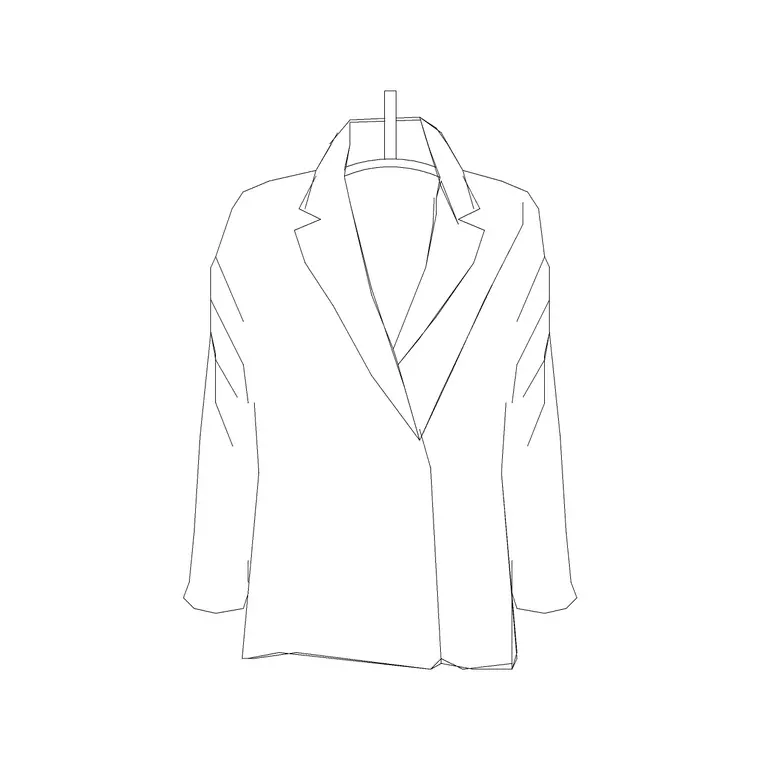
A good hanging garment block is drawn as an elevation: the hanger hook curling over an implied rail at the top, the shoulder line spreading to the garment's widest point, and the body of the coat or shirt falling to its hem. The outline is what matters — enough internal linework to read as a coat (a collar, a button line, a couple of fold creases) without so much detail that it turns to mud when the elevation is printed at 1:50.
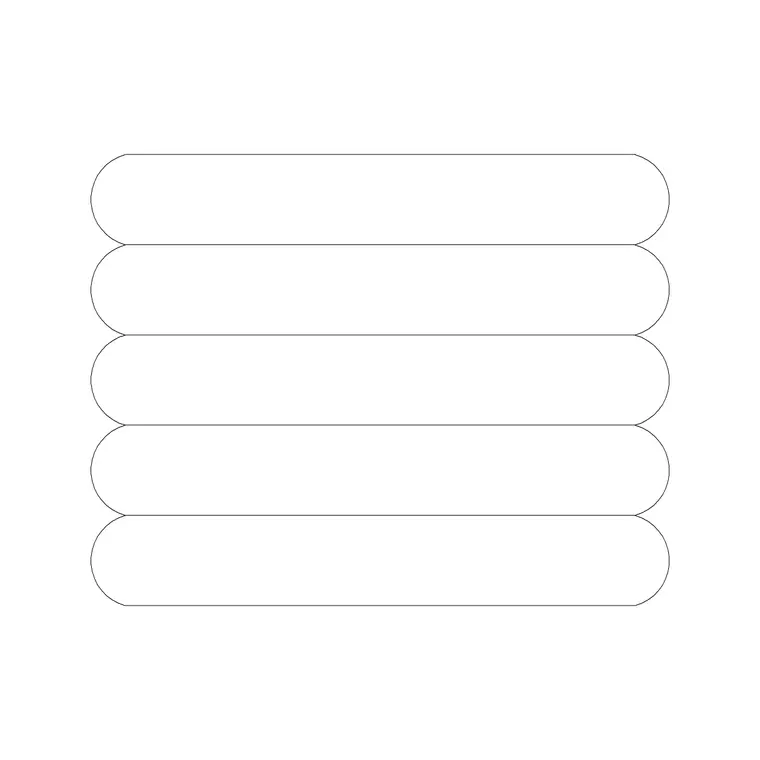
Most blocks come as a single garment you can repeat along a rail, or as a pre-spaced group of several garments — the stacked-clothes block is the latter, giving you a full rail's worth of hanging items in one insert. Because each is a clean block reference, you can mirror it, recolour it onto a furniture layer, and copy it down a wardrobe run without redrawing a stitch.
Elevation is the view that matters here
Unlike a chair or a sink, hanging clothes are almost never drawn in plan — from above, a garment on a rail is just a thin smudge, so the block lives in elevation. You reach for it whenever you cut an interior elevation through a wardrobe, draw a joiner's setting-out sheet, or produce a retail shopfit elevation showing merchandise on a wall rail.
The one place plan does come up is the rail position: in plan you draw the hanging rail as a line set back from the wardrobe face, and the garments project forward of it. The clothes block itself, though, belongs on the elevation sheet sitting against that rail line. If a download ships a plan footprint as well, it is there to help you locate the rail depth, not to be the main symbol.
Hanging heights to design around
These reference figures keep a wardrobe elevation honest. A single hanging rail for long garments (coats, dresses) typically sits around 1600–1800 mm above finished floor, leaving roughly a 1400–1600 mm drop for the garment. A double-hang arrangement for shirts and jackets splits the height: an upper rail near 2000 mm and a lower rail near 1000–1100 mm, each carrying garments around 800–1000 mm long.
Garment widths on the hanger run roughly 400–500 mm at the shoulder for shirts and jackets, a little wider for a structured coat. Allow about 50–60 mm of rail length per closely-packed garment when you are estimating how many fit on a run. Because the blocks are drawn to these real heights, you can drop one against your rail line and immediately see whether the garment clears the shelf below or fouls a drawer.
How to insert and space them along a rail
The blocks are drawn full size in millimetres, so in a millimetre drawing insert at scale 1 and the coat lands at true height. Work in metres and you insert at 0.001; set INSUNITS to millimetres and AutoCAD rescales automatically whatever your template. Use INSERT (or drag the DWG from a tool palette), snap the insertion point to the rail line, and the garment hangs from the right level.
To fill a rail, place one garment then ARRAY it along the rod with a sensible pitch — tighter for a packed retail rail, looser for a styled display. Vary the mirror and nudge a couple of garments slightly so the row does not read as a stamped repeat. Keep the clothes on a dedicated furniture or shopfit layer so you can freeze them for a clean joinery drawing and thaw them for the presentation view.
Where hanging clothes blocks get used
Interior designers and joiners use them on wardrobe and dressing-room elevations to show how each rail is used and to prove the hanging heights work. Retail and shopfit designers populate wall rails and gondola elevations so a boutique drawing reads as a shop rather than an empty shell. Architects add them to bedroom and utility elevations for context, and to entrance lobbies where a coat rail or cloakroom needs to look occupied.
They pair naturally with the rest of the accessories category — handbags, suits and dresses to complete a styled wardrobe — and with furniture blocks for the wardrobe carcass itself. For a fitting-room or cloakroom drawing, a single coat-on-a-hook block does a lot of work signalling function with almost no linework.
Keeping the garments on the right layer
Treat hanging clothes as content rather than construction: put them on a furniture or styling layer, separate from the wardrobe carcass, the rails and the shelving. That separation lets you issue two drawings from one file — a clean joinery elevation for the cabinetmaker with the clothes frozen off, and a dressed presentation elevation for the client with them thawed on.
Because the garments are decorative scale-setters rather than dimensioned components, give the layer a lighter lineweight than the joinery so it reads as a soft background. If you build a styled wardrobe you like, WBLOCK the whole rail — carcass, rail and garments together — as a reusable assembly, and you can drop a furnished wardrobe into the next project in one click.
Free download
Browse the full library — DWG & DXF, no signup.
Questions
Frequently asked
Are these hanging clothes CAD blocks free to use commercially?+
Yes. Every coat and hanging-garment block downloads free in DWG and, where available, DXF, with no signup, no watermark and no attribution requirement, and they are cleared for commercial project use.
Are the clothes blocks drawn in plan or elevation?+
Elevation. Hanging garments are drawn face-on as they hang from a rail, because that is the view used for wardrobe joinery, fitting-room and retail-rail elevations. From plan a garment on a rail reads as little more than a thin line.
What hanging height should I draw the rail at?+
A long-garment rail typically sits around 1600–1800 mm above floor; a double-hang split uses an upper rail near 2000 mm and a lower near 1000–1100 mm. The blocks are drawn to these real heights, so snap them to your rail line and the drop reads correctly.
Can I fill a whole rail from one block?+
Yes. Use the stacked-clothes block for a ready-spaced row, or place a single garment and ARRAY it along the rail. Mirror and nudge a few instances so the run looks natural rather than stamped from one template.
Related downloads
Blocks for this guide
Related categories
Related guides
Block landing
Free Picture Frame CAD Blocks — DWG Download
Download free picture frame CAD blocks in DWG and DXF — framed photos drawn in elevation for AutoCAD interior drawings. No signup, commercial use OK.
Block landing
Free Wall Art & Painting CAD Blocks — DWG
Download free wall art and painting CAD blocks in DWG and DXF — abstract art and canvases for AutoCAD interior elevations. No signup, commercial OK.
Block landing
Free Decorative Vase CAD Blocks — DWG Download
Download free decorative vase CAD blocks in DWG and DXF — designer vases and vases with flowers in plan and elevation for AutoCAD. No signup, commercial OK.