Block landing · flower bed cad block
Free flower bed plant CAD blocks for AutoCAD
By Saumyajit Maity · Published 2 Jun 2024 · Updated 29 May 2026
A flower bed is the part of a garden that carries colour and seasonal interest — the herbaceous border, the bedding display, the mixed bed of perennials that changes through the year. A flower-bed plant CAD block lets you draw that planting on a plan: individual flowering-plant symbols, drifts and groups, and the bed outline that holds them. This page collects free flower-bed plant CAD blocks in DWG and DXF, drawn to scale and free for personal and commercial work, with no signup and no watermark.
Flower beds are where a planting plan gets detailed, because the design intent lives in the mix — which plant, how many, in what drift, next to what. So these blocks are built for placing in groups and arranging into the flowing shapes a border wants, rather than dotting a single repeated symbol. Use them to detail herbaceous borders and bedding schemes, to fill the colourful beds that frame entrances and paths, and to produce the kind of planting plan a gardener or contractor can plant directly from.
What a flower-bed plant block represents
A flower-bed plant block represents a flowering plant — a perennial, an annual bedding plant, a clump-forming herbaceous specimen — seen from above as a small rounded symbol, often with a star, rosette or radial texture suggesting a flower head or leaf rosette. Unlike a tree, it is a small object you place many of, arranged into drifts and groups that read as a designed border.
The block works hardest in groups. A single flower symbol means little; a drift of seven or eleven of the same symbol, flowing through a bed beside a contrasting drift, is what communicates a planting design. So these blocks are sized and styled to cluster cleanly, and to sit legibly within a bed outline at the scales a detailed planting plan is drawn.
Views and what's included
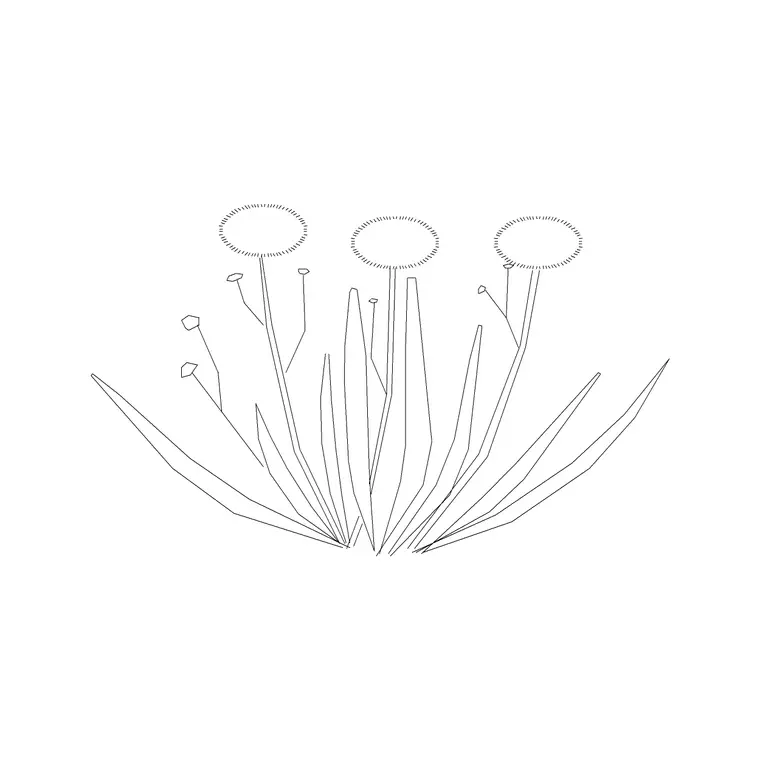
Flower-bed blocks are plan-view, because borders are designed and read from above. A typical set includes a few flowering-plant symbols at different sizes, drift or group arrangements you can scatter through a bed, and bed-outline conventions for closing the planting area. Some sets add a simple elevation flower for the occasional section or detail.
The symbols sit on planting-layer conventions so the plant symbols, any colour fill and the bed edge can occupy separate layers — useful for producing both a black-and-white planting plan and a coloured presentation version from the same drawing. Files target AutoCAD 2004 format and open across AutoCAD, BricsCAD, DraftSight and free DWG viewers, so the bed you draw opens anywhere.
Typical sizing and planting density
Flowering plants are small, so scale to the clump size and lean on density for the real count. As references: a small bedding plant or alpine spreads roughly 0.15–0.3 m, a medium perennial 0.3–0.6 m, and a large clump-forming herbaceous plant 0.6–1.0 m at its summer spread. Bedding is often planted close, while perennials are spaced to fill over a season.
In practice you size the symbol to read at the plan scale, then state a planting density (plants per square metre) for each drift so the schedule carries the true quantity. That keeps the plan legible — a bed packed with one symbol per real plant becomes unreadable — while the density note and bed area give the contractor an accurate count to order and plant to.
How to insert and arrange a border
Blocks are drawn full size in millimetres, so set insertion units to Millimeters (type UNITS) first. Draw the bed as a closed polyline, then place flowering-plant symbols within it: insert a symbol, copy it into a drift of an odd number, and flow the drift through the bed, varying rotation slightly so it reads natural. Place a contrasting symbol for the neighbouring drift and let the drifts interlock.
Keep each plant type identifiable — by symbol, layer or a leader label — so the plan doubles as a planting key. Put plants, bed edge and labels on separate layers so the drawing stays clean. When a designed drift or a whole border works, WBLOCK it for reuse in similar beds across the scheme.
Where flower-bed blocks are used
Flower-bed blocks belong on detailed planting plans: herbaceous borders, mixed beds, bedding displays, cottage gardens, the seasonal planting that frames entrances, terraces and civic spaces. They turn a bare bed outline into a designed planting scheme that a gardener can plant and maintain to.
Garden and landscape designers use them to communicate the heart of a planting design — the species mix and the drifts. Architects use them more lightly, to show colourful planting around a building. Public-realm and parks designers use them for bedding and perennial schemes in civic spaces. Combine flower-bed blocks with shrub, tree and hedge blocks so the colourful planting sits within the structure those layers provide.
Free download
Browse the full library — DWG & DXF, no signup.
Questions
Frequently asked
How many flower symbols should I place in a bed?+
Place enough to communicate the design, not one per real plant. Arrange symbols into drifts of odd numbers and state a planting density (plants per square metre) for each drift so the schedule carries the true count while the plan stays legible.
What view do flower-bed plant blocks come in?+
Plan view, since borders and bedding are designed and read from above. Some sets include a simple elevation flower for the occasional section or detail, but the design work is done in plan.
Are the flower-bed CAD blocks free for commercial use?+
Yes. They download free in DWG and, where available, DXF, with no signup, no watermark and no attribution requirement, and they are cleared for commercial project use.
How do I keep different flowers identifiable on the plan?+
Give each plant type a distinct symbol, layer or leader label so the plan doubles as a planting key. Keep plants, bed edges and labels on separate layers so a contractor can read which drift is which species.
Related downloads
Blocks for this guide

Popular blocks to download
Related categories
Related guides
Block landing
Free Flower Plant CAD Blocks — DWG Download
Free flower plant CAD blocks in DWG and DXF — flowering annuals and perennials in plan and elevation for AutoCAD landscape plans. No signup, commercial OK.
Block landing
Free Flowering Shrub CAD Blocks — DWG Download
Free flowering shrub CAD blocks in DWG and DXF — ornamental shrubs in plan and elevation for AutoCAD planting and site plans. No signup, commercial OK.
Block landing
Free Herb Plant CAD Blocks — DWG Download
Free herb plant CAD blocks in DWG and DXF — herbs for kitchen gardens, raised beds and planters, in plan and elevation for AutoCAD. No signup, commercial OK.