Block landing · pendant light cad block
Free designer pendant light CAD blocks for AutoCAD
By Sumana Kumar · Published 17 Jan 2026 · Updated 28 Feb 2026
A designer pendant light is the single statement fitting hung on a slender cord or rod — a sculptural shade, a glass globe, a turned-metal dome — placed over a worktop, a bedside, a stair or a feature point where one well-chosen pendant does the work of a whole cluster. This page offers a free designer pendant light CAD block in DWG and DXF, drawn to true millimetre size so the shade diameter and the drop read accurately on the page. It is free for personal and commercial work, with no signup and no watermark.
A designer pendant is about precise placement: as a single feature it has to be centred exactly over what it lights, hung at exactly the right drop, and proportioned to the surface beneath it. Drop the scaled block onto a reflected ceiling plan and you can centre it over a worktop or bedside, then take the elevation and set the underside at the right height above the surface — the difference between a pendant that lights the task and one that hangs in the way.
What a designer pendant block is
A designer pendant is a single suspended fitting — one shade on one cord or rod — chosen for its form as much as its light. In a drawing it reads as a compact plan symbol (the shade seen from below) and a clean elevation (the shade hung at its drop). Unlike a multi-arm chandelier or a cluster, its strength is precision: one pendant, placed exactly, over one thing.
The block is a single clean reference — cord, ceiling rose and shade as one object you centre, scale and rotate. Because designer pendants are often hung in evenly-spaced runs over a long island or counter, the block arrays cleanly so three matched pendants down a worktop sit at a controlled, equal spacing rather than placed by eye.
Views and what's included
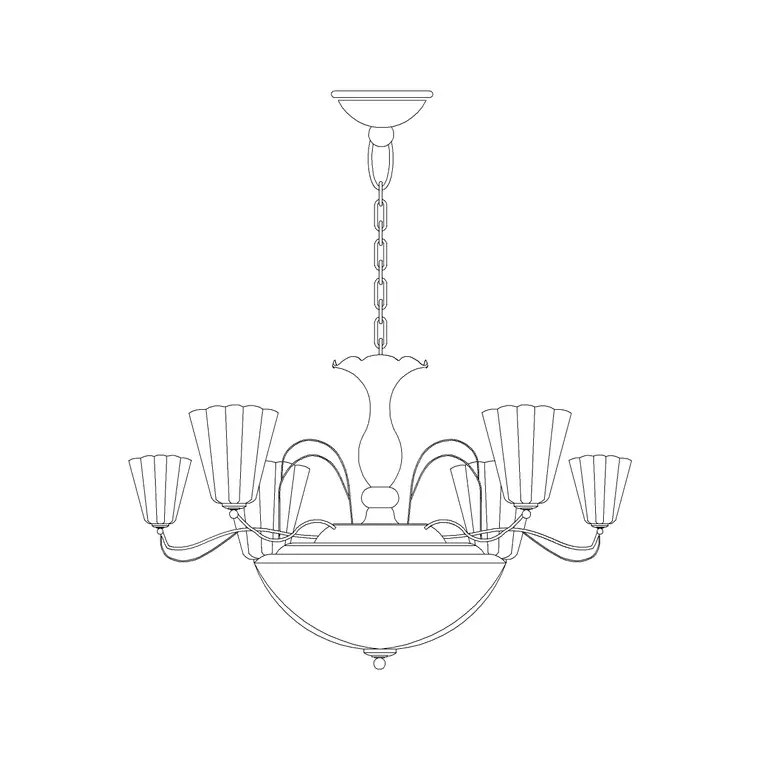
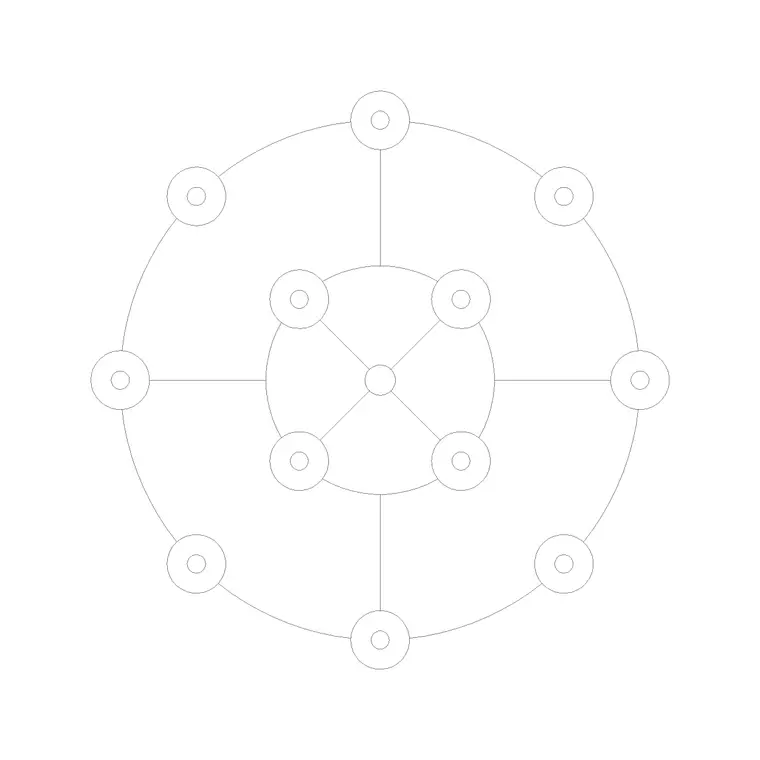
The plan / reflected-ceiling-plan view shows the shade as a small circle or shape seen from below — what you centre over a worktop, bedside or table and dimension to the walls. The elevation or side view shows the pendant at its drop, with the cord and shade drawn face-on, which you place in an interior elevation or a section to set the underside height above the surface and prove head clearance.
Where both views ship in one DWG, a single download covers the reflected ceiling plan and the room elevation. The elevation is the one that matters most for a pendant, because the whole point of a single feature fitting is hanging it at exactly the right height — too high and it floods, too low and it blocks the view across a counter.
Typical sizing to design around
Treat these as typical ranges and confirm against the actual fitting. A single designer pendant shade commonly runs 150–400 mm across for a worktop or bedside fitting, with larger sculptural pieces over an island reaching beyond that. The drop is the defining dimension: over a kitchen island or bar the underside of the shade typically sits around 700–900 mm above the worktop so it lights the surface without blocking sightlines across it; over a dining table the same range applies; at a bedside it hangs lower so it falls to reading height.
When several pendants line a long island, equal spacing and an equal drop are what make the run read as deliberate. Because the block is scaled, insert it, dimension the drop on the elevation and the spacing on the plan, and the proportions are easy to set.
How to insert and centre the block
The block is drawn full size in millimetres; insert at scale 1 in a millimetre drawing, 0.001 in a metre template, or set INSUNITS to millimetres so AutoCAD rescales on insertion. Run INSERT, snap the insertion point to the centre of the shade, and centre it over the worktop, table or bedside — snap to a temporary centreline or the midpoint of the island to land it precisely.
For a run of pendants over a long island, insert one, then ARRAY or use evenly-spaced copies along the island centreline so the spacing is exactly equal. On the elevation, snap the rose to the ceiling line and set the underside at the chosen height above the surface. Keep the fitting on the lighting layer so it freezes for a plain plan and thaws for the reflected ceiling plan.
Where designer pendants are used
Designer pendants belong over kitchen islands, breakfast bars and worktops; at bedsides as a space-saving alternative to a table lamp; over a small dining table; beside a stair as a feature drop; and over reception and hospitality counters where a single sculptural fitting sets the tone. They are the go-to feature fitting when one pendant, well placed, beats a busier arrangement.
Use the designer pendant alongside the rest of the lighting category — recessed downlights for the general wash, wall lights for the perimeter — so the feature reads against a coordinated background of light. On the services set, the pendant's exact plan position fixes the ceiling rose and the circuit drop, so placing the scaled block accurately is what lets the electrician set the outlet in the right place the first time.
Layering, spacing and scheduling
Keep designer pendants on the lighting layer, and consider a feature sub-layer or distinct colour so the statement fittings stand out on a busy reflected ceiling plan during a design review. Where pendants line a run, place one and array it rather than copying by hand, so the spacing stays exactly equal — an uneven run of feature pendants is one of the most visible mistakes on a finished ceiling.
Tag each pendant with a luminaire-type attribute — a feature code such as PL-01 — so it lands in the lighting schedule for the electrician and the cost plan. Because the drop and the centring are what make a designer pendant work, dimensioning both straight from the block keeps the elevation, the plan and the electrical setting-out in step. When the same pendant repeats across rooms or down a counter, array the block so any substitution propagates through the definition.
Free download
Browse the full library — DWG & DXF, no signup.
Questions
Frequently asked
How low should a pendant hang over a kitchen island?+
Typically the underside of the shade sits around 700–900 mm above the worktop so it lights the surface without blocking sightlines across it. The block is to scale, so set the drop on your elevation and dimension it to the worktop.
How do I keep a row of pendants evenly spaced?+
Place one pendant on the island centreline, then array it or make evenly-spaced copies along that line. Arraying the block guarantees an equal spacing and equal drop, which is what makes the run read as deliberate.
Does the block include both plan and elevation views?+
Where a fitting ships both, the plan view gives the reflected-ceiling-plan symbol and the elevation shows the pendant at its drop. They live in the same DWG, so one download covers both.
Is the designer pendant CAD block free for commercial use?+
Yes. It downloads free in DWG and DXF with no signup, no watermark and no attribution requirement, and it is cleared for commercial project use.
Related downloads
Blocks for this guide

Related categories
Related guides
Block landing
Free Lighting Fixtures CAD Blocks — DWG Download
Download free lighting fixtures CAD blocks in DWG and DXF — chandeliers, wall lights, downlights and pendants in plan and elevation for AutoCAD.
Block landing
Free Table Lamp CAD Blocks — DWG Download
Download free table lamp CAD blocks in DWG and DXF — classical and decorative table lamps in plan and elevation for AutoCAD 2004+. No signup, commercial-use OK.
Block landing
Free Floor Lamp CAD Blocks — DWG Download
Download free floor lamp CAD blocks in DWG and DXF — straight and arc floor lamps in plan and elevation for AutoCAD 2004+. No signup, free for commercial use.