Block landing · coniferous tree cad block
Free coniferous and pine tree CAD blocks
By Sumana Kumar · Published 3 Jul 2023 · Updated 12 Apr 2026
Conifers — pines, firs, spruces, cedars — earn their own block because their shape is unmistakable and unlike any broadleaf. In elevation a conifer is a tall, often conical or columnar silhouette, dense from near the ground to a pointed tip; in plan it reads as a tighter, more textured circle than a spreading broadleaf, frequently with a small radial or starred pattern. This page collects free coniferous and pine tree CAD blocks in DWG and DXF, drawn to scale in both views and ready for AutoCAD 2004 or later, free for personal and commercial work with no signup or watermark.
Conifers also carry a specific design meaning. Because most are evergreen and densely foliated to the ground, they are the trees you specify for year-round screening, shelter belts and visual barriers. A drawing that distinguishes its evergreen conifers from its deciduous broadleaves is telling the reader something real about how the scheme performs in winter, not just how it looks.
The conifer silhouette and why it matters
The classic conifer outline is conical or pyramidal — widest near the base, tapering to a point — though cedars spread flatter and some pines lose their lower branches to form a more open, umbrella-like crown with age. In elevation that distinctive triangle reads instantly as an evergreen, which is half the value of using a proper conifer block.
In plan, a conifer canopy is usually denser and more compact than a broadleaf of similar height, often drawn with a fine radial or spiky texture rather than a smooth lobed outline. That tighter footprint reflects how conifers actually behave: many hold a narrow, columnar form that makes them excellent for tight spaces and screening lines where a broad-spreading tree would not fit.
Pines, firs, spruces and cedars
The conifer family covers a range of forms worth distinguishing on a drawing. Spruces and firs hold the tight, regular pyramid you picture as a 'Christmas tree' shape, dense to the ground. Pines often shed their lower limbs as they mature, lifting the crown into a more open, characterful silhouette. Cedars spread wide and flat-topped, reading almost horizontally in elevation. Columnar conifers like certain cypresses are tall and pencil-thin.
Keeping a couple of these forms in your library stops an evergreen scheme looking monotonous. A shelter belt of tight pyramidal firs reads differently from a feature group of open, sculptural pines, and using the right silhouette communicates which you mean.
Conifer dimensions to design around
Conifers tend to be tall relative to their spread. Use these reference figures: ornamental and dwarf conifers stay small at 2–5 m, common landscape pines and firs reach 10–20 m, and mature forest conifers run well beyond that. Crucially, the crown spread is usually narrow — often a third to half the height — so a 15 m spruce might spread only 4–6 m, far tighter than a broadleaf of the same height.
That narrow footprint is why conifers suit screening and shelter belts: you can line them more tightly than broadleaf trees and still get a continuous wall of foliage. Size the plan circle to the modest crown spread, not to the height, or your spacing will end up far too generous.
Inserting conifers in plan and elevation
Conifer blocks are drawn full size in millimetres. Set INSUNITS to millimetres (or insert at 0.001 in a metre drawing) so the tree lands at the right height and spread. For elevations and sections, snap the trunk base onto your ground line so the conical silhouette stands correctly; for site plans, snap the insertion to the centre of the canopy.
To build a shelter belt or screening line, array the conifer along the planting line at a spacing based on its crown spread — tight enough that mature crowns will touch and form a continuous barrier. Vary the height a little across the row so the belt does not look like a fence of identical triangles, and the screen reads as planting rather than a stamped pattern.
Where coniferous tree blocks are used
Conifers turn up wherever year-round structure or screening is the point: shelter belts on exposed sites, evergreen screens hiding service yards or boundaries, forestry and woodland-edge plans, alpine and northern-climate schemes, and ornamental gardens where a conifer is a sculptural feature. They are also the default for any drawing showing a winter or all-season condition, because unlike deciduous trees they keep their mass through the cold months.
Keep conifers on the planting layer with the rest of the trees, and pair these blocks with the deciduous, ornamental and shrub blocks in the trees-and-plants category. A mixed scheme that shows evergreen conifers as the screening backbone and deciduous trees as the seasonal interest is exactly the kind of honest planting drawing these blocks are built for.
Showing the evergreen advantage on a drawing
The real reason to draw conifers distinctly is to communicate winter performance. If your scheme relies on an evergreen screen to hide a car park or block a wind, the drawing should make clear which trees stay clothed in winter — and a recognisable conifer silhouette does that at a glance. A reviewer can see immediately that the screening is year-round, not a summer-only effect that disappears when deciduous trees drop their leaves.
A useful technique is to put the evergreen structure planting on its own sub-layer, so you can produce a 'winter' version of the plan or elevation by freezing the deciduous trees and leaving the conifers standing. That single view answers the most common planning question about screening — does it still work in January — and the conifer blocks here are drawn to make that case clearly.
Free download
Browse the full library — DWG & DXF, no signup.
Questions
Frequently asked
How is a conifer block different from a broadleaf tree block?+
A conifer is drawn as a conical or columnar evergreen — dense, often pointed, and narrow in spread — while a broadleaf is a rounded, spreading canopy. Conifers also imply year-round foliage, which matters for screening drawings.
Are the coniferous and pine tree blocks free for commercial use?+
Yes. Every conifer block downloads free in DWG and, where available, DXF, with no signup, no watermark and no attribution requirement, and is cleared for commercial project use.
How tightly can I space conifers for a screen?+
Conifers have a narrow crown spread relative to their height, so they can be spaced more tightly than broadleaf trees — closely enough that mature crowns touch and form a continuous evergreen barrier.
Do the conifer blocks include both plan and elevation views?+
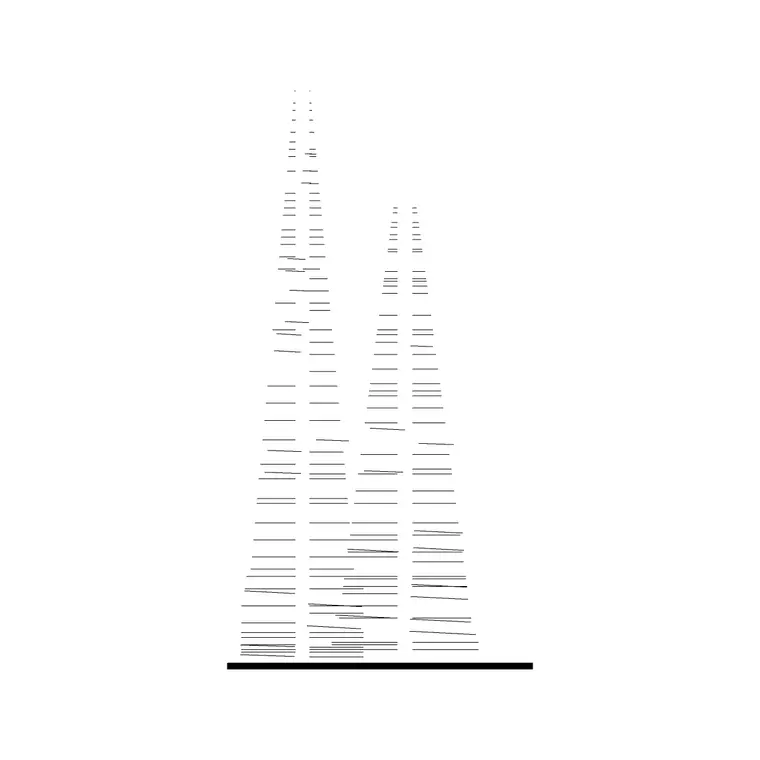
Many do. They ship with an elevation showing the conical evergreen silhouette for sections and a plan showing the tighter, textured canopy circle for site plans, in the same DWG where both are included.
Related downloads
Blocks for this guide
Popular blocks to download
Related categories
Related guides
Block landing
Free Flower Plant CAD Blocks — DWG Download
Free flower plant CAD blocks in DWG and DXF — flowering annuals and perennials in plan and elevation for AutoCAD landscape plans. No signup, commercial OK.
Block landing
Free Flowering Shrub CAD Blocks — DWG Download
Free flowering shrub CAD blocks in DWG and DXF — ornamental shrubs in plan and elevation for AutoCAD planting and site plans. No signup, commercial OK.
Block landing
Free Herb Plant CAD Blocks — DWG Download
Free herb plant CAD blocks in DWG and DXF — herbs for kitchen gardens, raised beds and planters, in plan and elevation for AutoCAD. No signup, commercial OK.