Block landing · chandelier cad block
Free chandelier CAD blocks in DWG and DXF
By Sumana Kumar · Published 21 Mar 2023 · Updated 25 Feb 2026
A chandelier is the statement light that anchors a formal room, and because it hangs at the centre of a space it appears on both the reflected ceiling plan and the interior elevation — so a well-drawn chandelier CAD block is genuinely useful, not just decorative. This page collects free chandelier CAD blocks in DWG and DXF: round and circular-frame chandeliers, metal-armed fittings and tiered crystal-style suspensions, all drawn at true millimetre dimensions for AutoCAD 2004 or later. Everything is free for personal and commercial work, with no signup and no watermark.
Chandeliers carry weight in a drawing precisely because they are central and large. In plan they mark the fitting position and diameter over a dining table or in a stairwell void; in elevation and section they set the suspension height that keeps the fitting clear of heads and in proportion to the room. Use these blocks to detail dining rooms, entrance halls, stairwell voids, ballrooms and hospitality lobbies, and to get that drop height right the first time.
What a chandelier block needs to show
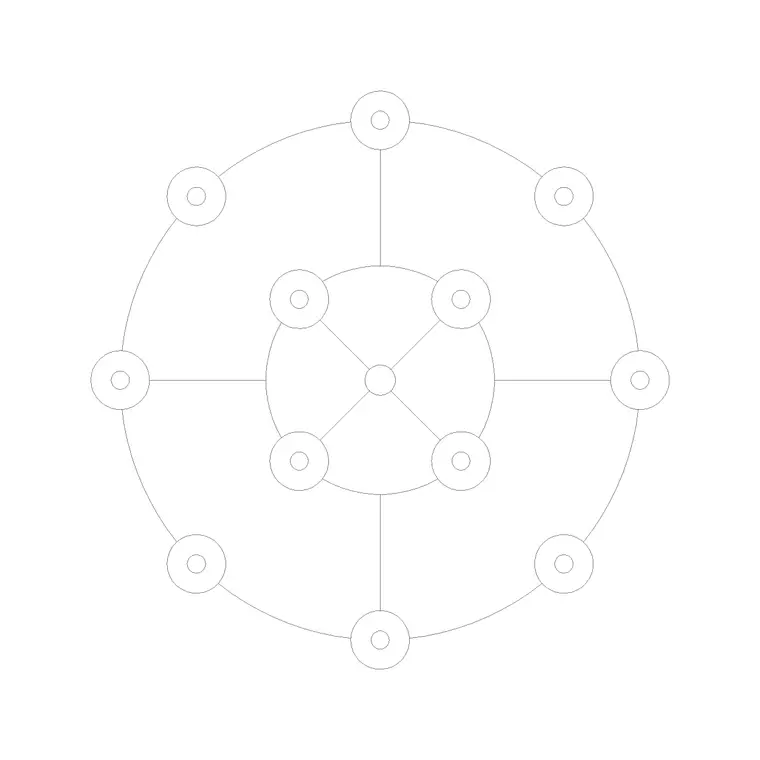
A chandelier is large enough that its plan footprint genuinely matters: it must be centred over the table or void it serves and sized so its diameter looks right in the space. The plan view here shows the overall frame diameter and the arrangement of arms or rings seen from below, which is what you place on the reflected ceiling plan and centre on the dining table.
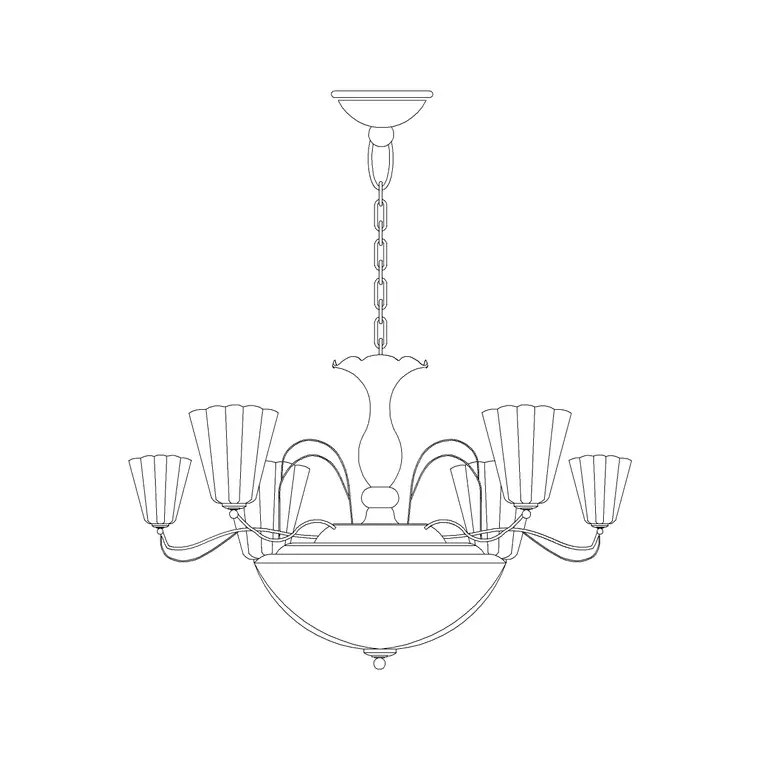
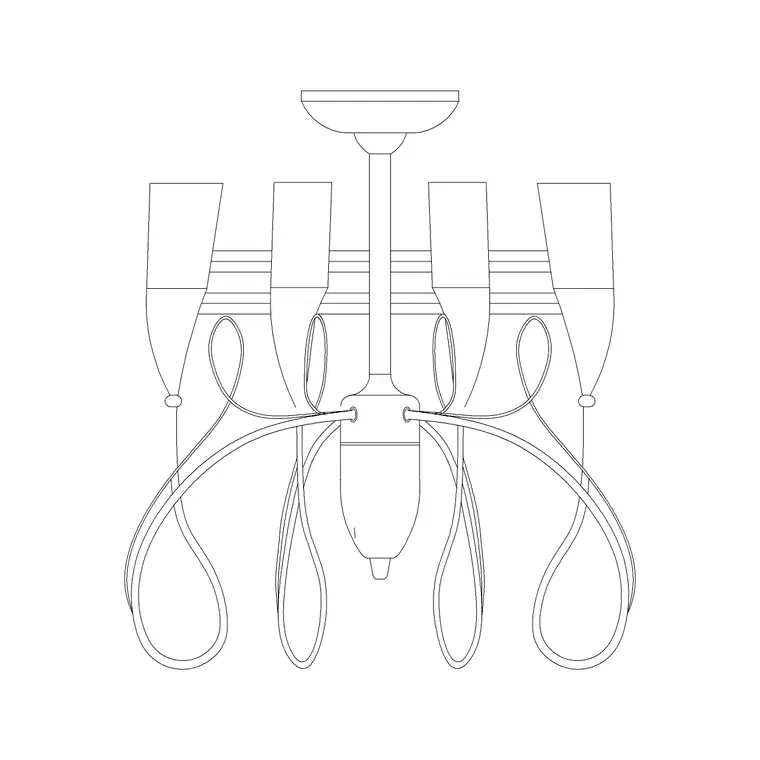
The elevation carries the full drop — from the ceiling fixing through the chain or stem to the lowest point of the fitting. That drop is the critical dimension, because a chandelier hung too low over a table or in a circulation route is both a hazard and a proportion error. The block is drawn so you can set that suspension height in section and read it at a glance.
Views and what's included
Chandelier downloads here generally pair a plan view (the fitting seen from below) with an elevation showing the suspension and the tiered or radial body. Round-frame and circular blocks suit contemporary schemes; metal-arm and tiered blocks suit classical and crystal-style fittings.
Where a DWG carries both views, insert whichever your drawing needs and freeze the rest. The suspension, the frame and the individual arms or drops sit on separate elements so you can simplify a busy crystal block for a small-scale plan without losing the overall outline.
Typical chandelier dimensions to design around
Chandeliers vary hugely, so scale the block to the room. Overall diameter: roughly 600–900 mm for a fitting over a domestic dining table, 900–1500 mm and up for a hall, stairwell or hospitality space. Drop height (overall, including chain): commonly 600–1200 mm in a standard-height room, much more in a double-height void.
The key clearance rule is the bottom of the chandelier above the surface below. Over a dining table, aim for roughly 750–900 mm of clear space between the table top and the lowest point of the fitting so it lights the table without obstructing sightlines. In a circulation route or stairwell, keep the lowest point well above head height. Drawing the scaled block in section lets you set and dimension that clearance directly.
How to insert and centre the block
These chandelier blocks are drawn full size in millimetres. Insert at scale 1 in a millimetre drawing, 0.001 in a metre drawing, or set INSUNITS to millimetres so AutoCAD rescales on insertion.
Run INSERT or drag the DWG from a tool palette, and for the plan view snap the insertion point to the centre of the fitting so you can centre it exactly over the table or void using object snaps. For the elevation, place the ceiling fixing on the ceiling line and let the drop hang to the suspension height you have chosen. Because the chandelier is one block reference, a later change to the definition updates every instance across the drawing set.
Where chandelier blocks are used
Chandeliers appear in formal dining rooms, entrance and reception halls, stairwell voids, ballrooms, function rooms, hotel lobbies and restaurant interiors. They are central to hospitality and high-end residential drawing sets, where the lighting is part of the architecture rather than an afterthought. On a reflected ceiling plan they often dictate the ceiling grid and the structural support that a heavy fitting requires.
Pair the chandelier blocks with pendant, ceiling light and wall light blocks to build a layered lighting scheme, and with dining-table and console blocks from the furniture set to compose the room. As licence-clear blocks they suit presentation packs, competition boards and coordinated FF&E drawings.
Suspension height and structural support
A chandelier is one of the few light fittings where the structure of the building enters the conversation, so the block is useful well beyond the look of the room. A large chandelier can be heavy, and the ceiling fixing has to carry that load — which means the position you mark on the reflected ceiling plan needs to coordinate with the joists, the slab or a dedicated support above. Placing the scaled plan block early lets the structural and services coordination happen around a real position rather than a guess.
The suspension height deserves the same care. In a normal-height room the drop is constrained by head height and by the surface below; in a double-height hall or a stairwell void the chandelier can drop dramatically and become the focal point, but it still must clear the highest landing and any circulation beneath. Drawing the fitting at its true drop in a section through the space is the only reliable way to confirm those clearances, and the block is built so that section reads correctly.
Free download
Browse the full library — DWG & DXF, no signup.
Questions
Frequently asked
How much clearance should I leave under a chandelier?+
Over a dining table, aim for roughly 750–900 mm between the table top and the lowest point of the fitting. In a circulation route or stairwell, keep the lowest point well above head height. Drawing the scaled block in section makes the clearance easy to set.
Do the chandelier blocks include plan and elevation views?+
Many do. The plan shows the fitting from below for the reflected ceiling plan, and the elevation shows the suspension and body so you can set the drop height. Where both views are in one DWG, insert the one you need and freeze the other.
What scale are the chandelier blocks drawn at?+
Full size in millimetres. Insert at scale 1 in a millimetre drawing, 0.001 in a metre drawing, or set INSUNITS to millimetres so AutoCAD rescales automatically on insertion.
Are the chandelier blocks free for commercial projects?+
Yes. Every block downloads free in DWG and, where available, DXF, with no signup, no watermark and no attribution requirement, and they are cleared for commercial use.
Related downloads
Blocks for this guide
Related categories
Related guides
Block landing
Free Lighting Fixtures CAD Blocks — DWG Download
Download free lighting fixtures CAD blocks in DWG and DXF — chandeliers, wall lights, downlights and pendants in plan and elevation for AutoCAD.
Block landing
Free Table Lamp CAD Blocks — DWG Download
Download free table lamp CAD blocks in DWG and DXF — classical and decorative table lamps in plan and elevation for AutoCAD 2004+. No signup, commercial-use OK.
Block landing
Free Floor Lamp CAD Blocks — DWG Download
Download free floor lamp CAD blocks in DWG and DXF — straight and arc floor lamps in plan and elevation for AutoCAD 2004+. No signup, free for commercial use.