Block landing · ceiling light cad block
Free ceiling light CAD blocks in DWG and DXF
By Sumana Kumar · Published 2 Mar 2026 · Updated 18 Mar 2026
A ceiling light is the flush or surface-mounted fitting that sits tight against the ceiling, and it is the workhorse of the reflected ceiling plan — the symbol you place and array more than any other to show general lighting across a space. This page collects free ceiling light CAD blocks in DWG and DXF: round and square flush fittings, surface-mounted ceiling lamps and shallow drum fittings, all drawn at true millimetre dimensions for AutoCAD 2004 or later. Everything is free for personal and commercial work, with no signup and no watermark.
Because a ceiling light barely drops from the ceiling, it is almost entirely a plan-symbol block: what matters is its position, its spacing in a grid, and how it reads on the reflected ceiling plan alongside the other services. Use these blocks to lay out general lighting in rooms, corridors, offices and retail spaces, and to set out an even, sensible grid of fittings that an electrician can install directly from the drawing.
The ceiling light as a plan symbol
Unlike a pendant or chandelier, a ceiling light has almost no drop, so the elevation tells you little — the action is in plan, on the reflected ceiling plan. The plan block shows the fitting outline (a circle for a round light, a square for a square one) at its true size, which is what you array across a ceiling to give even general illumination.
The reflected ceiling plan is drawn as if looking up at the ceiling, with the fittings positioned relative to walls, beams and the ceiling grid. A clean ceiling light block sits on the lighting layer of that plan so it can be spaced, dimensioned and counted. A shallow side or section element is sometimes included to confirm the fitting is flush or only slightly proud, which matters under a low soffit.
Views and what's included
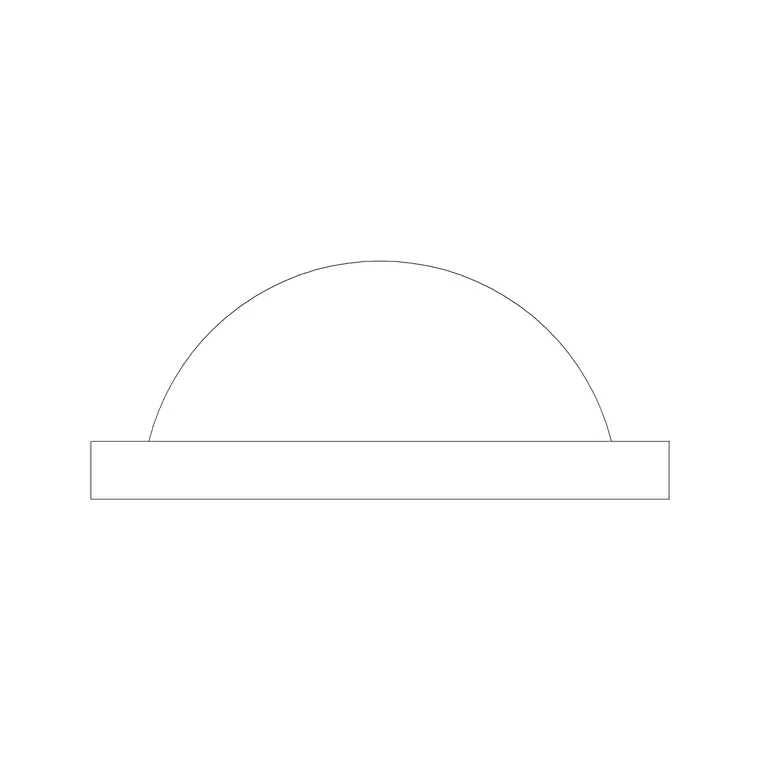
Ceiling light downloads here lead with the plan symbol — round and square flush fittings and surface-mounted ceiling lamps drawn to scale for the reflected ceiling plan. Some include a small section or side view to show the fitting depth where it sits below a structural ceiling or within a suspended ceiling void.
Where a DWG carries more than one element, insert the plan symbol for the ceiling layout and keep any section for detail drawings. The fitting outline and any inner detail sit on separate elements so the symbol stays legible even when the plan is busy with other services.
Typical ceiling light dimensions to design around
Use these ranges as you scale the fitting. Diameter or width: roughly 250–400 mm for a domestic flush ceiling light, with larger drum and panel fittings up to 600 mm or more in commercial settings. Depth below ceiling: typically 60–150 mm for a surface fitting, near zero for a true flush light.
Spacing is the real design figure. For even general lighting, fittings are set out on a grid whose spacing relates to the ceiling height and the spread of each fitting — a common starting point is a grid where the spacing is in the order of the mounting height, then refined to suit the room and the required light level. The scaled block lets you array fittings on that grid, keep the edge fittings a sensible margin off the walls, and dimension the centres for the installer.
How to insert and array the block
These ceiling light blocks are drawn full size in millimetres. Insert at scale 1 in a millimetre drawing, 0.001 in a metre drawing, or set INSUNITS to millimetres so AutoCAD rescales on insertion.
Run INSERT or drag the DWG from a tool palette, snap the plan symbol to a setting-out point, then use ARRAY (rectangular) to lay out a regular grid across the room. Keep the array centred so the border margins to the walls are equal, which reads far better than a grid pushed to one side. Because each fitting is a single block reference, you can adjust the symbol once in the definition and update every instance on the ceiling plan together.
Where ceiling light blocks are used
Ceiling lights are the general-lighting workhorse across nearly every building type: residential rooms and corridors, offices, classrooms, retail floors, healthcare spaces, back-of-house areas and circulation. They dominate the reflected ceiling plan, where they are arrayed in grids and counted for the lighting schedule. Where downlights or panel fittings are used instead, the same plan-symbol discipline applies.
Pair the ceiling light blocks with pendant, chandelier and wall light blocks to build a complete lighting layer, and use them as the base general-lighting layer that the feature fittings sit within. As licence-clear blocks they suit working drawings, presentation packs and student schemes equally.
Building a clean reflected ceiling plan
A reflected ceiling plan is one of the easiest drawings to make a mess of, because it carries lights, vents, detectors, speakers and sometimes the ceiling grid all at once. Keeping the ceiling lights as scaled blocks on their own layer is the discipline that keeps it legible: you can array a clean grid of general lighting, then overlay the feature fittings and the other services on separate layers, and freeze whatever you do not need for a given issue of the drawing.
The payoff is a plan the electrician can set out from directly. Array the fittings on a sensible grid, centre it so the wall margins match, dimension the centres and the first-fitting offset from the walls, and the installer has everything needed to mark out the ceiling. Tagging the fittings with a type attribute lets you extract a count for the lighting schedule, so the general lighting is specified and ordered from the same blocks that drive the layout. That single-source approach is what stops the count on the schedule and the count on the plan drifting apart.
Free download
Browse the full library — DWG & DXF, no signup.
Questions
Frequently asked
Why are ceiling lights mostly a plan-view block?+
A ceiling light sits flush or near-flush against the ceiling, so it has almost no drop to show in elevation. Its design is about position and spacing on the reflected ceiling plan, which is why the block leads with the plan symbol.
How do I space ceiling lights evenly?+
Insert the plan symbol, then use a rectangular ARRAY to lay out a grid, centred so the margins to the walls match. The grid spacing relates to the ceiling height and the fitting spread; the scaled block lets you set and dimension the centres.
What scale are the ceiling light blocks drawn at?+
Full size in millimetres. Insert at scale 1 in a millimetre drawing, 0.001 in a metre drawing, or set INSUNITS to millimetres so AutoCAD rescales automatically on insertion.
Are the ceiling light blocks free for commercial use?+
Yes. Every block downloads free in DWG and, where available, DXF, with no signup, no watermark and no attribution requirement, and they are cleared for commercial project use.
Related downloads
Blocks for this guide

Popular blocks to download
Related categories
Related guides
Block landing
Free Lighting Fixtures CAD Blocks — DWG Download
Download free lighting fixtures CAD blocks in DWG and DXF — chandeliers, wall lights, downlights and pendants in plan and elevation for AutoCAD.
Block landing
Free Table Lamp CAD Blocks — DWG Download
Download free table lamp CAD blocks in DWG and DXF — classical and decorative table lamps in plan and elevation for AutoCAD 2004+. No signup, commercial-use OK.
Block landing
Free Floor Lamp CAD Blocks — DWG Download
Download free floor lamp CAD blocks in DWG and DXF — straight and arc floor lamps in plan and elevation for AutoCAD 2004+. No signup, free for commercial use.