Curated pack · car showroom cad blocks
Free car showroom CAD block pack for AutoCAD
By Saumyajit Maity · Published 13 Dec 2022 · Updated 19 Feb 2026
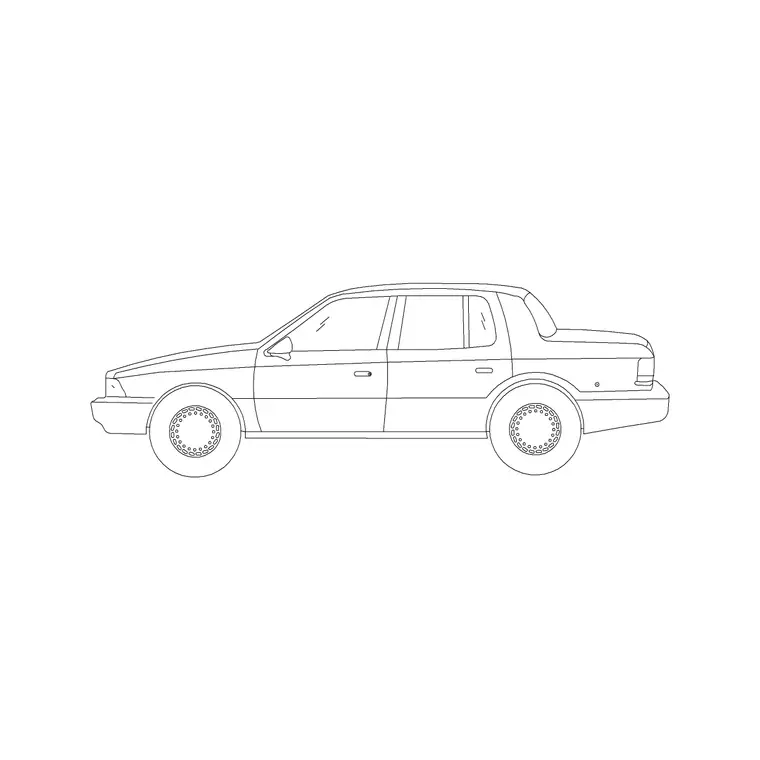
A car showroom has to do something most retail never attempts: display objects two metres wide and over four metres long, let customers walk all the way around each one, and still leave room to drive the next car in and out. Planning that in AutoCAD is far quicker when the cars and the display fixtures are already scaled. This free car showroom CAD block pack gathers the pieces you place most — cars drawn in plan, a display turntable, sales desks and consultation pods, a handover bay, a service reception and the manoeuvring routes — in DWG, drawn at true dimensions for AutoCAD 2004 or later. Everything is free for personal and commercial work, with no signup and no watermark.
Use the pack to place the hero car on the entrance sightline first, then set the walk-around clearance for every display vehicle and the drive route that gets cars on and off the floor. Because the blocks carry their real footprint, you can confirm a customer circles each car and a vehicle reaches its display position the moment they land.
A car showroom also carries practicalities an ordinary shop skips: a drive-in route wide enough to manoeuvre a car onto the floor, walk-around space around every vehicle, and a handover bay where a sold car is presented. Starting from scaled cars and fixtures means those clearances are real distances on the plan rather than assumptions tested when the first car is driven in.
What the car showroom pack covers
The pack spans display and sales. Display: cars drawn in plan for setting out the floor, plus a rotating display turntable for the hero vehicle. Sales: open sales desks and semi-private consultation pods where deals are done. Handover: a dedicated handover bay where a sold car is presented to its new owner. Service side: a service reception desk and a customer waiting cluster. Routes: the drive-in and manoeuvring path that gets vehicles on and off the display floor.
Because showrooms display several identical-footprint cars, the car block lets you copy and rotate vehicles into position and test the walk-around clearance around each one consistently.
Standard car showroom dimensions to design around
Use these ranges as planning references, not fixed specs, and check the car footprint against the actual models on display. A typical passenger car occupies roughly 1800–2000 mm wide and 4200–4800 mm long in plan, and a customer needs a walk-around clearance of around 900–1200 mm on every side to view it comfortably. A display turntable wants a clear circle larger than the car's diagonal so it can rotate without clipping anything.
The drive-in route has to let a car steer onto the floor, so allow a manoeuvring width well beyond the car's own width — often several metres at turns. A handover bay needs the car plus a generous surround for the presentation moment. Drop the scaled cars in and these clearances read straight off the plan.
Building the car showroom layout from the blocks
Place the hero car on the primary sightline from the entrance or the glazed frontage first, on the turntable if there is one, then position the supporting display cars with their full walk-around clearance so no two vehicles crowd each other. Trace the drive-in route from the access door to each display position and confirm a car can actually be steered there without a three-point shuffle in a tight aisle.
Set the sales desks and consultation pods near the cars so a conversation happens beside the product, put the handover bay somewhere it can be dressed for the moment, and place the service reception on its own approach. Keep cars, display fixtures, sales, handover, service and drive routes on separate layers so a vehicle-movement plan and a furnished showroom plan come from the same drawing.
Per-item notes: cars, turntable and handover bay
The car block is both a display object and a planning tool: copy and rotate it into each position, then draw the walk-around clearance around it as a hatched zone on a setting-out layer so two cars never end up closer than a viewer can pass. The turntable earns its place only if the clear circle exceeds the car's diagonal — draw that circle and check it before committing the hero position.
The handover bay is the emotional centre of a dealership, so give it more surround than a plain display slot and keep it visible but slightly set apart. The drive-in route is floor geometry, not a block — draw it as a continuous clear band on its own layer and steer a car block along it to prove the turns before the floor is finalised.
Plan view and the vehicle-movement check
Car showroom planning is a plan-view discipline: you arrange cars, display fixtures and drive routes seen from above, so every block here is drawn in plan. That is the view that proves each car has its walk-around clearance, the hero turntable rotates clear and a vehicle can be driven to every display position.
Draw the drive-in route as a continuous clear band on a setting-out layer and move a car block along it to confirm the turns work. If you need an elevation of the glazed frontage or a service-desk joinery view, draw it separately on its own layer; the plan blocks fix the positions that elevation must follow. Working plan-first keeps the walk-around space and vehicle movement honest before any fixtures are detailed.
Who uses the car showroom pack
Architects and dealership designers use it to test display density, walk-around clearances and drive-in routes on a costed layout quickly. Retail and automotive fit-out specialists use it to set out the sales, handover and service zones. Students use it for studio briefs and portfolio boards where licence-clear, correctly-scaled vehicles and fixtures matter.
Because the blocks are free and unrestricted, the same pack carries from a small independent dealer to a large flagship dealership with a separate service centre. Pair it with the vehicles, office and furniture categories to add the full vehicle range, the sales desks and the customer lounge furniture that complete the building, and you can lay out the whole showroom from one consistent library.
Free download
Browse the full library — DWG & DXF, no signup.
Questions
Frequently asked
What is in the car showroom CAD block pack?+
Cars drawn in plan, a display turntable, open sales desks and consultation pods, a handover bay, a service reception, a waiting cluster and the drive-in manoeuvring route — all drawn in plan at true scale.
How much walk-around space should I leave around each car?+
Around 900–1200 mm of clearance on every side so a customer can view the vehicle comfortably, with more around a turntable so it rotates clear. The scaled car blocks let you measure this directly.
Are the car showroom blocks free for commercial use?+
Yes. Every block downloads free in DWG with no signup, no watermark and no attribution requirement, and they are cleared for commercial project use.
What units are the blocks drawn in?+
Millimetres, full size. Insert at scale 1 in a millimetre drawing, or set INSUNITS to millimetres so AutoCAD rescales the block automatically on insertion.
Related downloads
Blocks for this guide

Popular blocks to download
Related categories
Related guides
Curated pack
Free Warehouse CAD Block Pack — DWG Download
Free warehouse CAD block pack in DWG — pallet racking, forklifts, loading docks, pallets, a mezzanine office and dock doors in plan for AutoCAD.
Curated pack
Free Office CAD Block Pack — DWG & DXF
Free office CAD block pack in DWG and DXF — desks, workstations, conference tables and reception furniture in plan view. No signup, commercial-use OK.
Curated pack
Free Reception Area CAD Block Pack — DWG
Free reception area CAD block pack in DWG and DXF — reception desks, waiting seating and scale figures for lobby layouts. No signup, commercial-use OK.