Curated pack · cad blocks for landscape architects
Free CAD blocks for landscape architects
By Sumana Kumar · Published 21 Apr 2024 · Updated 24 Apr 2026
Landscape architecture is planting-led and site-scaled, so a landscape architect's drawings are built from trees, shrubs and ground cover arranged across a site, with figures and vehicles for scale and context. This free CAD block pack for landscape architects gathers that kit — plan-view tree canopies, elevation trees, planting, human figures and cars — in DWG and DXF, drawn to scale and ready for AutoCAD 2004 or later. Everything is free for personal and commercial work, with no signup and no watermark.
The landscape architect's relationship with a tree block is different from anyone else's: a single symbol has to represent a living thing that changes size with species and age, so scaling and variation aren't optional polish — they're the core of an honest planting plan. A row of identical, identically-sized trees reads as a diagram; trees scaled to their mature spread and varied across a group read as a real scheme. Every tree here is drawn to be scaled and adjusted to the species and design year you're specifying.
This pack also reflects how landscape drawings work across scales — from a 1:1000 masterplan where a simple canopy is right, to a 1:100 detail where richer symbols distinguish species. Drop these blocks onto a site plan, a planting plan, a section or a presentation, and they carry the planting language across the whole set.
What a landscape architect needs from planting blocks
Landscape blocks have to do something architectural blocks don't: represent organisms that vary by species, age and design intent. A tree symbol that's locked to one size is almost useless on a planting plan, because the whole skill is matching each canopy to the mature or design-year spread of the species. So the first requirement is that the blocks scale cleanly and read well at very different sizes.
The second is variety. Formal and naturalistic planting are different design languages — evenly-spaced street trees say 'civic', a loose varied cluster says 'woodland' — and the blocks have to support both, which means symbols you can vary in scale, rotation and detail across a group. The third is plan-and-elevation coverage, because a landscape set runs from site plans to street sections. This pack is assembled around those three needs: scalable, varied, and available in both views.
What's in the landscape pack
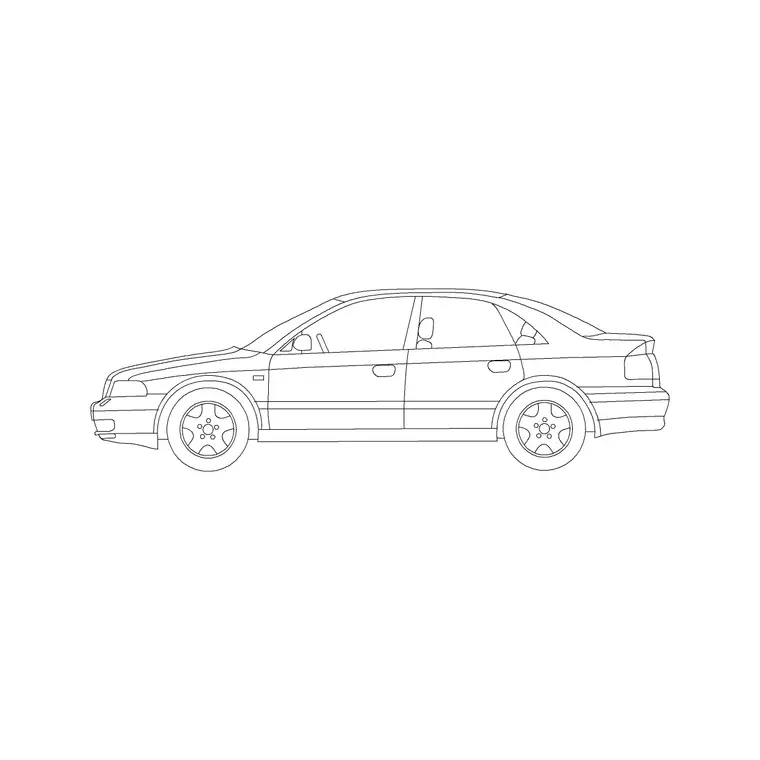
The pack covers the planting and context palette landscape work needs. Plan-view trees: canopies seen from above for site plans, masterplans and planting plans, including simpler symbols for large-scale drawings and richer ones for detailed plans. Elevation trees: the same families seen from the side at believable heights for street sections, building elevations and presentation views. Shrubs and ground-level planting for beds, boundaries and hedging. People: figures for scale and to show how a space is used. Vehicles: cars drawn to a real envelope for car parks, accesses and street context.
Together these dress a complete external-works set — a planted masterplan, a detailed planting plan, a street section, a peopled presentation — from one consistent, scaled library. Extend the planting from the trees-and-plants category as a scheme grows.
Scaling and varying trees for an honest plan
Scaling is the heart of the work. Reference spreads to design around: small ornamental tree 2–4 m, medium tree 5–8 m, large shade tree 8–12 m, mature forest tree 12 m and up; palms read narrower, governed by frond spread. Insert the canopy block, then scale it to the species' mature or design-year spread so the plan is honest about how much space the planting will occupy and how it relates to paths, buildings and boundaries.
Variation makes a group believable. For naturalistic planting, copy the block and nudge the scale and rotation between instances so the trees don't look stamped from one template. For formal planting — a civic avenue, an orchard grid — keep them even and use ARRAY (a path array down a road centreline, a rectangular array for a grid). The same block supports both languages; the difference is entirely in how you place and scale it.
Drawing at the right scale and in layers
How much detail a tree should carry depends on the drawing. On a masterplan at 1:500 or 1:1000, a simple circle or lightly-textured canopy reads best — rich detail turns to mud at that size. On a planting plan at 1:100 or 1:200, you can afford detailed canopies that distinguish species and show character. The pack includes both simple and detailed symbols so you can match the block to the scale.
Think in layers of information, too: structural planting (the big trees that shape the scheme) on one layer, ornamental and shrub planting on another, ground cover and grass as a hatch beneath, with people and vehicles on their own layers for context. Drawn this way, one file produces a clean concept plan, a detailed planting plan and a long-term 'mature' view just by controlling which layers show and how canopies are scaled. Set the convention once and save it into a template so every landscape drawing starts consistent.
Plan for masterplans, elevation for sections
For site plans, masterplans and planting plans you work in plan: canopies seen from above, positioned against paths, buildings and boundaries and arrayed along avenues. Plan trees are what you path-array down a street centreline or scatter across parkland, and what a planting schedule is read from. Add the figures and cars in plan for occupancy and parking context.
For street sections, building elevations and presentation views you switch to elevation trees seen from the side, drawn at believable heights so they sit correctly against the architecture and the ground line. Place the human figure in an elevation as a height check, and use it to convey the scale of mature planting against people and buildings. Many blocks ship both views, so one download serves both the plan and the section without re-sourcing the tree.
Who uses the landscape pack
Landscape architects and designers use it to produce masterplans, planting plans and sections, and to dress presentations with scaled, varied planting. Architects use the trees and figures to add context planting to site plans and elevations. Urban designers use the trees, people and cars to dress streetscapes and sections through public space. Civil and external-works teams use the planting and vehicle blocks to coordinate landscape with access and parking.
Every block is free and licence-clear, so the pack suits a live commission, a competition masterplan and a student's studio scheme equally. Pair it with the trees-and-plants category to widen the planting palette and keep the kit in a structured, category-based library, with your established layer convention saved into a template so every landscape drawing starts from the same consistent base.
Free download
Browse the full library — DWG & DXF, no signup.
Questions
Frequently asked
Are the tree blocks available in both plan and elevation?+
Yes. The pack includes plan-view canopies for site and planting plans and elevation trees for street sections and building elevations, and many individual blocks ship both views in the same DWG.
How do I scale a tree block to a species' real size?+
Insert the canopy block, then use SCALE with the trunk as the base point and a factor that brings the canopy to the species' mature or design-year spread — for example a factor of 2 to take a 4 m canopy block to 8 m.
How do I make a planting plan look natural rather than stamped?+
Vary the scale and rotation of the tree block slightly between instances for naturalistic planting, and keep them even with ARRAY for formal planting. The same block supports both; the look comes from how you place and scale it.
Are the landscape blocks free for commercial projects?+
Yes. Every block downloads free in DWG and DXF with no signup, no watermark and no attribution requirement, and is cleared for commercial use, so it slots straight into a paid landscape commission.
Related downloads
Blocks for this guide



Related categories
Related guides
Curated pack
Free Plan View CAD Block Pack — DWG & DXF
Free plan view CAD block pack in DWG and DXF — furniture, trees, people and vehicles drawn from above for AutoCAD floor plans. No signup, commercial OK.
Curated pack
Free Elevation CAD Block Pack — DWG & DXF
Free elevation CAD block pack in DWG and DXF — trees, doors, furniture and figures drawn face-on at real heights for AutoCAD elevations. No signup.
Curated pack
Free 2D CAD Block Pack — DWG & DXF Download
Free 2D CAD block pack in DWG and DXF — furniture, trees, people and doors as clean 2D symbols for AutoCAD plans and elevations. No signup, commercial OK.