Curated pack · free cad blocks for students
Free CAD block starter pack for students
By Sumana Kumar · Published 9 Jan 2022 · Updated 15 Jun 2026
Starting out in CAD, you don't need a thousand blocks — you need the handful that turn a bare plan into a believable, scaled drawing, plus the confidence to use them. This free CAD block starter pack gathers exactly that core kit for students: furniture, trees, people, a car and a door, in DWG and DXF, drawn to true scale and ready to insert into AutoCAD 2004 or later. Everything is free, with no signup and no watermark, and it is cleared for commercial use too, so the blocks carry from a studio project straight into real work.
For a student, the value is twofold. First, scaled, licence-clear blocks make your studio plans and portfolio boards read like professional drawings rather than abstract diagrams — a sofa that's actually sofa-sized, a figure that proves your circulation works, a tree that gives a site plan life. Second, learning to use blocks early builds the single most important production habit in drafting: define once, reuse everywhere, edit in one place.
This pack is small on purpose. It covers the items you place in nearly every project, so you can learn the workflow on a manageable set, then grow your own library from there as your projects demand more.
Why students should start with a small, scaled kit
The temptation when you discover free CAD blocks is to download everything. Resist it. A bloated, inconsistent library is harder to use than a small, trusted one, and most of those blocks you'll never place. What actually makes your drawings better is a tight set of correctly-scaled, well-drawn essentials that you know inside out and reach for instinctively.
Scale is the thing that separates a student drawing from a professional one. Tutors and reviewers read clearances and proportion at a glance, and nothing undermines a scheme faster than furniture that's the wrong size or circulation that clearly wouldn't work. Because every block in this pack is drawn full size, dropping them into your plan immediately tests the design against reality — and teaches your eye what real dimensions look like, which is a skill you keep for the rest of your career.
What's in the student starter pack
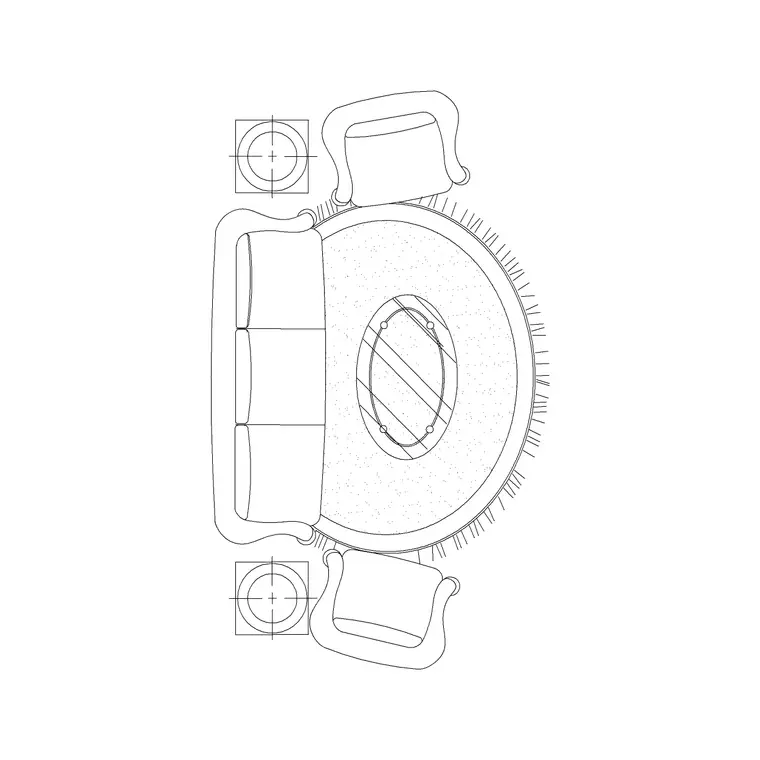
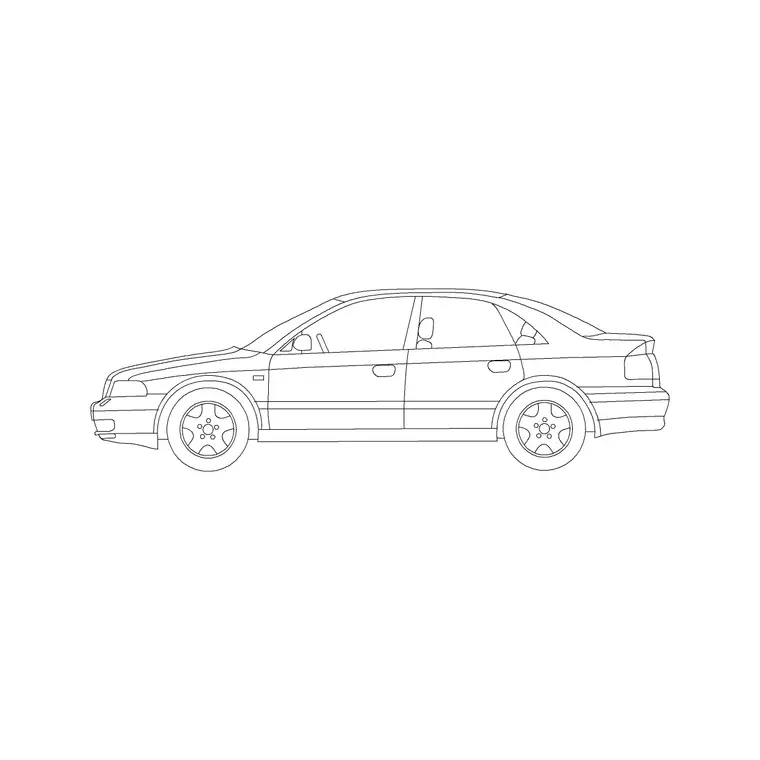
The pack covers the items that appear in almost every brief. Furniture: a sofa and seating group with a rug for living spaces, the kind of block that fixes a room's circulation. Trees and plants: a canopy in plan for site plans and a tree in elevation for sections and presentation. People: a human figure to prove scale and show how a space is used. Vehicles: a car for parking, drives and street context. Doors: a leaf with frame for plans and elevations.
That is genuinely most of what a studio plan needs to come alive. With a furnished room, a planted site, a figure for scale, a car for context and a door for the openings, a flat outline becomes a drawing someone can read — and you've learned the workflow on a set small enough to master.
How to set up and use the blocks
Get the units right first, because it's the mistake that catches every beginner. The blocks are drawn in millimetres, so type UNITS and set the insertion scale to Millimeters, or set INSUNITS to millimetres, and AutoCAD will rescale anything that doesn't match. Then it's three commands: INSERT to place a block, and later BLOCK and WBLOCK when you start making your own.
Work in layers from day one — put furniture, planting, people and vehicles each on their own layer. It feels like extra effort now, but it's the habit that lets you freeze the furniture for a clean structural plan and thaw it for a presentation, all from one drawing. Insert the figure early as a scale check; if it looks wrong against your furniture, your units or scaling are off, and it's far better to catch that at the start than after you've built the whole sheet.
Per-item notes for the starter blocks
The sofa-and-rug block is your room-maker: place it first in a living space because it fixes the seating and therefore the circulation. Decide whether you want the rug on the furniture layer or a separate finishes layer. The plan tree is the block you'll scale most — one symbol stands in for anything from a small ornamental to a big shade tree, so size the canopy to what you're specifying and vary it across a group so the planting doesn't look stamped.
The human figure is intentionally simple; it's a scale and occupancy marker, not a portrait, so it reads on a busy plan. The car is drawn to a real parking envelope, which makes it a setting-out tool — use it to check a bay actually fits, not just to fill the drive. The door block carries its swing in plan and its leaf and frame in elevation; drop the plan symbol on the opening and the swing arc tells everyone which way it opens.
Growing the pack into your own library
This starter kit is the seed of a personal library you'll build over your whole education and career. As each project demands something new — a bed, a kitchen, a stair, a specific fixture — download or draw it, and save it into a structured folder organised by category, exactly like the catalogue on this site. The discipline of keeping it tidy and consistently named pays back every time you go looking for a block.
When you draw something yourself that you'll reuse, WBLOCK it out as a standalone DWG and add it to the library. Over a couple of years this becomes one of your biggest time-savers, and it's the same way professional drafters work. Start small with this pack, learn the workflow properly, and let the library grow with your projects rather than trying to assemble everything at once.
Using the blocks in portfolios and submissions
Because everything here is licence-clear and free for commercial use, you can put these blocks in your portfolio, your studio submissions and your competition boards with no attribution worries — and later in paid work without re-sourcing them. That matters: students sometimes use blocks of uncertain origin and then can't reuse the drawing professionally. These carry through cleanly from studio to practice.
A practical portfolio tip: keep your block layers tidy so you can present the same plan two ways — a clean line drawing that shows your architectural thinking, and a dressed version with furniture, people and planting that shows the space inhabited. Reviewers value both, and being able to produce them from one drawing, just by toggling layers, demonstrates exactly the kind of production fluency that makes a portfolio look professional.
Free download
Browse the full library — DWG & DXF, no signup.
Questions
Frequently asked
Are these CAD blocks really free for students?+
Yes — and not just for students. Every block downloads free in DWG and DXF with no signup, no watermark and no attribution requirement, and is cleared for commercial use, so it carries from studio projects into paid work.
I'm new to AutoCAD — how do I insert a block?+
Set your units to millimetres (type UNITS or set INSUNITS), then run INSERT, browse to the DWG, and click to place it. The block lands at true size and becomes a single object you can move, copy and rotate.
Why does the block come in the wrong size?+
Almost always a units mismatch. Type UNITS and set the insertion scale to Millimeters to match the blocks, then re-insert. Setting INSUNITS correctly makes AutoCAD rescale automatically instead of inserting too large or small.
Can I use these blocks in my portfolio and competition boards?+
Yes. They're free for any use including portfolios, submissions, competitions and commercial work, with no attribution required, so you never have to worry about licensing when you reuse a drawing later.
Related downloads
Blocks for this guide


Related categories
Related guides
Curated pack
Free Plan View CAD Block Pack — DWG & DXF
Free plan view CAD block pack in DWG and DXF — furniture, trees, people and vehicles drawn from above for AutoCAD floor plans. No signup, commercial OK.
Curated pack
Free Elevation CAD Block Pack — DWG & DXF
Free elevation CAD block pack in DWG and DXF — trees, doors, furniture and figures drawn face-on at real heights for AutoCAD elevations. No signup.
Curated pack
Free 2D CAD Block Pack — DWG & DXF Download
Free 2D CAD block pack in DWG and DXF — furniture, trees, people and doors as clean 2D symbols for AutoCAD plans and elevations. No signup, commercial OK.