Block landing · cactus cad block
Free cactus plant CAD blocks for AutoCAD
By Sumana Kumar · Published 22 Oct 2023 · Updated 16 Mar 2026
A cactus block is the symbol you reach for when a scheme is dry, sunny and architectural — a desert garden, a xeriscape, a Mediterranean courtyard, a low-water planting bed. Cacti and succulents look nothing like leafy trees on a drawing, so they get their own distinctive symbols: spiky columns and barrels in elevation, segmented rosettes and ribbed circles in plan. This page collects free cactus plant CAD blocks in DWG and DXF, drawn to scale and free for personal and commercial work, with no signup and no watermark.
Cacti matter on a plan precisely because they read differently. A barrel cactus, a tall column, a sprawling prickly pear and a fine succulent rosette each have a unique silhouette, and using the right symbol tells anyone reading the drawing that this is arid, low-water planting rather than a temperate border. Use these blocks for xeriscape and drought-tolerant schemes, desert and rock gardens, green roofs, and the increasingly common low-water planting that architects and landscape designers specify for hot or water-scarce sites.
What a cactus block represents
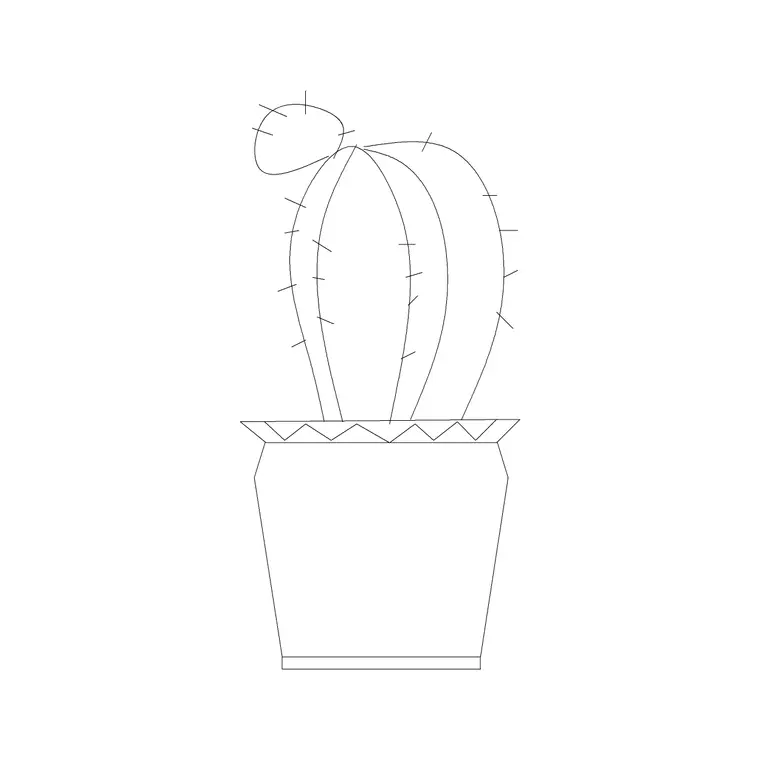
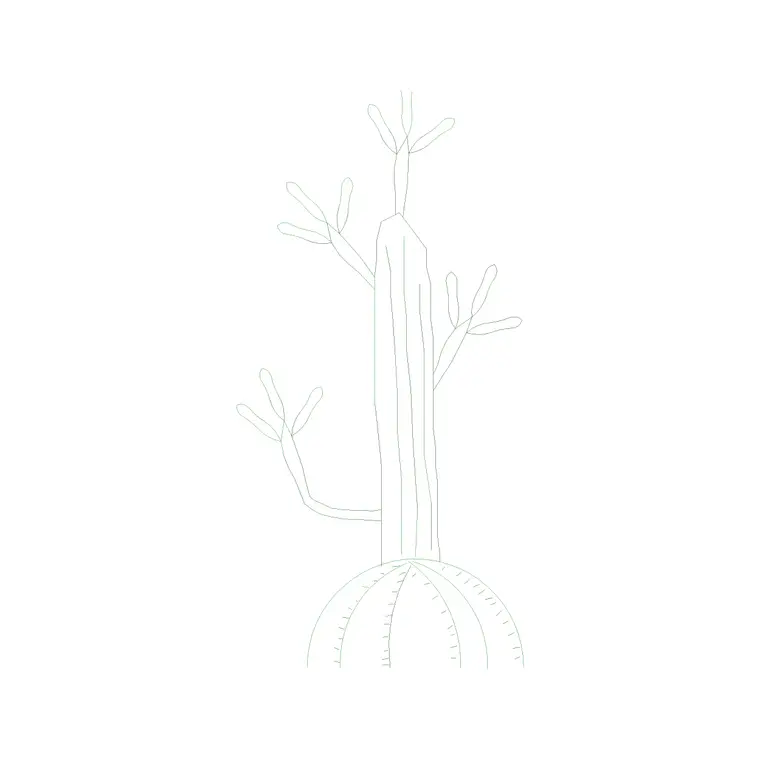
A cactus block represents a cactus or succulent as a recognisable symbol. In plan, that's usually a ribbed or segmented circle (a barrel or globular cactus), a rosette of pointed segments (an agave or aloe), or a branching shape (a prickly pear or columnar cactus seen from above). In elevation, it's a column, a barrel, a candelabra or a spreading pad form, often with short marks suggesting spines or ribs.
The distinctive silhouette is the whole point. Unlike a generic leafy symbol, a cactus block instantly signals arid planting, so a reader understands the design intent — low water, full sun, architectural form — without a note. Keeping a small set of different cactus and succulent symbols lets a desert planting plan show variety rather than one shape repeated, which is what real xeriscape design relies on.
Views and what's included
Cactus sets usually offer both plan and elevation, because both views are used in arid schemes. Plan symbols lay out the planting and are arranged across a bed or rock garden; elevation symbols appear in courtyard sections, presentation views and detail drawings where the sculptural form of a tall column or a barrel cactus is the point.
A typical set spans the common forms: barrels, columns, prickly pears, agaves and aloes, plus small succulent rosettes for ground-level detail. The symbols sit on planting-layer conventions so spines, body and any pot can occupy separate layers. Files target AutoCAD 2004 format and open in AutoCAD, AutoCAD LT, BricsCAD, DraftSight and free DWG viewers, so an arid planting plan opens cleanly anywhere.
Typical cactus sizing
Cacti and succulents range from tiny to tree-sized, so scale to the species and its design-age. As references: a small succulent or globular cactus spreads roughly 0.1–0.3 m; an agave or barrel cactus 0.5–1.0 m; a large prickly pear or shrubby cactus 1.5–3 m; and a mature columnar or tree cactus can reach several metres tall, behaving more like a tree in scale. Many are slow-growing, so the design-age size may sit well below the ultimate size for years.
In elevation, height drives the sculptural effect — a single tall column can be a focal point — so scale carefully from the base. In plan, the footprint matters for spacing, and many cacti are planted with generous gravel or boulder gaps between them, so don't pack the symbols the way you would a temperate border.
How to insert and lay out an arid bed
Blocks are drawn full size in millimetres, so set insertion units to Millimeters (type UNITS) before placing. Draw the bed or rock-garden outline, then place cactus symbols with INSERT, picking the centre or base as the insertion point. Space them generously and vary the species so the planting reads as a designed desert scene rather than a grid.
Keep cacti on a planting layer, and consider a separate layer for the gravel or boulder mulch that almost always accompanies arid planting, so you can produce a clean planting plan and a hard-landscape plan from the same drawing. Combine the cactus symbols with rock and gravel hatches to capture the full xeriscape character. When a planting group works, WBLOCK it for reuse across similar beds.
Where cactus blocks are used
Cactus and succulent blocks appear on xeriscape and drought-tolerant planting plans, desert and rock gardens, Mediterranean and arid-climate courtyards, green roofs and the low-water beds increasingly specified on hot or water-scarce sites. Interior plans use small succulent symbols for indoor desert planting and statement pots.
Landscape architects use them to design and communicate low-water schemes; architects use them to give buildings an arid, architectural setting; sustainability-minded designers use them where water budgets or climate demand drought tolerance. Combine cactus blocks with rock, gravel and boulder blocks for the desert ground plane, and with potted-plant blocks for the container succulents that suit balconies, courtyards and interiors.
Free download
Browse the full library — DWG & DXF, no signup.
Questions
Frequently asked
What views do cactus CAD blocks come in?+
Usually both plan and elevation. Plan symbols — ribbed circles, rosettes, branching forms — lay out the bed; elevation symbols — columns, barrels, pads — appear in courtyard sections and presentation views where the sculptural form matters.
How do I size a cactus block?+
Scale to the species and its design-age: roughly 0.1–0.3 m for a small succulent, 0.5–1.0 m for an agave or barrel cactus, 1.5–3 m for a large prickly pear, and several metres for a mature tree cactus. Many are slow-growing, so use the design-age size, not the ultimate size.
Are the cactus CAD blocks free for commercial use?+
Yes. They download free in DWG and, where available, DXF, with no signup, no watermark and no attribution requirement, and they are cleared for commercial project use.
Why use a cactus symbol instead of a generic plant symbol?+
Because the distinctive cactus silhouette instantly signals arid, low-water planting and the species' sculptural form. A generic leafy symbol would misread the design intent of a xeriscape or desert scheme.
Related downloads
Blocks for this guide
Popular blocks to download
Related categories
Related guides
Block landing
Free Flower Plant CAD Blocks — DWG Download
Free flower plant CAD blocks in DWG and DXF — flowering annuals and perennials in plan and elevation for AutoCAD landscape plans. No signup, commercial OK.
Block landing
Free Flowering Shrub CAD Blocks — DWG Download
Free flowering shrub CAD blocks in DWG and DXF — ornamental shrubs in plan and elevation for AutoCAD planting and site plans. No signup, commercial OK.
Block landing
Free Herb Plant CAD Blocks — DWG Download
Free herb plant CAD blocks in DWG and DXF — herbs for kitchen gardens, raised beds and planters, in plan and elevation for AutoCAD. No signup, commercial OK.