Block landing · bushes cad block
Free bushes and ground cover CAD blocks for AutoCAD
By Saumyajit Maity · Published 6 Mar 2023 · Updated 5 May 2026
Bushes and ground cover are the low, massed planting that fills the space between trees and hard landscape — the shrub clumps along a boundary, the planted bed beneath a window, the carpet of ground cover that knits a scheme together. A good bushes-and-ground-cover CAD block lets you draw that massed planting as a clean, recognisable symbol rather than a vague blob, and this page collects free ones in DWG and DXF. Everything is drawn to scale and free for personal and commercial work, with no signup and no watermark.
These blocks behave a little differently from tree blocks. A tree is a single specimen with a defined canopy; bushes and ground cover are areas of planting you fill, edge and label. So alongside discrete shrub symbols you'll often work with bed outlines and planting hatches that you stretch to fit the bed. Use them to complete a planting plan once the structural trees are placed, to soften the base of buildings and walls, and to show exactly where the low planting goes on a drawing a contractor will set out from.
Bushes vs ground cover: two roles on a plan
It is worth separating the two, because they read differently on a drawing. A bush or shrub is a discrete, mounded plant — drawn as a cloud-edged clump symbol, often clustered into groups of three, five or seven for a natural look. Ground cover is a continuous low carpet — periwinkle, ivy, low junipers, ornamental grasses — drawn as a filled or hatched area with an edge line rather than as individual plants.
On a planting plan, shrubs usually sit as symbols you place and count, while ground cover sits as an area you measure in square metres for the schedule. Keeping that distinction clear in your blocks and layers makes the plan easier to read and the planting schedule far easier to extract.
Views and what's included
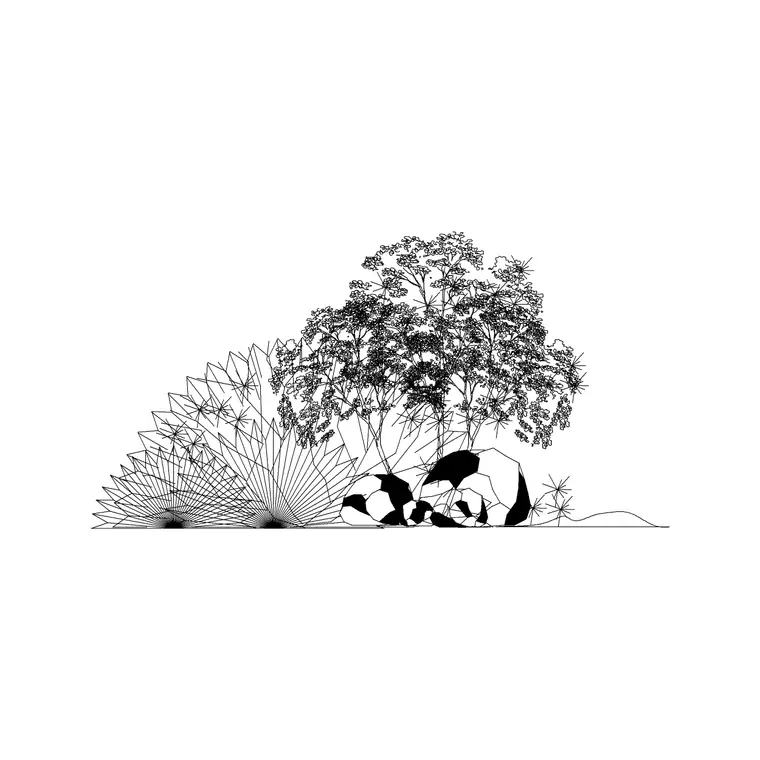
These blocks are almost entirely plan-view, because bushes and ground cover are laid out and read from above. You'll find individual shrub clump symbols at a few sizes, grouped shrub masses, and ground-cover fill patterns or bed outlines you can close around a planting area. Some sets include a simple elevation shrub for the rare section that needs one.
The symbols are drawn on planting-layer conventions so the shrub outline, the ground-cover hatch and any bed edge can sit on separate layers. That lets you fill a bed with ground cover, dot shrubs across it, and keep the bed edge crisp — all controllable independently. The DWG files target AutoCAD 2004 format and open in AutoCAD, BricsCAD, DraftSight and free viewers.
Typical sizing for shrubs and ground cover
Shrubs span a wide range, so scale to the species and its maintained size. As design references: a low edging shrub spreads roughly 0.3–0.6 m, a medium shrub 0.8–1.5 m, and a large specimen or screening shrub 1.5–3 m. Ground cover is measured by area rather than spread — you outline the bed and let the hatch fill whatever shape it is.
For massed shrub planting, designers often work to a planting density (a number of plants per square metre) rather than placing every plant individually, so the block becomes a representative symbol and the schedule carries the real count. Size your shrub symbols to read clearly at the plan scale, and rely on the bed area and density note to communicate the true quantity.
How to insert and fill a bed
Blocks are drawn full size in millimetres, so set your insertion units to Millimeters (type UNITS) before placing. For discrete shrubs, run INSERT, pick the centre of the clump as the insertion point, and dot them across the bed, varying scale and rotation slightly so the planting looks natural rather than gridded.
For ground cover, draw the bed outline as a closed polyline, then apply the ground-cover hatch or insert the fill block clipped to that boundary. Put shrubs, ground cover and bed edges on separate planting layers so you can produce a clean plan, a planting plan and a maintenance plan from the same drawing. To repeat a designed planting group, WBLOCK it and reuse it along the boundary.
Where bushes and ground cover are used
They appear on almost every landscape and architectural site drawing: foundation planting that softens the base of a building, boundary and screening shrubs, planted islands in car parks, courtyards, roof terraces and the beds that frame paths and entrances. Ground cover does the quiet work of covering soil, suppressing weeds and tying a scheme together visually.
Landscape architects use these blocks to complete planting plans; architects use them to give buildings a planted setting; ecologists and SuDS designers use massed shrub and ground-cover areas to show habitat and rain-garden planting. Combine them with tree, hedge and paving blocks to build the full external-works picture from one free library.
Free download
Browse the full library — DWG & DXF, no signup.
Questions
Frequently asked
What's the difference between a bush block and a ground-cover block?+
A bush or shrub block is a discrete clump symbol you place and count; a ground-cover block is a continuous fill or hatch for a planted area that you measure by square metre. Many planting plans use both — shrubs dotted across a ground-cover bed.
What view do bushes and ground cover come in?+
Almost always plan view, since massed low planting is laid out and read from above. Some sets include a simple elevation shrub for sections, but the layout work is done in plan.
Are the bushes and ground-cover blocks free for commercial use?+
Yes. They download free in DWG and, where available, DXF, with no signup, no watermark and no attribution requirement, and they are cleared for commercial project use.
How do I fill a planting bed with ground cover?+
Draw the bed as a closed polyline, then apply the ground-cover hatch or insert the fill block clipped to that boundary. Keep the bed edge and the hatch on separate layers so the plan stays clean and the bed area is easy to schedule.
Related downloads
Blocks for this guide

Popular blocks to download
Related categories
Related guides
Block landing
Free Flower Plant CAD Blocks — DWG Download
Free flower plant CAD blocks in DWG and DXF — flowering annuals and perennials in plan and elevation for AutoCAD landscape plans. No signup, commercial OK.
Block landing
Free Flowering Shrub CAD Blocks — DWG Download
Free flowering shrub CAD blocks in DWG and DXF — ornamental shrubs in plan and elevation for AutoCAD planting and site plans. No signup, commercial OK.
Block landing
Free Herb Plant CAD Blocks — DWG Download
Free herb plant CAD blocks in DWG and DXF — herbs for kitchen gardens, raised beds and planters, in plan and elevation for AutoCAD. No signup, commercial OK.