Block landing · double-trunk tree cad block dwg
Free double-trunk tree CAD block in DWG
By Sumana Kumar · Published 30 Jul 2025 · Updated 21 Mar 2026
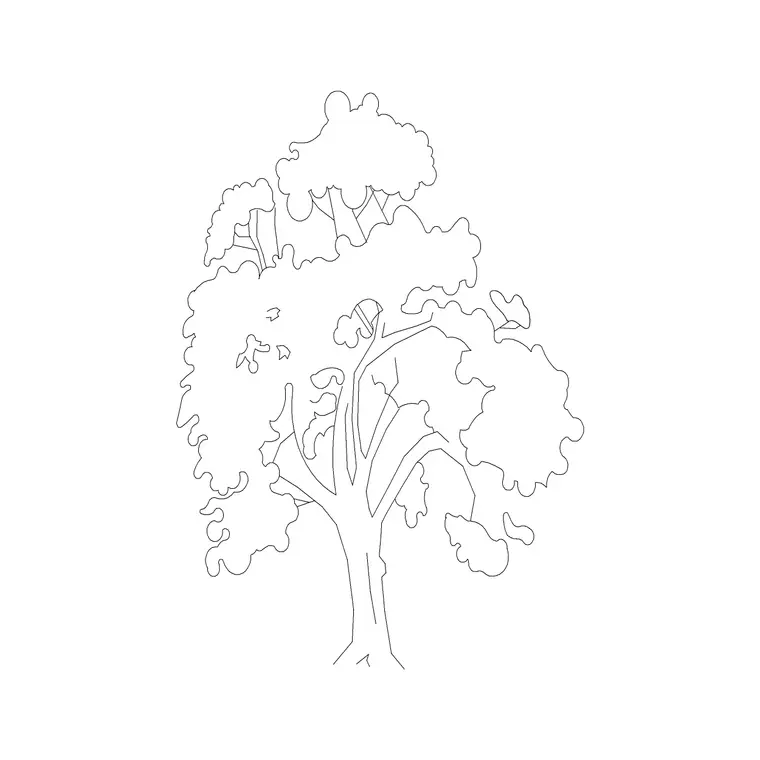
Download a free double-trunk tree CAD block in DWG — a multi-stemmed broadleaf with two trunks rising from a shared base into a combined spreading crown. Double-trunk and multi-stem trees give a planting a characterful, naturalistic feel, which is why they are popular as feature specimens in courtyards and gardens. Free for personal and commercial use, no signup, no watermark.
Place it as the single special tree in a courtyard or garden, framing a view or a doorway with the gap between its stems, and scale it from the shared base. Keep it on a planting layer you can freeze, and give it room so the splayed stems read as the feature they are. The multi-stem habit comes built into the block, so you get a characterful, naturalistic specimen the moment you insert it rather than having to fake it from a single-trunk tree.
What a double-trunk tree block shows
A double-trunk tree has two stems splitting from a single base, low to the ground, then opening into a shared, often broader crown. This block captures that multi-stem habit in elevation, with two trunks that lean apart and a combined leafy canopy above. The form looks distinctly more natural and characterful than a single straight-trunk lollipop, which is exactly why designers specify multi-stem trees as features.
The two trunks and the canopy sit on separate elements, so you can show a bare-stem winter form by freezing the foliage or a full leafy summer crown by leaving it on, while the trunks always read as a deliberate paired stem.
Typical sizing to design around
Multi-stem feature trees are usually chosen at a more compact, garden scale than a single forest tree. They often read in the 3-8 m height range with a spread that can be wider than the height because the two stems lean apart. Scale the block to the species and maturity your scheme shows, treating these as ranges rather than fixed figures.
Scale from the shared base so both trunks grow upward together and keep their natural splayed angle. A double-trunk tree reads best when there is a clear gap between the two stems near the base.
Inserting and placing the tree
The block is drawn full size in millimetres. INSERT at scale 1 in a millimetre drawing, 0.001 in metres, or set INSUNITS so AutoCAD rescales on insertion. Snap the shared base to your ground, planter or paving line.
Double-trunk trees are usually feature specimens, so place them where they will be seen — a courtyard corner, a garden focal point, beside an entrance. Keep them on a planting layer with a lighter lineweight than the architecture and freeze that layer when you want a clean building elevation.
Where double-trunk trees are used
Multi-stem and double-trunk trees suit courtyard and garden features, boutique residential and hospitality landscapes, naturalistic and rewilded planting schemes, and any setting that wants a tree with character rather than a uniform avenue specimen. Their sculptural stems make them popular as the single special tree in a small space.
Combine the double-trunk block with single-trunk trees so a scheme has both uniform structure and characterful features, and pair it with shrubs and groundcover to set the feature tree in a layered planting.
Multi-stem vs single-trunk trees
The stem habit changes the mood of a planting. A single straight trunk reads as formal, structural and architectural — right for avenues and grids. A double-trunk or multi-stem tree reads as natural, soft and sculptural — right for gardens, courtyards and naturalistic schemes. The choice is a genuine design signal, not just a graphic preference.
Keeping both in your library lets you switch between formal and naturalistic character simply by inserting a different block on the same planting layer.
Keeping the feature tree clean
Because a double-trunk tree is usually a focal specimen, it rewards a little extra care: give it a slightly heavier or distinct lineweight than background planting so it reads as the feature it is, while still keeping it lighter than the building.
When a courtyard or garden is finalised, WBLOCK the feature tree together with its planter, paving ring or seating so the whole composed feature can be dropped into related plans and sections as one reusable block.
Placing the feature tree for maximum effect
A double-trunk tree is almost always a deliberate focal point, so where you put it matters more than with background planting. The gap between the two stems frames whatever sits behind it, so positioning the tree to frame a view, a doorway or a sculpture turns the planting into part of the composition. Set against a plain wall, the splayed stems read as a piece of natural sculpture.
Because it is a feature, the double-trunk tree also tends to get uplit or set in a special planter, so leaving room at the base for those details in the drawing keeps your options open. Treating it as a designed object rather than filler is what makes it earn its place.
Free download
Browse the full library — DWG & DXF, no signup.
Questions
Frequently asked
What is a double-trunk tree block?+
It is a multi-stemmed broadleaf with two trunks rising from a shared base into a combined crown. The characterful form suits feature planting in courtyards and gardens.
Is the double-trunk tree block free commercially?+
Yes. It downloads free in DWG with no signup, no watermark and no attribution required, cleared for personal and commercial use.
Why choose a multi-stem tree over a single trunk?+
A multi-stem tree reads as natural and sculptural, ideal for gardens and naturalistic schemes, whereas a single straight trunk reads as formal and structural for avenues and grids.
Will the DWG open in free CAD viewers?+
Yes. It targets AutoCAD 2004 and later, opening in AutoCAD, AutoCAD LT, BricsCAD, DraftSight and free online DWG viewers.
How should I position a double-trunk feature tree?+
Use the gap between the two stems to frame a view, doorway or sculpture, and set it against a plain background so the splayed stems read as natural sculpture.
Can I show the double-trunk tree bare in winter?+
Yes. The foliage is on its own element, so freezing it reveals the two splayed stems and branch structure for a sculptural winter or deciduous-bare view.
Related downloads
Blocks for this guide

Related categories
Related guides
Block landing
Free Flower Plant CAD Blocks — DWG Download
Free flower plant CAD blocks in DWG and DXF — flowering annuals and perennials in plan and elevation for AutoCAD landscape plans. No signup, commercial OK.
Block landing
Free Flowering Shrub CAD Blocks — DWG Download
Free flowering shrub CAD blocks in DWG and DXF — ornamental shrubs in plan and elevation for AutoCAD planting and site plans. No signup, commercial OK.
Block landing
Free Herb Plant CAD Blocks — DWG Download
Free herb plant CAD blocks in DWG and DXF — herbs for kitchen gardens, raised beds and planters, in plan and elevation for AutoCAD. No signup, commercial OK.