Block landing · designer street light cad block
Free designer street light CAD block in DWG
By Sumana Kumar · Published 28 Feb 2026 · Updated 30 Apr 2026
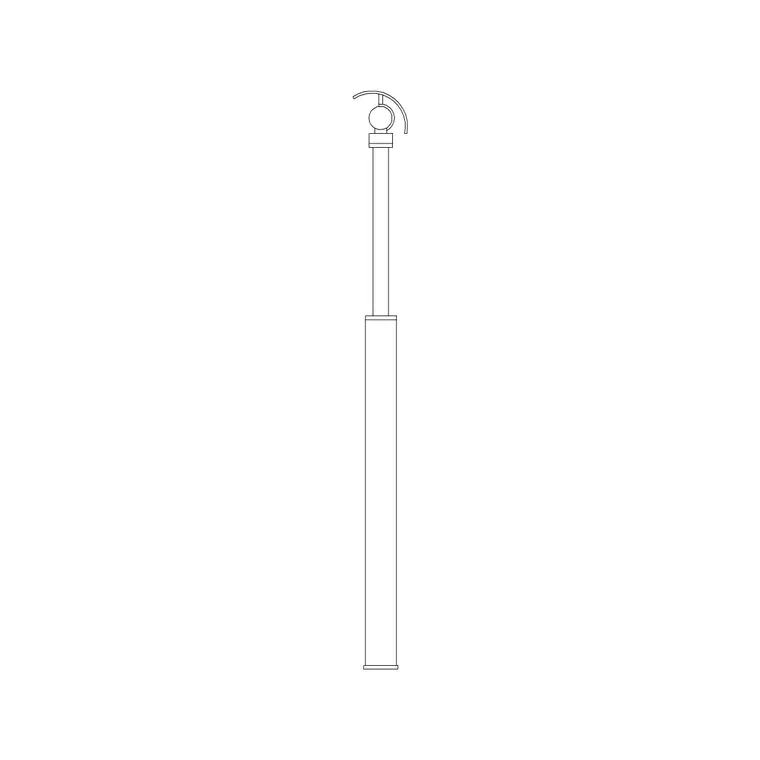
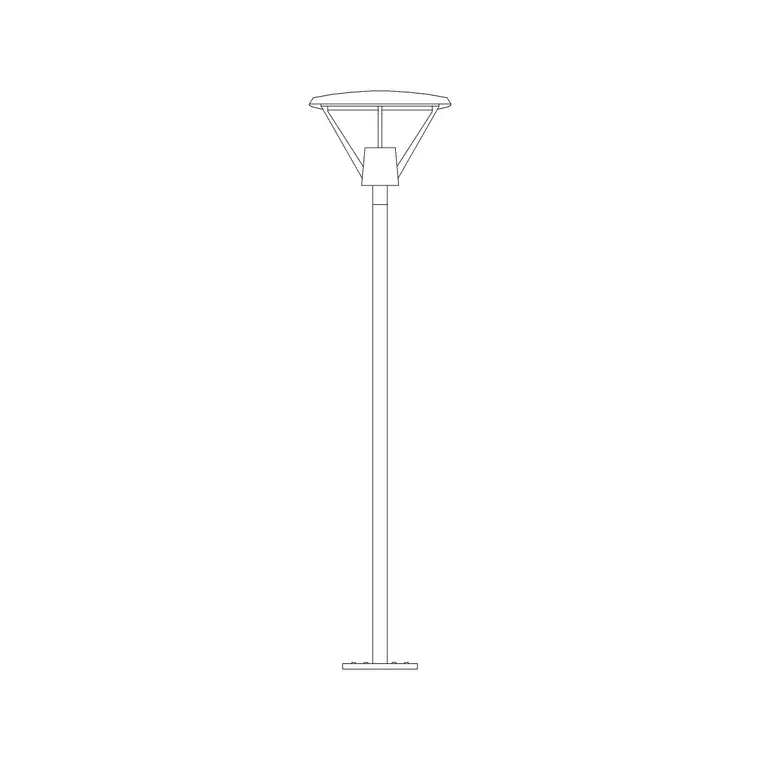
A designer street light is the feature pole that a landscape architect or urban designer specifies when a public space needs character as well as illumination — a sculpted column, a distinctive head and a profile chosen to suit a particular street, plaza or waterfront rather than a standard highways catalogue light. This page offers a free designer street light CAD block in DWG and DXF, drawn at true millimetre height so the feature pole reads correctly in a streetscape elevation or public-realm section. It is free for commercial use with no signup or watermark.
Where a standard street light just has to light the road, a designer street light is part of the identity of a place. On the drawing it does double duty: it sets the scale of the scene and it signals that the lighting is a considered, architectural element. The block keeps the sculpted column, the bracket or head and the base in clean geometry so the feature reads as designed rather than generic.
Designer versus standard street lights
A standard highways light is chosen from a catalogue to meet a lighting level at lowest cost; a designer street light is selected or even custom-made for its appearance in a specific public space. That means a more sculpted column — tapered, faceted or shaped — a distinctive luminaire, and often integrated extras like banner arms, festoon points or a feature base. The drawing has to carry that character, so the block keeps the silhouette and proportions that make the light recognisable.
The block is drawn as clean geometry on tidy layers, so you can separate the column, head and any bracket details. It prints sharply at public-realm scales like 1:200, 1:100 and 1:50, and as a true block reference, one edit to the definition flows through the whole scheme.
Heights and scale to design around
Treat these as ranges and confirm against the scheme and the manufacturer. A pedestrian-priority designer light in a plaza or boulevard commonly sits in the 4–6 m mounting-height band so it relates to people rather than vehicles, while a designer light that also serves a carriageway runs taller, often 6–10 m. Feature columns sometimes carry a wider or more sculpted base than a plain pole, which is worth showing because it affects the footprint on a paved area.
Because the block is full size, dimension the column height and base footprint straight off the elevation and check them against the building line, the paving module and the spacing of the run. Getting the scale right is what stops a feature light reading as either toy-like or overbearing on the drawing.
Placing designer street lights in a public space
Designer street lights are usually placed with the geometry of the public realm in mind, not just a lighting-level spacing — lined up with a paving grid, marking an entrance, defining a boulevard or punctuating a plaza edge. Insert the block at the key positions the design calls for, then ARRAY or copy along the line where a regular run is wanted, keeping the centres true to the paving module.
Snap the base to the paving or kerb line, rotate so any bracket or banner arm faces the right way, and keep the lights on their own layer. For a symmetrical avenue, MIRROR the run across the centreline so both sides match. Because the lighting is on its own layer, you can present the public realm with or without it as the drawing needs.
Inserting and scaling the block
The DWG is drawn in millimetres. Insert at scale 1 in a millimetre drawing, 0.001 in a metre drawing, or set INSUNITS to millimetres so an imperial template rescales it on insertion. Run INSERT or drag from a palette and pick the insertion point at the base of the column so the feature stands on the ground line.
With the block placed, dimension off it to confirm the height suits the space, then array or mirror it to build the run. Keep every light as a block reference so a change of specification — a different head, a taller column — updates every instance from one edit, which matters on a scheme where a single feature light type may appear dozens of times.
Where designer street lights are used
Designer street lights belong in places where the public realm is a feature in its own right: civic plazas and town squares, retail and leisure boulevards, waterfronts and promenades, university and corporate campuses, heritage-led regeneration schemes and high-profile residential masterplans. They appear in masterplans, landscape and hardscape drawings, public-realm sections and the presentation boards that win the scheme.
Drawn at the correct scale they anchor a streetscape elevation alongside trees, seating, bollards and signage, and they read clearly in a section through a boulevard or square. Free and licence-clear, the block suits competition and student work as much as a coordinated landscape package.
Free download
Browse the full library — DWG & DXF, no signup.
Questions
Frequently asked
How is a designer street light different from a standard one?+
A designer street light is chosen or custom-made for its appearance in a specific public space — a sculpted column, a distinctive head, often banner or festoon arms — rather than picked from a catalogue purely to meet a lighting level at lowest cost.
What height should a designer street light be?+
Pedestrian-priority feature lights in plazas often sit around 4–6 m, while those also serving a carriageway run taller at roughly 6–10 m. The block is full size, so dimension the chosen height off the elevation.
Is the block free for commercial public-realm work?+
Yes. It downloads free in DWG and, where available, DXF, with no signup, no watermark and no attribution required, and it is cleared for commercial project use.
Will the DWG open in free viewers and older AutoCAD?+
Yes. It targets AutoCAD 2004 and later and opens in AutoCAD, AutoCAD LT, BricsCAD, DraftSight and free DWG viewers such as Autodesk's online viewer.
Related downloads
Blocks for this guide
Popular blocks to download
Related categories
Related guides
Block landing
Free Lighting Fixtures CAD Blocks — DWG Download
Download free lighting fixtures CAD blocks in DWG and DXF — chandeliers, wall lights, downlights and pendants in plan and elevation for AutoCAD.
Block landing
Free Table Lamp CAD Blocks — DWG Download
Download free table lamp CAD blocks in DWG and DXF — classical and decorative table lamps in plan and elevation for AutoCAD 2004+. No signup, commercial-use OK.
Block landing
Free Floor Lamp CAD Blocks — DWG Download
Download free floor lamp CAD blocks in DWG and DXF — straight and arc floor lamps in plan and elevation for AutoCAD 2004+. No signup, free for commercial use.