Block landing · coniferous tree elevation cad block dwg
Free coniferous tree elevation CAD block in DWG
By Sumana Kumar · Published 2 Apr 2023 · Updated 11 Mar 2026
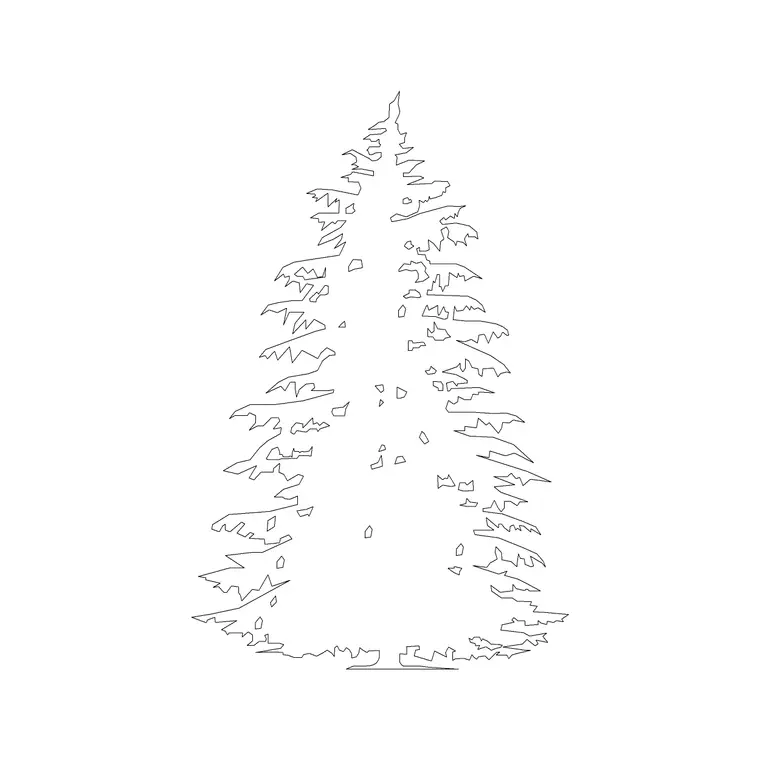
Download a free coniferous tree elevation CAD block in DWG — a crisp, triangular evergreen profile that reads instantly as a conifer in a street section or landscape elevation. Conifers hold their dense, tapering form year-round, so this block is the one to reach for when you want permanent vertical structure and winter screening in a drawing. Free for personal and commercial use, no signup, no watermark.
Use it for screens, shelterbelts and year-round green structure, overlapping the crowns where you want a continuous evergreen wall. Scale each tree to its species and age, keep them on a planting layer, and freeze that layer whenever you need a clean architectural elevation.
What a coniferous elevation block shows
A classic conifer in elevation is a tight, near-triangular shape: a straight central leader, dense whorled branches that get shorter towards the top, and foliage that often reaches close to the ground. This block captures that formal, dense triangle — the silhouette people picture when they think 'evergreen' — which makes it read clearly against rounded deciduous trees on the same sheet.
The foliage is drawn as layered, slightly serrated needle masses rather than a smooth outline, and the trunk and branch structure sit on a separate element so you can simplify or recolour the tree without losing its shape.
Typical sizing for conifers
Conifers cover a wide size range, from compact ornamental forms to forest giants. In landscape work you will often scale these in the 4-15 m height range, with a few species and mature specimens going taller, while the crown stays narrow relative to the height. Use those figures as ranges to scale against, matching the block to the species and age you are showing.
Because the form is so vertical, a conifer adds height to an elevation economically, which is useful where horizontal space for a broad canopy is tight, such as a narrow planted screen along a boundary.
Inserting and placing the conifer
The block is drawn full size in millimetres. INSERT at scale 1 in a millimetre drawing, 0.001 in metres, or set INSUNITS so AutoCAD rescales on insertion. Snap the trunk base to your ground line so the tree sits on grade.
For a screen or shelterbelt, copy or path-array the conifer at close spacing so the dense crowns overlap into a continuous evergreen wall. Vary the scale slightly between copies for a natural look, and keep the trees on a planting layer you can freeze for a clean architectural elevation.
Where coniferous elevations are used
Conifer elevations suit screening and buffer planting, alpine and woodland context sheets, boundary shelterbelts, and any scheme that needs year-round green structure. Because the foliage does not drop, conifers are the right choice when an elevation has to show a permanent visual or acoustic screen rather than a tree that thins out in winter.
Mix conifer elevations with deciduous trees to show seasonal contrast, and use the matching plan symbol so the same evergreens appear correctly in both your site plan and your sections.
Conifer vs pine — choosing the right shape
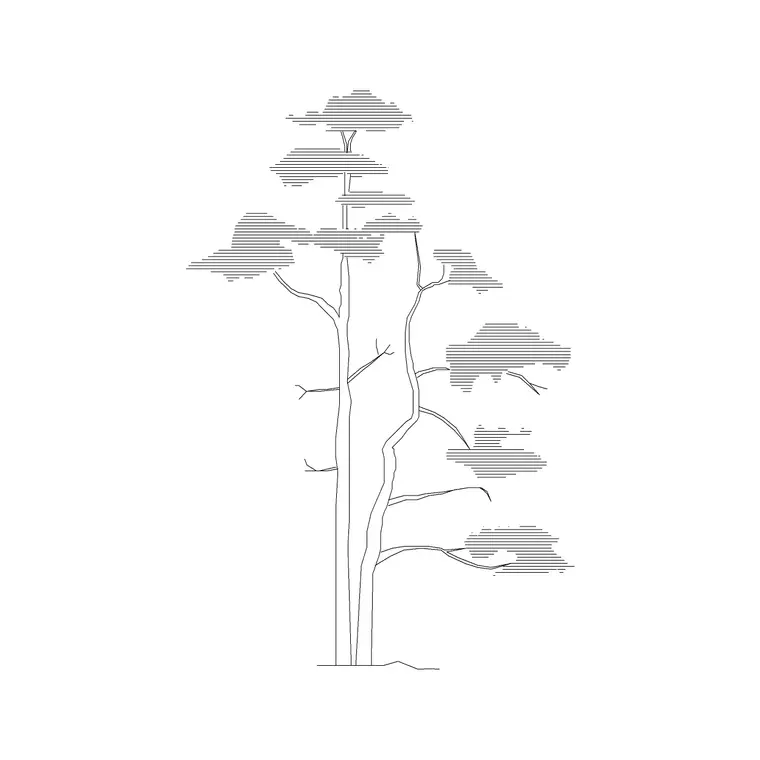
A formal conifer like a fir or spruce holds a tight triangle right down to the ground, while a mature pine is often more open, irregular and may lose its lower branches to show a clear trunk. If your scheme wants a crisp Christmas-tree silhouette, this coniferous block is the better fit; if you want a looser, characterful evergreen, the pine block reads better.
Keeping both species in your library means you can give a planting an honest mix of evergreen shapes rather than repeating one identical triangle down the whole boundary.
Keeping the screen tidy
A dense row of conifers can become a heavy black band if drawn at full lineweight, so give the planting layer a lighter weight and consider a halftone plot style so the screen reads as a backdrop behind the building.
When the screen is finalised, WBLOCK a short run of overlapping conifers as a single 'evergreen hedge' block. Dropping that one reference in lays out a continuous screen quickly, and editing the definition restyles the whole boundary at once.
Conifers for screening and shelter
The strongest practical reason to draw conifers is screening. Because the foliage runs close to the ground and stays put all year, a row of conifers blocks views and softens noise far more reliably than a deciduous hedge that thins out in winter. In an elevation, overlapping the crowns into a continuous evergreen band shows that intent clearly to a client or planner.
Conifers also act as shelterbelts, slowing wind across an exposed site. Drawing them as a dense, layered mass on the windward edge of a scheme communicates that function at a glance, and pairing the elevation with a plan symbol lets you show the same shelter line working in both views.
Free download
Browse the full library — DWG & DXF, no signup.
Questions
Frequently asked
What counts as a coniferous tree block?+
A conifer block shows an evergreen with a dense, tapering, usually triangular crown — firs, spruces and similar — that holds its needles year-round, as opposed to a broadleaf tree that drops its leaves.
Is this conifer elevation block free commercially?+
Yes. It downloads free in DWG with no signup, no watermark and no attribution required, cleared for personal and commercial use.
How is a conifer different from the pine block?+
This conifer holds a tight triangle to the ground, while the pine block is looser and more open with a clearer trunk. Choose by the silhouette your scheme needs.
Will the file open in older AutoCAD?+
Yes. It targets AutoCAD 2004 and later, opening in AutoCAD, AutoCAD LT, BricsCAD, DraftSight and free online DWG viewers.
Are conifers good for screening and shelter?+
Yes. Their dense foliage runs close to the ground and stays put all year, so a row of conifers screens views and slows wind far more reliably than a deciduous hedge.
Can I overlap conifers into a continuous hedge?+
Yes. Copy or array the conifer at close spacing so the crowns overlap into a solid evergreen band, then WBLOCK the run as a single hedge block for reuse.
Related downloads
Blocks for this guide
Related categories
Related guides
Block landing
Free Flower Plant CAD Blocks — DWG Download
Free flower plant CAD blocks in DWG and DXF — flowering annuals and perennials in plan and elevation for AutoCAD landscape plans. No signup, commercial OK.
Block landing
Free Flowering Shrub CAD Blocks — DWG Download
Free flowering shrub CAD blocks in DWG and DXF — ornamental shrubs in plan and elevation for AutoCAD planting and site plans. No signup, commercial OK.
Block landing
Free Herb Plant CAD Blocks — DWG Download
Free herb plant CAD blocks in DWG and DXF — herbs for kitchen gardens, raised beds and planters, in plan and elevation for AutoCAD. No signup, commercial OK.