Block landing · cactus plant elevation cad block
Cactus plant elevation CAD block in DWG
By Saumyajit Maity · Published 29 Oct 2023 · Updated 3 Jan 2026
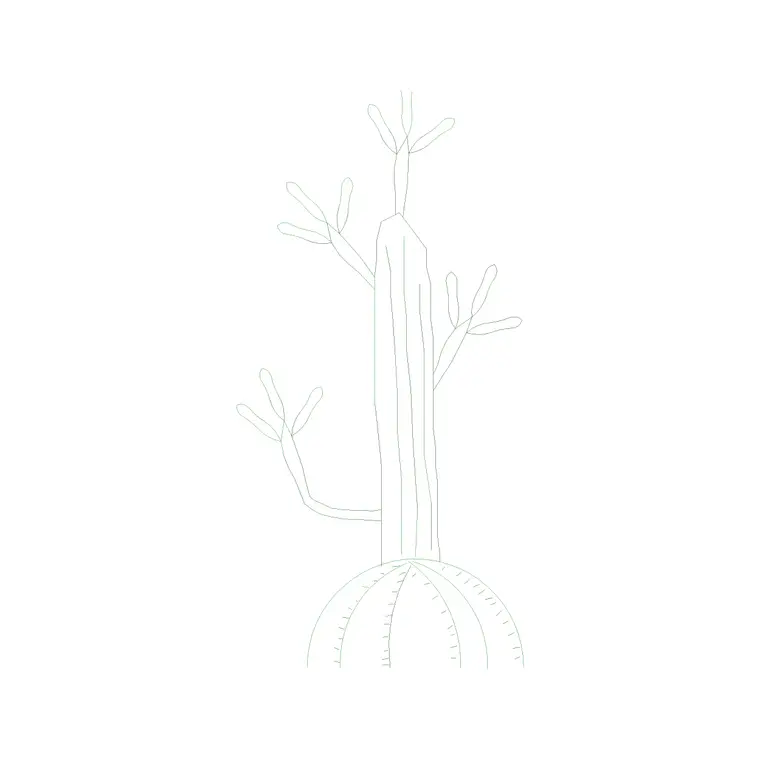
A cactus reads instantly: the upright columnar body, the arms, the spiky silhouette all say desert, arid, low-maintenance and a touch of southwestern or minimalist style. This free cactus plant elevation CAD block captures that unmistakable shape in DWG, drawn face-on (with a side view available) for AutoCAD 2004 or later. It is free for personal and commercial work, with no signup, no watermark and no attribution.
A cactus is a styling statement as much as a plant. Whether potted indoors for a contemporary interior or planted in a gravel landscape, it brings a sculptural, water-wise character that ordinary foliage cannot. This block is the right symbol when a scheme leans desert, modern or low-water, giving an elevation a clear, recognisable accent that needs no caption to read as a cactus.
What the cactus block shows
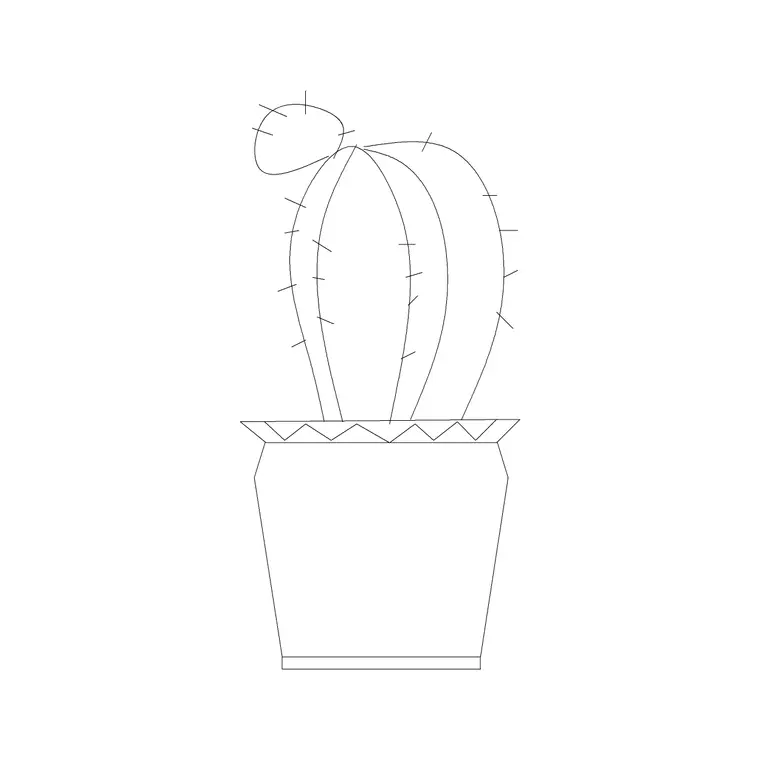
The block draws the distinctive cactus silhouette — an upright body, often with one or two arms, and a clearly spined or ridged outline that nobody mistakes for leafy foliage. The form is kept clean and sculptural so it reads at a glance, with the ridges or spines suggested rather than drawn hair by hair, which keeps the file light.
The cactus is shown either potted for indoor use or as a standalone body, depending on how you place it, and the geometry is built so you can separate any container from the plant. The strong, simple outline takes a screen-back or recolour well, so the cactus can sit as a bold dark accent or a softer screened form in a presentation elevation.
Views and what's included
This block includes an elevation and a side view, so you can show the cactus face-on for a standard interior or landscape elevation and turn it for a section or an angled presentation. Having both views in one download means you do not have to redraw the plant when the drawing changes orientation.
The body and any pot sit on separable linework, so you can give a container its own line and fill while keeping the cactus in green, and it inserts as a single block reference for easy placing and copying. Explode it only if you want to tweak the silhouette — adding or trimming an arm, say — for a particular specimen.
Typical sizing to design around
Cacti span an enormous range, from a small potted specimen on a desk to a tall columnar plant that stands taller than a person. As a planning range, an indoor potted cactus sits at tabletop-to-low-floor height, while a landscape specimen can rise well above standing height as a feature. Use the surface or ground line it sits on as your datum and scale the block to the role you want it to play.
These are ranges to design within, not fixed numbers on the block. Because cactus proportions vary so widely between species, scale the block freely — keep it slim and tall for a columnar look, or shorter and broader for a barrel form. As a single block reference, it stretches and scales without you having to redraw the spined outline.
How to insert and scale it
The DWG is drawn in millimetres. Insert at scale 1 in a millimetre drawing, 0.001 in a metre template, or set INSUNITS to millimetres in an imperial file so AutoCAD rescales the block automatically and the cactus arrives at the right size for its role.
Use INSERT or drag the file in, pick the base of the cactus (or its pot) as the insertion point, and snap it to the surface or ground line. For a feature landscape cactus, scale it up against people and walls in the section; for an indoor accent, keep it at table or low-floor scale. Put it on a planting or FF&E layer so you can freeze the dressing for technical drawings and thaw it for presentation, and use the side view when the drawing turns.
Where cactus blocks are used
Cactus elevation blocks suit two clear settings. Indoors, they dress contemporary and minimalist interiors — design-led offices, boutique retail, cafés, hotel rooms and modern homes — where a potted cactus adds a sculptural, low-water accent. Outdoors, they belong in arid and xeriscape landscapes: gravel gardens, desert and Mediterranean schemes, courtyard and rooftop planting, and public-realm drawings in dry climates.
Grouped at varied heights, cacti make a strong styled vignette in either setting. Combine them with succulents, gravel and contemporary furniture blocks from the trees-and-plants and outdoor libraries, and copy or array a cluster to build a convincing desert or minimalist scene in an elevation.
Using the cactus as a deliberate style cue
A cactus carries a strong stylistic signal, so place it on purpose: it tells the viewer the scheme is contemporary, arid or water-wise. That makes it a powerful accent in the right project and an odd note in a traditional or lush one, so reach for it when the design language actually supports it.
Keep the bold cactus outline on its own colour and lineweight so it reads as the sculptural accent it is, and screen back distant specimens in a landscape for depth. If cacti recur, leave the block named for global edits, and WBLOCK a styled cluster — a tall columnar cactus with a couple of smaller potted ones — into your library so a ready-made desert or minimalist vignette is one insertion away next time.
Free download
Browse the full library — DWG & DXF, no signup.
Questions
Frequently asked
Does this cactus block include more than one view?+
Yes. It ships with an elevation and a side view in the same DWG, so you can show the cactus face-on for a standard elevation and turn it for a section or angled presentation without redrawing the plant.
Is the cactus CAD block free for commercial use?+
Yes. It downloads free in DWG with no signup, no watermark and no attribution, cleared for commercial project drawings as well as personal and student work.
Can I use the same block for an indoor pot and a landscape feature?+
Yes. Scale it down to tabletop or low-floor height for an indoor potted accent, or scale it up against people and walls for a feature landscape specimen. The body and any pot sit on separable linework so you can adapt it to either role.
When does a cactus suit a scheme?+
When the design leans contemporary, minimalist, arid or water-wise. A cactus carries a strong style signal, so it works as a deliberate accent in those schemes but reads oddly in a traditional or lush interior — use it where the design language supports it.
Related downloads
Blocks for this guide
Related categories
Related guides
Block landing
Free Flower Plant CAD Blocks — DWG Download
Free flower plant CAD blocks in DWG and DXF — flowering annuals and perennials in plan and elevation for AutoCAD landscape plans. No signup, commercial OK.
Block landing
Free Flowering Shrub CAD Blocks — DWG Download
Free flowering shrub CAD blocks in DWG and DXF — ornamental shrubs in plan and elevation for AutoCAD planting and site plans. No signup, commercial OK.
Block landing
Free Herb Plant CAD Blocks — DWG Download
Free herb plant CAD blocks in DWG and DXF — herbs for kitchen gardens, raised beds and planters, in plan and elevation for AutoCAD. No signup, commercial OK.