Block landing · adjustable weight bench cad block dwg
Free adjustable weight bench CAD block in DWG
By Sumana Kumar · Published 1 Apr 2022 · Updated 30 Apr 2026
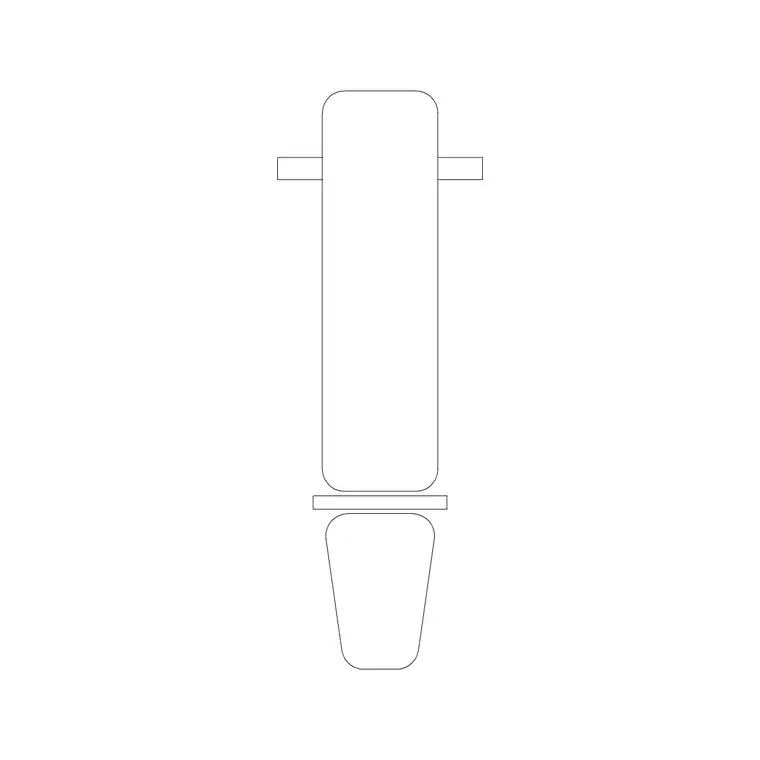
An adjustable weight bench is the workhorse of any free-weight zone, and when you are laying out a gym floor it is one of the first blocks you reach for. This page offers a free adjustable weight bench CAD block in DWG, drawn at true millimetre size so you can drop it straight into a fitness facility plan and immediately read the footprint, the backrest fold and the clearance a lifter needs on either side. It is free for personal and commercial work, with no signup, no watermark and no attribution required.
Unlike a fixed flat bench, the adjustable bench pivots through flat, incline and decline positions, which changes how much floor it claims. The block here is drawn so you can see both the seated footprint and the reclined envelope, letting you space benches honestly against dumbbell racks, mirrors and circulation aisles rather than guessing.
What an adjustable weight bench block represents
An adjustable, or FID (flat-incline-decline), bench is a padded platform on a steel frame whose backrest and seat tilt to a range of angles. In a gym layout the block stands in for that frame plus the pad, so the line you draw is the real obstacle a member walks around. A good block shows the bench in plan with the pad outline and the leg base, because the splayed feet of the frame are usually wider than the pad and govern how close the next bench can sit.
Where the block ships an elevation or side view, it carries the backrest set somewhere in its incline range so a reviewer can read the equipment type at a glance. The geometry is kept on sensible layers so you can recolour the frame, freeze the pad or pull the bench onto a dedicated equipment layer without exploding it.
Views and what is included
The download is built for facility planning first, so the plan view is the one you will use most. It is the footprint you array down a dumbbell aisle or place in front of a mirror wall. If you are producing a presentation elevation or a section through the weights room, a side view of the bench in an inclined position reads clearly and tells the story of the space.
Where multiple views live in the same DWG, insert the one you need and freeze or explode the rest. Because the bench is a single block reference, you can copy it along a row, and any later edit to the block definition ripples to every instance, which keeps a large gym plan consistent.
Typical sizing to design around
Use these ranges as planning figures rather than fixed specs, since every manufacturer differs. The pad of an adjustable bench is roughly 1100–1400 mm long and 250–320 mm wide. The frame base, with its splayed stabiliser feet, often spreads to 600–760 mm wide and 1200–1500 mm long when the bench is flat. Pad-top height sits around 400–480 mm.
What really drives the layout is the working envelope, not the bench alone. Allow a clear zone around the bench — commonly 600–900 mm to each side so a spotter can stand and dumbbells clear the frame, and around 900 mm to the rear for an incline lifter's head and arms. Dropping the correctly scaled block into the plan turns those clearances into a visual check instead of arithmetic.
How to insert and place the block
The block is drawn full size in millimetres. In a millimetre template, insert at scale 1 and it lands at real size; in a metre template use 0.001; or set INSUNITS to millimetres so AutoCAD rescales on insertion. Run INSERT (or drag the DWG from a tool palette), pick the centre of the pad as your insertion point, then rotate so the head end faces the mirror or the rack you are working off.
Once placed, move the bench onto an equipment layer such as F-EQUIP so you can freeze it for a clean structural plan and thaw it for the furnished version. To repeat a row, COPY along the aisle spacing you settled on, or ARRAY if the benches are evenly pitched. Vary nothing on a repeating bench — consistency is what makes a gym plan read as a deliberate grid.
Where the bench block is used
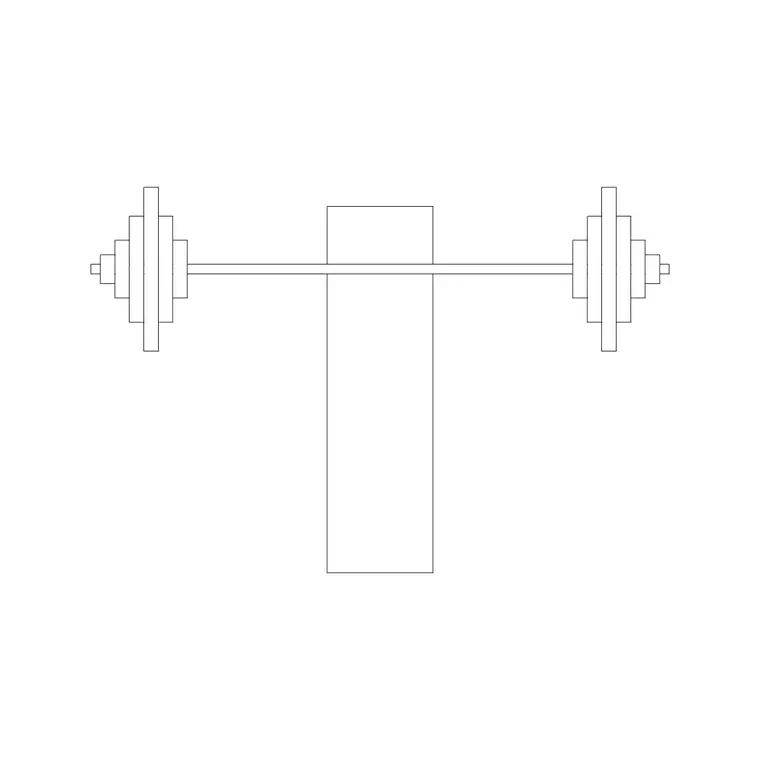
Adjustable weight bench blocks turn up in commercial gym fit-outs, hotel and apartment fitness rooms, physiotherapy and rehab suites, school and university sports halls, and home-gym studies. They pair naturally with dumbbell racks, the gym bike and treadmill blocks, weight plate stacks and the broader fitness and sports library to build a complete equipment layer quickly.
Because the file is free and licence-clear, it suits student projects, competition boards and quick concept plans where you need believable gym furniture without licensing friction. The same bench can carry from an early space-test through to a coordinated equipment schedule, so you are not redrawing the strength zone at each design stage.
Keeping the weights zone readable
A weights room reads best when each equipment family sits on its own layer with its own colour and lineweight. Put all benches on one layer, racks on another, and cardio on a third; you can then produce a clean architectural base by freezing equipment, and a full fit-out plan by thawing it, from a single drawing with no duplicate geometry.
If you tag each bench block with a simple attribute — a type or asset code — you can extract an equipment schedule straight from the drawing, which is exactly the count a procurement or facilities spreadsheet wants. When a workstation layout is finalised, you can WBLOCK a bench-plus-rack pairing as one reusable unit and array it across a floor, which is a fast way to test how many lifting stations a room can hold.
Free download
Browse the full library — DWG & DXF, no signup.
Questions
Frequently asked
Is the adjustable weight bench CAD block free for commercial use?+
Yes. The block downloads free in DWG with no signup, no watermark and no attribution requirement, and it is cleared for commercial gym and facility drawings.
What scale is the bench drawn at?+
It is drawn full size in millimetres. Insert at scale 1 in a millimetre drawing, 0.001 in a metre drawing, or set INSUNITS to millimetres so AutoCAD rescales the block automatically on insertion.
Does the block show the bench flat or inclined?+
The plan footprint is what you use for layout. Where a side view is included it shows the backrest in an inclined position so the equipment type reads clearly in elevations and sections.
How much clearance should I leave around a weight bench?+
As a planning rule, allow roughly 600–900 mm each side for a spotter and dumbbell swing and about 900 mm to the rear for an incline lifter. Placing the scaled block makes those clearances easy to confirm.
Related downloads
Blocks for this guide
Related categories
Related guides
Block landing
Free Gym Equipment CAD Blocks — DWG Download
Download free gym equipment CAD blocks in DWG and DXF — treadmills, weight machines, racks and benches in plan and elevation, AutoCAD 2004+, no signup.
Block landing
Free Treadmill CAD Block — DWG & DXF Download
Download a free treadmill CAD block in DWG and DXF — drawn in plan and elevation with the run-off zone, true to size for AutoCAD gym layouts. No signup.
Block landing
Free Exercise Bike CAD Block — DWG Download
Download a free exercise bike CAD block in DWG and DXF — upright, spin and recumbent bikes in plan and elevation, true to size for gym layouts. No signup.