Curated pack · 50 free tree cad blocks dwg
A pack of 50 free tree CAD blocks for AutoCAD in 2026
By Saumyajit Maity · Published 25 Mar 2024 · Updated 1 Mar 2026
Planting symbols are the difference between a bare site plan and a drawing a client can actually read, and that is exactly what this set of 50 free tree CAD blocks is built to give you. The pack gathers a broad spread of species and growth habits — spreading broadleaf canopies, slender conifers, fan and feather palms, ornamental specimens and loose shrub clusters — drawn at true scale in DWG so they drop straight into AutoCAD 2004 or any later release. Every file is free for personal and commercial work, with no signup, no watermark and nothing to attribute.
Fifty is a deliberate number. It is enough variety that a landscape plan never has to repeat the same canopy across an entire scheme, but small enough that you can browse the whole set and remember what is in it. You will find both plan-view symbols for laying out a site and elevation trees for street sections, building elevations and presentation boards.
Mix the styles across a single drawing and the planting instantly looks designed rather than stamped. A row of identical circles reads as placeholder; a varied canopy line reads as a real woodland edge, an avenue or a courtyard, which is what a reviewer is hoping to see.
What the 50-tree pack covers
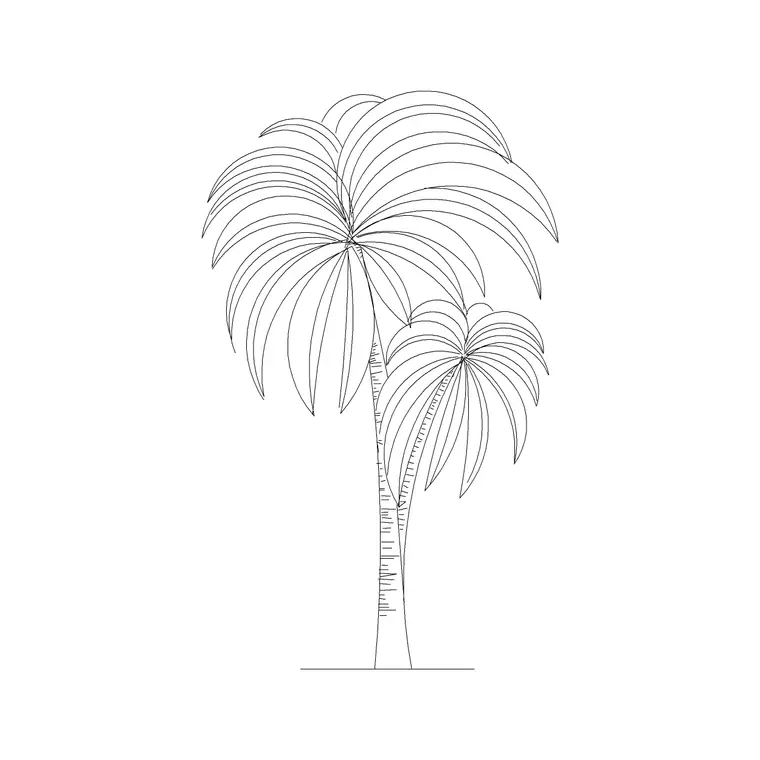
The set is organised around the two things that matter when you place a tree: how it is seen and how big it grows. On the plan side you get simple line canopies for technical drawings, more detailed branching symbols for presentation plans, and loose textured outlines for naturalistic planting. On the elevation side there are bare-branch winter forms, full summer canopies, columnar conifers and palms with their distinctive trunk and frond silhouette.
Species habits run from small ornamentals through medium street trees to large shade and specimen trees, plus a handful of multi-stem and shrub-mass blocks for filling beds. Because the styles are mixed, you can keep a consistent drawing language — say, all line-only canopies — or deliberately vary them to show different planting zones.
Canopy sizes to design around
Trees vary enormously, so treat the blocks as a starting point you scale to the real spread. As rough planning figures: small ornamental trees carry a canopy in the region of 2-4 m, medium street and garden trees around 5-8 m, and large shade or specimen trees anywhere from 8 m to well over 12 m at maturity. Always confirm the species' mature spread against a planting schedule rather than trusting any single symbol.
Because real spread is what governs spacing and shading, scale each block to the species you are actually specifying. Insert the symbol, run SCALE with the trunk as the base point, and grow or shrink the canopy to match. Getting the spread right early means circulation, sightlines and overshadowing checks all read correctly straight off the plan.
Plan versus elevation trees in the set
Use the plan symbols for site plans, landscape masterplans and floor plans where the canopy is seen from above and arrayed across the ground. These are the blocks you repeat along an avenue, scatter through a woodland block or grid into an orchard. Keep them on a planting layer so they can be frozen to reveal the hard landscape beneath.
Reach for the elevation trees when you are drawing a street section, a building elevation with planting in front, or a presentation view that needs depth. A line of elevation trees of slightly different heights along a frontage softens a hard architectural edge and gives a sense of scale a person can read at a glance.
Placing 50 trees without slowing the drawing
A planting plan can get heavy fast, so a few habits keep it light. Insert each tree as a block reference rather than exploding it, so fifty trees are fifty lightweight references pointing at a handful of definitions, not thousands of loose lines. Put them all on a dedicated planting layer with its own colour and lineweight.
To lay out rows and grids, lean on ARRAY: a path array follows a road centreline for street trees, a rectangular array builds an orchard. For naturalistic groups, copy a block and nudge its scale and rotation slightly between instances so neighbouring canopies do not look cloned. When a cluster is finalised, WBLOCK it as a single reusable group you can drop into the next scheme.
Keeping the planting readable at every scale
A symbol that looks great at 1:200 can turn into an unreadable blob at 1:500, so match the block detail to the drawing scale. Use the simpler line canopies for small-scale masterplans and reserve the detailed branching symbols for 1:100 and 1:50 presentation plans. If a busy canopy clutters a small-scale sheet, open the block with BEDIT, simplify it once, and every placed instance updates together.
Colour and lineweight do a lot of the work too. A mid-green planting layer with a light lineweight sits behind the architecture without fighting it, while a heavier outline on specimen trees lets key planting read first. The aim is a plan where someone can tell the avenue from the shrub bed from the lawn without reading a single label.
Where a tree pack like this earns its keep
These blocks suit anything with ground around it: residential landscape plans, public realm and streetscape drawings, park and campus masterplans, car-park planting, courtyards and roof gardens. They pair naturally with paving, outdoor furniture and the potted-plant blocks when you are dressing a scheme for presentation.
Because the whole set is free and licence-clear, it is equally at home in student portfolios, competition boards and fast concept sketches where believable planting matters but a paid library does not. The same fifty blocks can carry a project from first concept through to a coordinated landscape drawing without you ever hunting for a tree symbol again.
Free download
Browse the full library — DWG & DXF, no signup.
Questions
Frequently asked
Are all 50 tree CAD blocks free for commercial work?+
Yes. Every tree block in the set downloads free in DWG with no signup, no watermark and no attribution requirement, and all of them are cleared for commercial project use.
Do the trees come in plan and elevation views?+
The pack includes both. Plan symbols are for site and landscape layouts seen from above; elevation trees are for street sections, building elevations and presentation views. Each block's available views are listed on its download page.
How do I scale a tree block to the right canopy size?+
Insert the block, then run SCALE using the trunk as the base point and enter a factor that grows the canopy to the species' mature spread. You can also set the X and Y scale in the INSERT dialog before placing.
Will 50 tree blocks slow my drawing down?+
Not if you keep them as block references rather than exploding them. Fifty references point at a small number of definitions, so the file stays light. Keep them on a single planting layer for easy freezing.
Related downloads
Blocks for this guide
Popular blocks to download
Related categories
Related guides
Curated pack
Free Landscape & Tree DWG Pack — Plan & Elevation
A free landscape and tree DWG pack — trees, palms, shrubs and potted plants in plan and elevation for AutoCAD site plans. DWG and DXF, no signup, commercial-use OK.
Curated pack
Free Plan View CAD Block Pack — DWG & DXF
Free plan view CAD block pack in DWG and DXF — furniture, trees, people and vehicles drawn from above for AutoCAD floor plans. No signup, commercial OK.
Curated pack
Free Elevation CAD Block Pack — DWG & DXF
Free elevation CAD block pack in DWG and DXF — trees, doors, furniture and figures drawn face-on at real heights for AutoCAD elevations. No signup.