How-to guide · how to scale a car block in autocad
How to scale a car block in AutoCAD to real size
By Saumyajit Maity · Published 31 Jan 2026 · Updated 17 Mar 2026
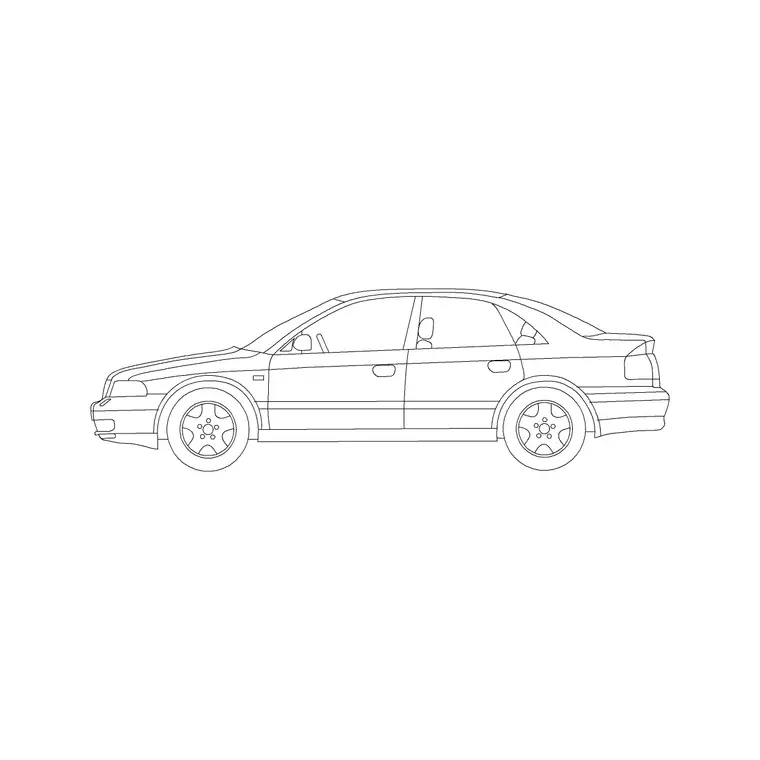
A car block is one of the few symbols where the correct size is genuinely useful, not just tidy: vehicles are drawn into site plans to prove that parking bays, turning circles and drop-off zones actually work. If the car is scaled wrong, the layout lies to you. So with a car block the job is not just to make it look right — it is to make it match a real vehicle footprint so the clearances you read off the drawing are true.
The quickest route is to scale the block by reference against a known length, usually the length of a standard car. This guide shows how to find the block's current length, scale it to a real vehicle envelope, and then check it against a parking bay so the layout is trustworthy.
Know the real-world car envelope you're matching
Cars come in size classes, and which one you design to changes the answer. As rough envelopes to scale against: a compact/city car sits around 3.6–4.2 m long and 1.6–1.8 m wide; a typical family hatchback or saloon around 4.3–4.8 m long; a large SUV or executive saloon 4.8–5.2 m long and up to about 2.0 m wide. A standard parking bay in many codes is drawn around 2.4–2.5 m wide by 4.8–5.0 m long, sized to swallow that family-car envelope with door clearance.
Decide which class the block represents before you scale. If the drawing is about proving parking capacity, scale the car to the design vehicle the bay is sized for, not to the biggest car you can imagine.
Step 1 — Measure the block's current length
Insert the car block and run DIST (or a quick DIMLINEAR), then pick the front bumper and the rear bumper along the centreline. That gives the length the block is currently drawn at, in your drawing units. A value of 4500 in a millimetre drawing means the car is already a 4.5 m vehicle and may need no scaling at all.
Measure the width too, nose-to-tail osnaps at the widest point, because some car symbols are drawn slim and look right in length but read too narrow against a bay. You want both dimensions believable.
Step 2 — Scale by reference to the real length
Scaling by reference is the cleanest method here because you are matching a known target. Select the car block, type SCALE, and pick a base point — the centre of the car works well so it grows in place. At the factor prompt, type R for Reference. AutoCAD now asks for a reference length: pick the front bumper then the rear bumper (the current length). Then it asks for the new length: type the real value, for example 4700 for a 4.7 m car.
AutoCAD calculates the factor for you and resizes the block so the bumper-to-bumper distance is exactly your target. No arithmetic, no guessing — you told it the length and it complied.
Step 3 — Drop it into a parking bay and check
Now place the scaled car in a bay and look at the gaps. There should be clear space at the front and rear so the car isn't overhanging the aisle, and enough side clearance to open a door — a bay around 2.4–2.5 m wide should leave a comfortable margin around a 1.8 m car. If the car fills the bay edge to edge with nothing to spare, either the car is over-scaled or the bay is undersized; the drawing has just done its job and flagged a problem.
For accessible bays the clearances grow, with a hatched transfer zone alongside, so check the car against the wider accessible bay envelope where the code requires it.
Scaling cars for swept-path and circulation checks
Car blocks earn their keep in circulation drawings: aisles, turning bays, ramps and drop-offs. Once the car is at true size, you can copy it through a turn to sketch a rough swept path, or array a row of correctly-sized cars down a parking aisle to confirm the run length. The accuracy only holds if every car is scaled to a real envelope, so scale one reference car, then copy it rather than re-scaling each instance, which keeps them all identical.
Where you need to show a mix — a small car, a family car, a van — scale each from its own target length using the reference method so the size relationship between them is real, not eyeballed.
Common mistakes scaling vehicle blocks
The classic error is scaling a car uniformly to fix only the length and accidentally distorting the proportions — but uniform SCALE never distorts, it multiplies X and Y by the same factor, so resist the temptation to type different X and Y scales in the INSERT dialog. A car squashed in one axis looks subtly wrong and, worse, gives a false width against the bay.
The second mistake is leaving a units mismatch unaddressed: if the car arrives microscopic or enormous the instant you insert it, that is INSUNITS, and you should fix your insertion units rather than scaling by some huge factor to compensate. Finally, don't scale the car against the bay by eye 'until it looks right' — measure the real envelope and scale by reference, because the whole point of putting a car on the plan is that its size is true.
Free download
Browse the full library — DWG & DXF, no signup.
Questions
Frequently asked
How long should a car block be in a parking layout?+
Match a real vehicle class. Compact cars run roughly 3.6–4.2 m, family cars 4.3–4.8 m, and large SUVs/saloons up to about 5.2 m. Scale the block to the design vehicle the parking bay is sized for, then check the clearances at the front, rear and sides.
What's the easiest way to scale a car to an exact length?+
Use SCALE with the Reference option. Pick the car, type R, click the front then rear bumper as the reference length, then type the real target length such as 4700. AutoCAD works out the factor and resizes the block to exactly that length.
Why does my car block come in tiny when I insert it?+
That's an insertion-units mismatch, not a scaling problem. The block and your drawing disagree on units. Set INSUNITS (type UNITS, set the insertion scale to Millimeters to match the block) and re-insert, and it will land at the right size.
Can I stretch a car block to make it longer without making it wider?+
Stretching one axis distorts a car and gives a false footprint, so avoid it. If you genuinely need a longer vehicle, scale a van or estate block to the right envelope instead, keeping the proportions of a real vehicle.
Related downloads
Blocks for this guide
Popular blocks to download
Related categories
Related guides
How-to guide
How to Scale a Block by Reference in AutoCAD
Scale a block by reference in AutoCAD — use SCALE's Reference option to resize to an exact length with no factor maths, or match existing geometry.
Explainer
What Are CAD Blocks? A Beginner's Guide in 2026
What are CAD blocks? A beginner's guide to AutoCAD blocks — what they are, why drafters use them, how blocks, attributes and libraries work, and where to download free DWG blocks.
Curated pack
Free Landscape CAD Block Pack — DWG & DXF
A free landscape CAD block pack in DWG and DXF — trees, shrubs, fences, paving, lighting and figures for AutoCAD landscape plans. No signup, commercial-use OK.