Block landing · single bed cad block
Free single bed CAD blocks for AutoCAD
By Sumana Kumar · Published 28 May 2022 · Updated 20 Jun 2026
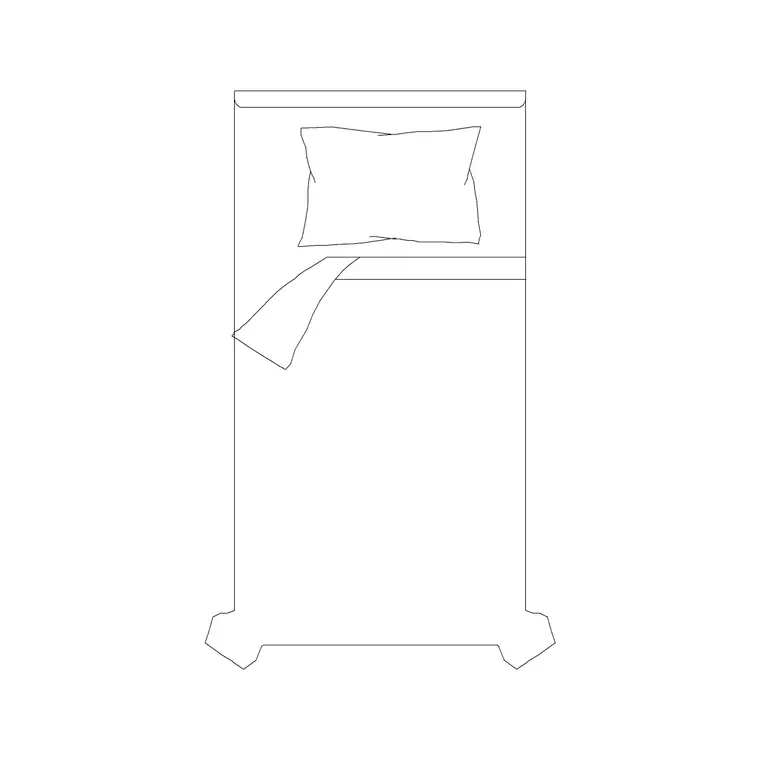
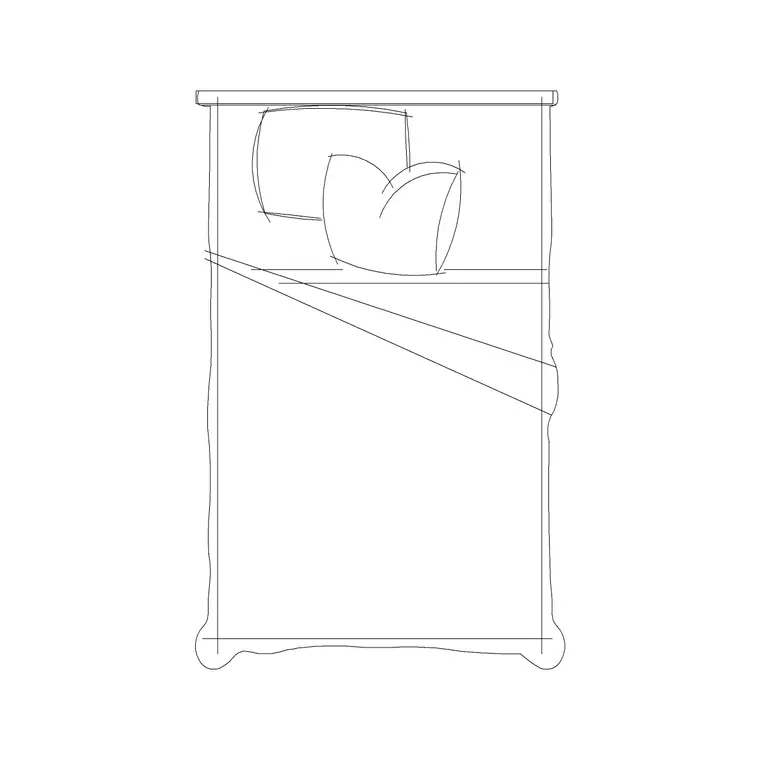
The single bed is the most space-efficient bed in any drawing, and it is the one you place most often in children's rooms, guest rooms, student halls, dormitories and care settings. This page offers free single bed CAD blocks in DWG and DXF, drawn at true millimetre dimensions and ready to insert into AutoCAD 2004 or later. The plan view shows the mattress, headboard and pillow so the bed reads clearly and the tight clearances around it can be checked instantly.
A single bed is the one-person bed — also called a twin in some markets — and its compact footprint is exactly why it works where a double or queen would not fit. The catalogue here includes a 1050 × 2000 mm single without a side table and a 1200 × 2030 mm single, so you can match the block to the bed actually being specified. Every file is free for personal and commercial work, with no signup, no watermark and no attribution required.
What a single bed CAD block contains
A good single bed block shows the mattress outline, a headboard against the wall and a single pillow, so the head of the bed is unambiguous on the plan. That clarity matters in the rooms singles live in — narrow children's bedrooms and dorms where two or three beds share a wall and the orientation of each one has to read at a glance.
The blocks here are drawn on sensible layers, letting you separate the mattress outline from the headboard and bedding detail. You can simplify a single to a plain rectangle for a dense dormitory layout, or keep the bedding detail for a furnished presentation — the same block does both without being redrawn.
Typical single bed sizes to design around
Keep these figures close. A standard single mattress is around 900–1000 mm wide by 1900 mm long; a 'small single' runs narrower at roughly 750–800 mm. With the frame and headboard the overall footprint grows to about 1000–1050 mm wide by 1950–2050 mm deep. The variants on this site reflect this range: a 1050 × 2000 mm single and a slightly wider 1200 × 2030 mm single bed.
For clearances, allow at least 600 mm of clear floor down the access side of a single, and 700–900 mm where that gap is also the route through the room. Between two singles in a shared bedroom, 600–700 mm between the beds is workable, with more if a bedside table sits between them. Because the block is full size, these tight checks become visual rather than arithmetic.
Singles, twins and bunk planning
Single beds rarely sit alone — they are the size you array. In a twin room you place two singles side by side or against opposite walls; in a dormitory you repeat them down a wall; in a children's room a single often pairs with a desk or a second bed. Drawing each as a block lets you copy and mirror the bed cleanly rather than redrawing it, and keeps the whole arrangement consistent.
For bunk beds, a single-bed plan block represents the footprint that two stacked bunks share, since in plan a bunk reads as one single-width rectangle with the upper bunk above. Note on the drawing that it is a bunk and check the ceiling height in section, because the plan footprint alone does not tell you whether the upper bunk has headroom.
How to insert and array single beds
The blocks are drawn full size in millimetres. Insert at scale 1 in a millimetre drawing, 0.001 in a metre drawing, or set INSUNITS to millimetres so AutoCAD rescales them automatically. Run INSERT or drag the DWG in, pick the insertion point at the centre of the headboard, and rotate so the headboard meets the wall.
Because a single is small and frequently repeated, the ARRAY command earns its keep here: a rectangular array lays out a dormitory grid in one move, and a path array can run beds along an angled wall. Keep the beds on a dedicated furniture layer so you can freeze them for a structural plan, and tag each with an attribute (a bed number, say) if you need to schedule the beds in a hall of residence.
Where single bed blocks are used
Single bed blocks are everywhere floor space is at a premium: children's and box bedrooms, student accommodation and halls of residence, hostels and dormitories, hospital and care-home rooms, military and crew quarters, holiday camps and serviced lets. Architects use them to confirm how many beds a room or dormitory can hold while keeping legal circulation. Interior designers use them to lay out shared bedrooms and bunk arrangements. Healthcare and education designers use them where bed counts and clear access routes are regulated.
Pair the single with the bedside-table, wardrobe and desk blocks in the bedroom category to fit out a complete child's room or study bedroom, and reuse the same block from concept through to the scheduled FF&E drawing.
Fitting more beds into less space
Because the single is the size you multiply, small decisions about its placement scale up fast across a dormitory or a hall of residence. Pushing a single against two walls in a corner frees the most usable floor, but it removes one access side, so a corner single suits a child who can climb in from the foot more than an adult guest. Spacing beds at the minimum workable gap squeezes in an extra bed but tightens the route — the scaled block lets you test that trade directly against the circulation you must keep clear.
When a layout works, WBLOCK a complete study bedroom — single bed, bedside table, desk and wardrobe — as one unit and array it down a corridor of identical rooms. Editing the master block definition then updates every room at once, which is exactly how a large student-accommodation or care-home scheme keeps hundreds of identical bedrooms coordinated from a single source block.
Free download
Browse the full library — DWG & DXF, no signup.
Questions
Frequently asked
What size is a standard single bed block?+
A standard single mattress is about 900–1000 mm wide by 1900 mm long, with the overall footprint around 1000–1050 mm by 1950–2050 mm. The variants here include 1050 × 2000 mm and 1200 × 2030 mm single beds.
Can I use a single bed block for a twin or bunk room?+
Yes. A single block is what you array for twin and dormitory rooms — place two or repeat them down a wall. In plan a bunk reads as one single-width rectangle, so the same block represents a bunk footprint; note it as a bunk and check headroom in section.
Are the single bed CAD blocks free for commercial use?+
Yes. They download free in DWG and, where available, DXF with no signup, no watermark and no attribution requirement, and they are cleared for commercial project use.
What units are the single bed blocks drawn in?+
Full size in millimetres. Insert at scale 1 in a millimetre drawing, or set INSUNITS to millimetres so AutoCAD rescales the bed automatically if your template uses different units.
Related downloads
Blocks for this guide
Popular blocks to download
Related categories
Related guides
Block landing
Free Double Bed CAD Blocks — DWG Download
Download free double bed CAD blocks in DWG and DXF — plan and elevation views at true millimetre size for AutoCAD bedroom layouts. No signup, commercial-use OK.
Block landing
Free King-Size Bed CAD Blocks — DWG Download
Download free king-size bed CAD blocks in DWG and DXF — large master-bed plan drawn to true size for AutoCAD master suites. No signup, commercial OK.
Block landing
Free Queen-Size Bed CAD Blocks — DWG Download
Download free queen-size bed CAD blocks in DWG and DXF — the mid-size main-bedroom bed drawn to true scale for AutoCAD layouts. No signup, commercial-use OK.