Block landing · double bed cad block
Free double bed CAD blocks in DWG and DXF
By Saumyajit Maity · Published 18 Jun 2022 · Updated 11 Jan 2026
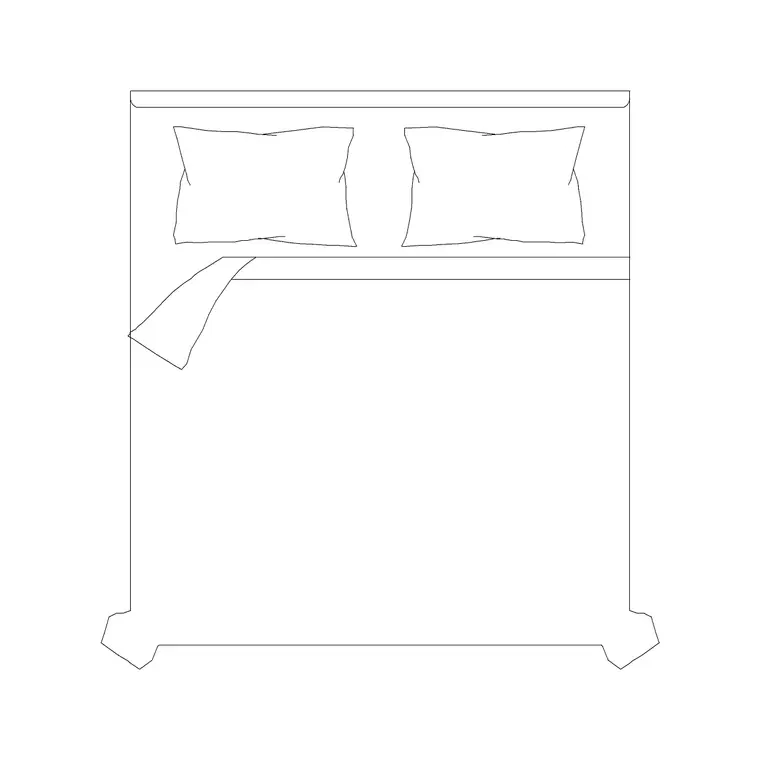
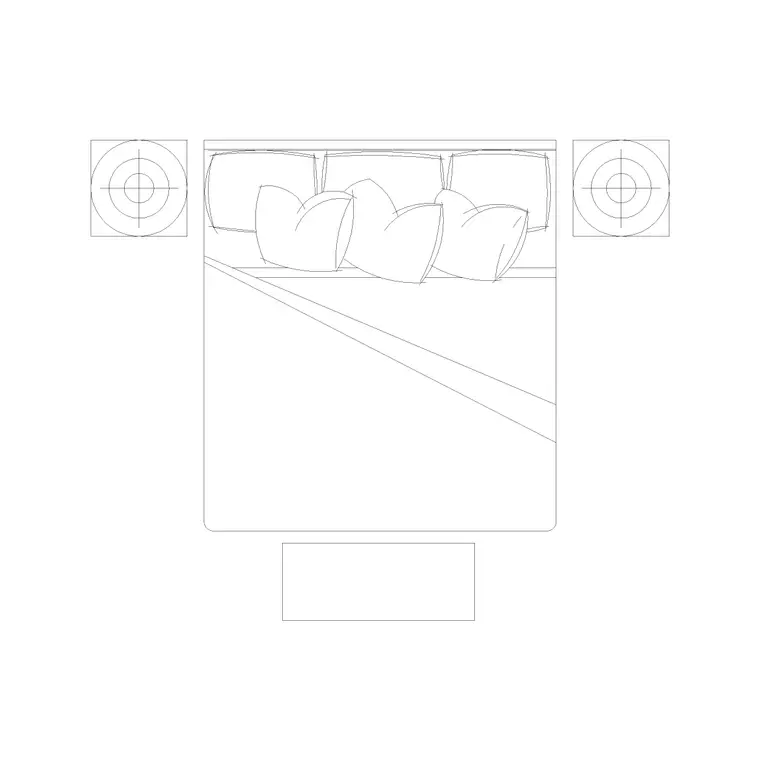
The double bed is the anchor object of almost every bedroom plan, so the very first block most people drop into a residential layout is a bed. This page collects free double bed CAD blocks in DWG and DXF, drawn at true millimetre dimensions and ready to insert into AutoCAD 2004 or later. The plan view carries the mattress, the headboard and the pillows so you can read the bed at a glance and check the circulation around it the moment it lands on the page.
A double bed is the standard two-person bed below king and queen sizes, and getting its footprint right is what governs the whole room: the gap you can walk down each side, the swing of the wardrobe doors, and whether a bedside table fits without blocking the door. Every file here is free for personal and commercial work, with no signup, no watermark and no attribution required.
What a double bed CAD block contains
A useful double bed block is more than a rectangle. The plan view shows the mattress outline, the headboard against the wall, and usually a pair of pillows and a turned-down cover or throw so the bed reads clearly as the head of the room rather than just a box. That orientation matters: it tells anyone reading the plan which wall the bed backs onto and which way a sleeper faces.
The blocks here are drawn on sensible layers, so you can keep the mattress outline, the headboard and the soft-furnishing detail separate. That means you can simplify the bed to a plain rectangle for a structural or services plan, then thaw the pillows and throw for a furnished presentation drawing — all from the same block, with no redrawing.
Typical double bed sizes to design around
Reach for these figures when you are checking a bedroom layout. A standard double mattress is around 1350–1400 mm wide by 1900 mm long; with the bed frame and headboard the overall footprint grows to roughly 1500 mm wide by 2050–2100 mm long. The variants on this site include a 1800 × 2000 mm double bed (a wider, more generous frame) and an 1820 × 2030 mm double with matching side tables, which is closer to a queen-style envelope.
For clearances, allow at least 700 mm of clear floor down each side a person uses to get in and out, and 900 mm where that side also doubles as the route to a wardrobe or en-suite. Leave around 900 mm of clear space at the foot of the bed. Because the block is drawn full size, dropping it in makes these checks a glance rather than an arithmetic exercise.
Plan view for layouts, elevation for joinery
For space planning you work almost entirely in plan view — the bed seen from above, positioned against its headboard wall, with the bedside tables and wardrobe arranged around it. The plan block is what you copy, mirror and rotate to test a layout against the window, the door swing and the radiator position.
Elevation and side views come into play for interior elevations, headboard joinery details and client presentation boards. A side-view bed shows the mattress thickness, the headboard height and the divan base, which is exactly what a joiner needs when a bespoke headboard or a panelled feature wall is being detailed behind the bed. Where a download ships more than one view, they sit in the same DWG so you can insert the one you need and freeze the rest.
How to insert and orient the bed block
These blocks are drawn full size in millimetres. If your drawing is set up in millimetres, insert at scale 1 and the bed lands at real size. If you work in metres insert at 0.001, or simply set INSUNITS to millimetres so AutoCAD rescales automatically on insertion and you never get a bed the size of a building.
Run INSERT (or drag the DWG from a tool palette), then pick an insertion point and rotate so the headboard sits against the chosen wall. Because the bed is a single block reference, you can mirror a whole bedroom layout in one move when you flip a unit's handing, and a later edit to the block definition updates every instance at once. Put the bed on a dedicated furniture layer rather than layer 0 so you can toggle the furnishings on and off independently of the building fabric.
Where double bed blocks are used
Double bed blocks appear in nearly every residential drawing set: apartment and house plans, hotel guest rooms, student accommodation, holiday lets and care-home bedrooms. Architects use them to populate bedrooms with believable, scaled furniture during the layout stage. Interior designers use them to test how the bed, wardrobe and dressing area share a tight room. Estate agents and property marketers use the same blocks to produce furnished sales floor plans that help a buyer picture the space.
Pair the double bed with the bedside-table, wardrobe and dressing-table blocks in the bedroom category to build a complete furniture layer quickly, and the bed will carry from an early concept sketch through to a coordinated FF&E drawing without being redrawn at every stage.
Building a furnished bedroom around the bed
A practical workflow is to place the bed first, because everything else in a bedroom is arranged relative to it. Snap the headboard to the wall, then drop a bedside table on each side and check that both still leave the door free to open. Add the wardrobe along the longest available wall, confirming its door swing or sliding track does not clash with the foot of the bed.
Once the layout reads well, you can WBLOCK the bed plus its bedside tables as a single reusable unit and array it down a corridor of identical hotel rooms or student bedrooms in seconds. Tagging the bed with a simple attribute — a room type or a bed code — also lets you extract a furniture schedule straight from the drawing, which is exactly the kind of count an FF&E or procurement spreadsheet wants.
Free download
Browse the full library — DWG & DXF, no signup.
Questions
Frequently asked
What size is a standard double bed block?+
A standard double mattress is about 1350–1400 mm wide by 1900 mm long, and the overall bed footprint with frame and headboard is roughly 1500 × 2050 mm. The wider variants on this site include 1800 × 2000 mm and 1820 × 2030 mm frames.
Are the double bed CAD blocks free for commercial use?+
Yes. Every double bed block downloads free in DWG and, where available, DXF with no signup, no watermark and no attribution requirement, and they are cleared for commercial project use.
Do the blocks include both plan and elevation views?+
Many do. Where a bed ships multiple views they sit in the same DWG, so you can insert the plan for a layout or the side elevation for headboard joinery and freeze the views you do not need. The views are listed on each block's download page.
What units are the double bed blocks drawn in?+
Full size in millimetres. Insert at scale 1 in a millimetre drawing, 0.001 in a metre drawing, or set INSUNITS to millimetres so AutoCAD rescales the bed automatically on insertion.
Related downloads
Blocks for this guide
Popular blocks to download
Related categories
Related guides
Block landing
Free King-Size Bed CAD Blocks — DWG Download
Download free king-size bed CAD blocks in DWG and DXF — large master-bed plan drawn to true size for AutoCAD master suites. No signup, commercial OK.
Block landing
Free Queen-Size Bed CAD Blocks — DWG Download
Download free queen-size bed CAD blocks in DWG and DXF — the mid-size main-bedroom bed drawn to true scale for AutoCAD layouts. No signup, commercial-use OK.
Block landing
Free Single Bed CAD Blocks — DWG Download
Download free single bed CAD blocks in DWG and DXF — compact single and twin beds drawn to true size for AutoCAD. No signup, commercial-use OK.