Block landing · high back bed cad block
Free high-back bed CAD blocks for AutoCAD
By Saumyajit Maity · Published 21 Apr 2025 · Updated 13 Apr 2026
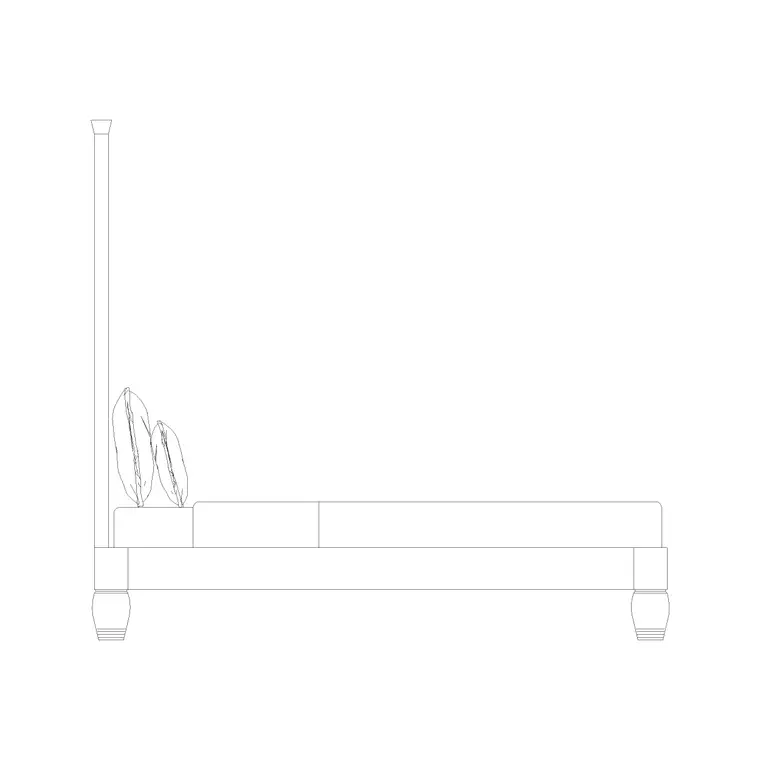
A high-back bed is defined by its tall headboard — an upholstered or panelled back that rises well above the mattress to make a feature of the head of the bed. That height is a design statement, and it is also a coordination point, because a tall headboard interacts with windows, wall lights and art in a way a low headboard never does. This page offers free high-back bed CAD blocks in DWG and DXF, drawn at true millimetre dimensions and ready to insert into AutoCAD 2004 or later, with the side elevation drawn so the headboard height reads correctly.
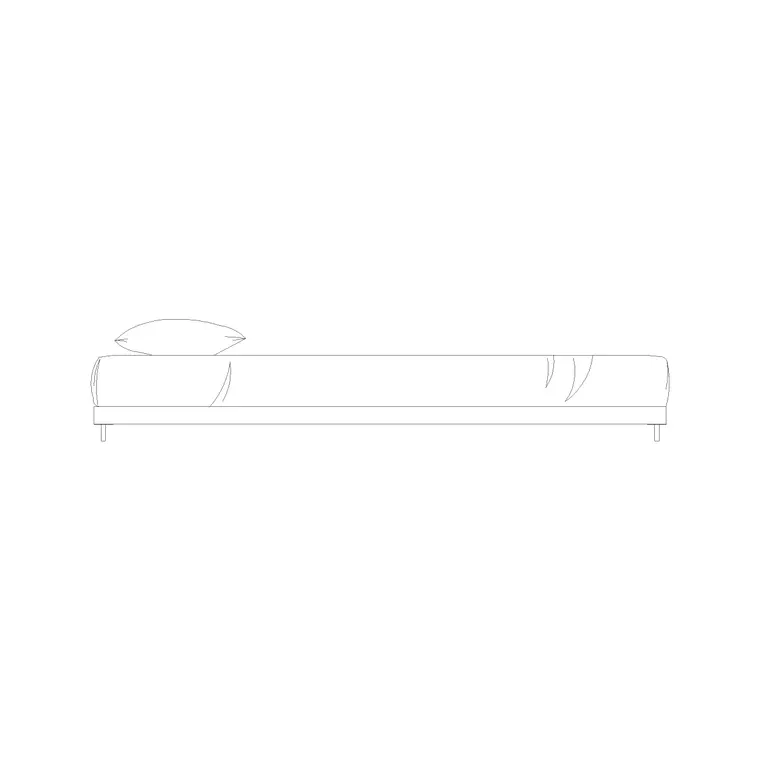
High-back beds are specified in master suites, boutique hotels and upholstered-furniture schemes where the headboard is meant to be seen. Because the whole point is the height of the back, these blocks earn their keep in elevation and section. The catalogue here includes a high-back bed side elevation drawn to that convention. Every file is free for personal and commercial use, with no signup, no watermark and no attribution required.
What defines a high-back bed
A high-back bed is distinguished by the height of its headboard rather than by its mattress size. Where a standard headboard might rise only a little above the pillows, a high-back headboard can stand well above the mattress — often 1000–1300 mm or more above the floor — turning the head of the bed into a wall feature. The mattress footprint is the same as any double, queen or king of equivalent size; it is the elevation that shows the tall back.
That is why the defining block for a high-back bed is a side elevation. It carries the headboard height, the mattress line and the base so an interior elevation can show the back rising against the wall. The plan footprint is interchangeable with a normal bed of the same size, but the elevation is what communicates the design.
Typical high-back bed dimensions
Plan around the standard mattress sizes for the bed type, then design the headboard height to the high-back figures. A high-back or tall upholstered headboard commonly reaches 1000–1300 mm above floor level, against perhaps 800–1000 mm for a standard headboard, and statement headboards in luxury schemes can run taller still. The mattress top sits at the usual 550–650 mm, so it is the extra height above the pillows that gives the bed its presence.
The key dimension to coordinate is the top of the headboard against whatever is on the wall behind it. A tall back can clash with a low window sill, a picture rail or wall-mounted lights, so the elevation height is the number that decides whether those elements sit above, beside or are removed. Drawing the headboard to true height makes that clash obvious before it is built.
Low-back vs high-back: choosing the profile
The choice between a low-back and a high-back bed is largely a design decision, but it has real drawing consequences. A low-profile or platform bed reads calm and grounded and frees the wall above for art or a window; a high-back bed makes the headboard the hero of the room and fills the wall behind the pillows. They are two ends of the same spectrum, and a project may use a low bed in a loft bedroom and a high-back bed in the principal suite.
Because both are about height, both are best shown in elevation. Where a low bed needs its slim profile drawn against a sloping ceiling, a high-back bed needs its tall headboard drawn against the wall features behind it. Pick the elevation block that matches the bed specified for each room so every interior elevation in the set reads true.
How to insert the high-back elevation
The blocks are drawn full size in millimetres. Insert at scale 1 in a millimetre drawing, 0.001 in a metre drawing, or set INSUNITS to millimetres so AutoCAD rescales them automatically. On an interior elevation, run INSERT and place the side-elevation block on the floor line, snapping the base of the bed to the finished floor level so the headboard rises to its true height against the wall.
Keep the elevation block on the same layer convention as the rest of your interior-elevation furniture for consistent lineweight. Use a standard bed plan block of the matching size for the layout, and reserve the high-back elevation for the elevation and section sheets, where the tall headboard is the whole point. If the headboard is bespoke joinery, the true-height elevation also gives the joiner the back profile to set out.
Where high-back beds are used
High-back beds appear in master and principal bedroom suites, boutique and luxury hotels, upholstered-furniture and statement-interior schemes, and show homes where the bedroom is meant to impress. Interior designers specify them to make the headboard a focal point and use the side elevation to present and detail it. Architects and FF&E designers coordinate the tall headboard with windows, lighting and art on the wall behind.
Pair the high-back bed with the bedside-table, wardrobe and bench blocks in the bedroom category, and run the high-back elevation across the interior-elevation set so the headboard height is drawn consistently from sheet to sheet. The same block drives the architectural elevation and, where the back is bespoke, the joinery detail.
Coordinating a tall headboard with the wall
The reason the high-back elevation matters so much is that the tall headboard competes for the same wall as several other elements, and only the true-height drawing resolves the conflict. Wall-mounted reading lights, which sit comfortably above a standard headboard, may need to move up, out to the sides, or become table lamps when the headboard is tall — the elevation shows exactly where they can go. Art and mirrors centred on the bed have to clear the top of the headboard, so the headboard height sets the lowest point the picture can hang.
Windows are the sharpest test. A high-back bed placed under or beside a window can run its headboard straight into the sill or the glass, which looks wrong and may block the opening. Drawing the headboard at true height against the window in elevation catches that immediately, letting you either lower the headboard, move the bed, or accept the bed on a windowless wall. That single check — headboard height against everything on the wall behind — is why the elevation block is the essential view for this bed type, and why drawing it to scale is worth the few extra seconds.
Free download
Browse the full library — DWG & DXF, no signup.
Questions
Frequently asked
What makes a bed a high-back bed?+
A tall headboard. A high-back headboard commonly rises 1000–1300 mm or more above the floor, well above the pillows, turning the head of the bed into a wall feature. The mattress footprint matches a normal bed of the same size — the height shows in elevation.
Why is the side elevation the key view for a high-back bed?+
Because the defining feature is the headboard height, which reads only in elevation or section. The side-elevation block shows the tall back at true height so you can coordinate it with windows, wall lights and art on the wall behind the bed.
Can a high-back bed go under a window?+
Sometimes, but the tall headboard can clash with a low sill or the glass. Draw the headboard at true height against the window in elevation to check — you may need to lower the headboard, move the bed, or place it on a windowless wall.
Are the high-back bed blocks free for commercial use?+
Yes. They download free in DWG and, where available, DXF with no signup, no watermark and no attribution requirement, and they are cleared for commercial project use.
Related downloads
Blocks for this guide
Popular blocks to download
Related categories
Related guides
Block landing
Free Double Bed CAD Blocks — DWG Download
Download free double bed CAD blocks in DWG and DXF — plan and elevation views at true millimetre size for AutoCAD bedroom layouts. No signup, commercial-use OK.
Block landing
Free King-Size Bed CAD Blocks — DWG Download
Download free king-size bed CAD blocks in DWG and DXF — large master-bed plan drawn to true size for AutoCAD master suites. No signup, commercial OK.
Block landing
Free Queen-Size Bed CAD Blocks — DWG Download
Download free queen-size bed CAD blocks in DWG and DXF — the mid-size main-bedroom bed drawn to true scale for AutoCAD layouts. No signup, commercial-use OK.