Block landing · bedside table cad block
Free bedside table and nightstand CAD blocks
By Sumana Kumar · Published 23 Jul 2023 · Updated 20 Mar 2026
A bedside table is a small block that does a lot of work in a bedroom plan: it sets the gap the bed needs beyond the mattress, marks where the lamp and socket go, and gives the room its symmetry. This page offers free bedside table and nightstand CAD blocks in DWG and DXF, drawn at true millimetre dimensions and ready to insert into AutoCAD 2004 or later. The plan view shows the cabinet footprint so you can place it flush with the headboard and check it against the door and circulation.
A bedside table — also called a nightstand or bedside cabinet — is the low cabinet that flanks a bed, usually in a matching pair. Though small, it is the block that completes a believable bedroom, and several of the bed sets on this site already include matching tables drawn to the same convention. Every file here is free for personal and commercial use, with no signup, no watermark and no attribution required.
What a bedside table block shows
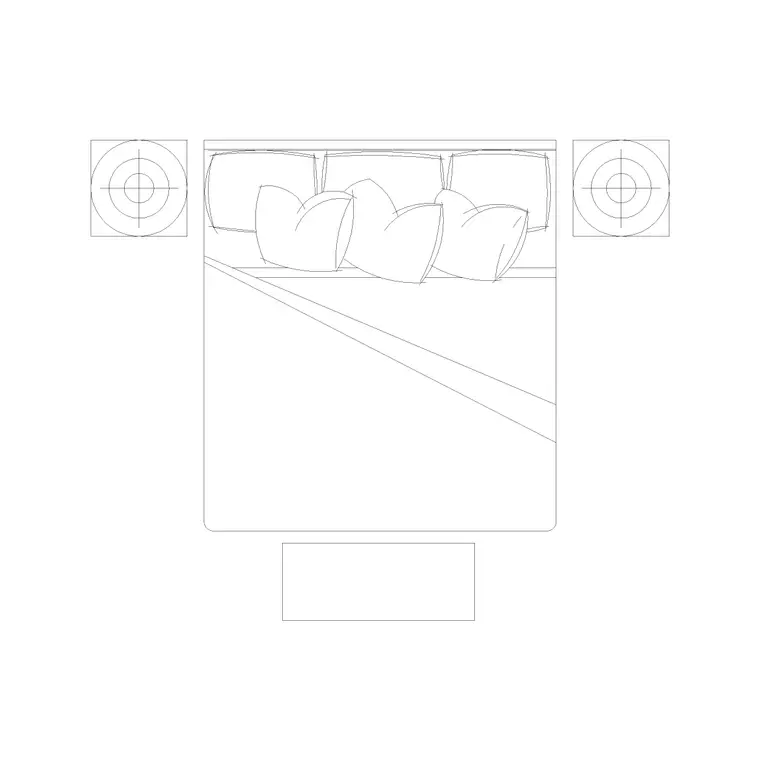
The plan view of a bedside table is a simple, clean cabinet footprint — usually a square or shallow rectangle with the drawer or door line indicated, so it reads as a piece of furniture rather than a plain box. A lamp circle or a clock symbol is sometimes included to signal the table top in a furnished presentation plan. That small amount of detail is what distinguishes a designed bedside table from an anonymous rectangle on the drawing.
The blocks are drawn on sensible layers, so the cabinet outline, the drawer detail and any top accessories sit separately. You can strip the table to its footprint for a layout plan, then add the lamp and accessories back for a presentation drawing, all from one block.
Typical bedside table dimensions
Reach for these figures when placing the block. A bedside table is commonly 400–500 mm wide by 400–500 mm deep, with compact cloakroom-style cabinets down to about 350 mm and generous ones up to 550–600 mm wide. In height it usually sits close to the mattress top — roughly 500–650 mm — so a sleeper can reach a lamp and a glass without stretching; the catalogue includes a 500 mm-high bedside elevation drawn to that convention.
When you place a pair, align both tables flush with the headboard line and centre them on the bed's edge so the composition reads as symmetrical. Leave the table's full depth clear of the door swing, and remember the table adds width beyond the mattress that the headboard wall has to accommodate. The scaled block makes all of this a visual check.
Plan view for layouts, elevation for joinery
For space planning you place the bedside table in plan — the footprint flush with the headboard, checked against the bed, the door and the wall. The plan block is what you mirror to make a matching pair and copy from room to room. Keeping the tables on the furniture layer lets you toggle them with the rest of the furnishings.
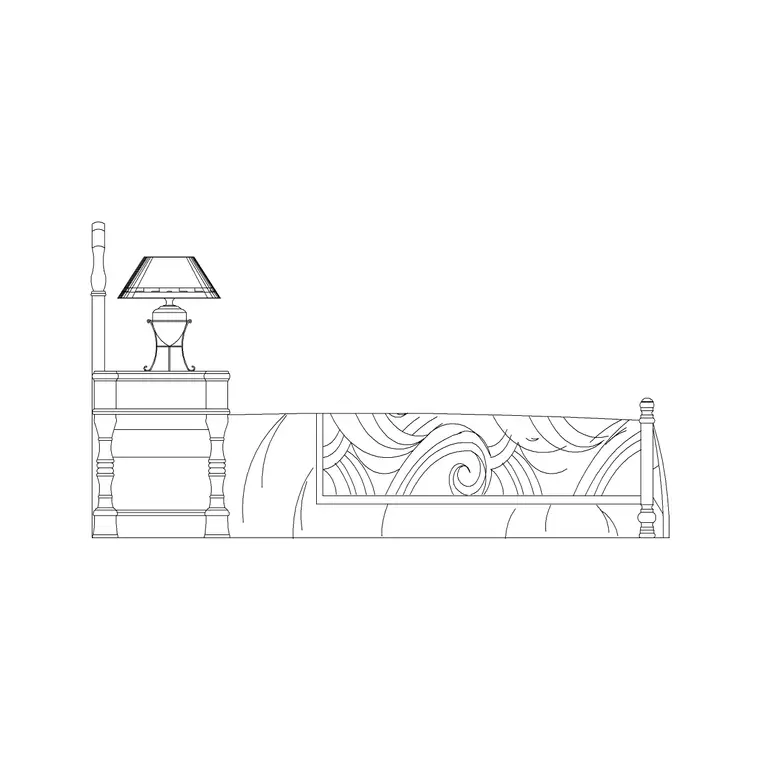
Elevation and side views matter when the bedside table is part of a fitted-furniture or panelled-headboard detail. A side or front elevation shows the table height against the mattress and the headboard, which is what a joiner needs when the bedside cabinets are built in rather than free-standing. Some of the bed-side-elevation blocks on this site draw the table alongside the bed at its real height for exactly this purpose.
How to insert and pair the table
The blocks are drawn full size in millimetres. Insert at scale 1 in a millimetre drawing, 0.001 in a metre drawing, or set INSUNITS to millimetres so AutoCAD rescales them automatically. Run INSERT or drag the DWG in, place the first table flush with one end of the headboard, then create the matching table with MIRROR across the bed centreline so the pair is perfectly symmetrical.
Because the table is a small block, snapping it precisely to the headboard line with object snaps keeps the layout tidy. Keep the tables on a dedicated furniture layer, and if a bed set you used already includes matching tables, reuse that same table block elsewhere so every bedside cabinet in the project is drawn to one consistent size.
Where bedside table blocks are used
Bedside table blocks appear in every furnished bedroom drawing: residential plans, hotel and serviced-apartment rooms, student and senior living, show homes and care settings. Interior designers use them to give a bedroom its symmetry and to mark where lamps and sockets land. Architects use them to confirm the bed-plus-table footprint fits the wall before fixing partitions. Electrical designers reference the table positions when placing bedside switched sockets and reading lights.
Pair the bedside table with the bed, wardrobe and dressing-table blocks in the bedroom category to complete a furnished room, and use the same table block across the whole scheme so the FF&E schedule counts a single consistent cabinet type.
Coordinating tables with sockets and lighting
A small but real benefit of placing accurate bedside-table blocks is that they fix the points services need to find. The bedside table is where a reading lamp, a phone charger and often a switched socket and a two-way light switch all converge, so its plan position is effectively a coordination point between the furniture layout and the electrical drawing. Drawing the table to true size and placing it precisely lets the electrical designer set the socket and switch heights and positions to match the cabinet, rather than guessing.
Keeping the tables as blocks on their own layer means the furniture and electrical drawings can share the same positions without duplicating geometry — the electrician's plan references the furniture layer, and a change to the table location flows through to both. That coordination is exactly why a tidy, scaled bedside-table block is worth more than a quick rectangle, even though it is one of the smallest objects in the room.
Free download
Browse the full library — DWG & DXF, no signup.
Questions
Frequently asked
What size is a bedside table CAD block?+
Commonly 400–500 mm wide by 400–500 mm deep, with compact cabinets down to about 350 mm and larger ones up to 550–600 mm. In height a bedside table usually sits around 500–650 mm so a lamp and glass are within easy reach of the mattress.
Do the blocks include a matching pair of tables?+
The block is a single bedside table; you create the matching pair by mirroring it across the bed centreline so both sit symmetrically flush with the headboard. Several bed sets on this site already include matching tables drawn to the same convention.
Are plan and elevation views both available?+
Yes, depending on the block. Plan views are used for bedroom layouts, while side and front elevations show the table height against the bed and headboard for fitted-furniture and joinery details. The views are listed on each download page.
Are the bedside table blocks free for commercial use?+
Yes. They download free in DWG and, where available, DXF with no signup, no watermark and no attribution requirement, and they are cleared for commercial project use.
Related downloads
Blocks for this guide

Related categories
Related guides
Block landing
Free Double Bed CAD Blocks — DWG Download
Download free double bed CAD blocks in DWG and DXF — plan and elevation views at true millimetre size for AutoCAD bedroom layouts. No signup, commercial-use OK.
Block landing
Free King-Size Bed CAD Blocks — DWG Download
Download free king-size bed CAD blocks in DWG and DXF — large master-bed plan drawn to true size for AutoCAD master suites. No signup, commercial OK.
Block landing
Free Queen-Size Bed CAD Blocks — DWG Download
Download free queen-size bed CAD blocks in DWG and DXF — the mid-size main-bedroom bed drawn to true scale for AutoCAD layouts. No signup, commercial-use OK.