Explainer · bim vs cad
BIM vs CAD: what's the difference?
By Sumana Kumar · Published 14 Feb 2023 · Updated 17 Feb 2026
BIM and CAD get talked about as rivals, as if one is the modern replacement for the other, but that framing misses what they actually are. CAD is a way of drawing; BIM is a way of modelling and managing building information. They overlap, they're often used together, and which one is 'right' depends entirely on what you're trying to produce. Confusing the two — or assuming BIM has simply made CAD obsolete — leads to bad tool choices.
This guide lays out the real difference. We'll define each properly, contrast a humble CAD block with its BIM equivalent (a parametric object), look at where each approach wins, address the 'is BIM replacing CAD?' question honestly, and explain how the two coexist in everyday practice. If you download DWG blocks, you're working in the CAD world — and it's worth knowing exactly where that sits relative to BIM.
The short answer up front: CAD draws geometry; BIM builds an information-rich model of a building, of which geometry is only one part. That single distinction explains almost everything else.
What CAD actually is
CAD — computer-aided design — is, at its core, drawing with a computer instead of a pen. A CAD drawing is made of geometric primitives: lines, arcs, circles, polylines, text, hatches. A wall in 2D CAD is two parallel lines; it doesn't 'know' it's a wall, how tall it is, what it's made of, or what it costs. It's geometry that looks like a wall to a human reading the drawing. AutoCAD is the archetypal CAD program, and DWG is its native format.
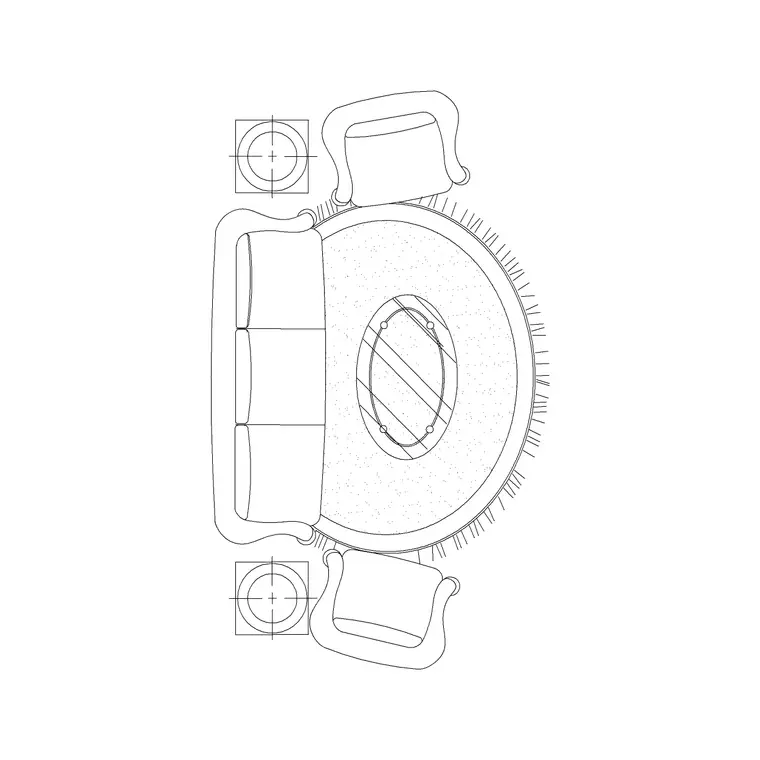
This is not a limitation so much as a focus. CAD is superb at producing precise 2D drawings — plans, sections, elevations, details — and at flexible, freeform geometric work. It's fast, universal, and exactly the right tool when the deliverable is a set of drawings. A CAD block, like the ones on this site, fits this world perfectly: it's reusable geometry that represents an object visually, drawn to scale, ready to place in a drawing.
What BIM actually is
BIM — Building Information Modelling — is a fundamentally different idea. Instead of drawing geometry that looks like a building, you build a digital model of the building from intelligent objects that carry information. A BIM wall isn't two lines; it's a wall object that knows its height, thickness, material layers, fire rating, cost, and how it connects to the floors and roof around it. Change the wall once and every plan, section and schedule that references it updates automatically.
The 'I' is the point: a BIM model is a database with a 3D model attached. Revit is the best-known authoring tool, alongside ArchiCAD and others. Because the objects hold data and relationships, BIM supports things CAD can't natively do — automatic schedules and quantities, clash detection between disciplines, energy analysis, and a single coordinated model that the architect, structural engineer and services engineer all contribute to. It's modelling and information management, not drawing.
A CAD block vs a BIM object
The clearest way to feel the difference is to compare their reusable components. A CAD block is geometry: a door block is lines and arcs drawn to represent a door at a scale, perhaps with an attribute or two. It looks right and inserts cleanly, but it doesn't inherently know it's a 900 mm fire door with a specific frame and ironmongery unless you've attached attributes saying so — and even then, that data is text, not behaviour.
A BIM object (a 'family' in Revit terms) is parametric and data-rich. A BIM door is a real door component: it hosts itself in a wall, cuts the opening automatically, carries parameters for width, height, fire rating, material and manufacturer, shows correctly in 3D and in every 2D view, and reports itself into a door schedule without you drawing one. Where a CAD block represents a door, a BIM object behaves like one. That gap — representation versus behaviour and data — is the essence of BIM vs CAD.
When CAD is the right tool
CAD is far from obsolete, and for plenty of work it's simply the better choice. Detailed 2D drawings and details, where you need precise control over every line, are CAD's home turf. Quick concept sketches and layouts, where the overhead of building a full information model isn't justified. Drawings for fabrication and machining, where DXF feeds laser cutters and CNC routers directly. Diagrams, schematics and presentation graphics. And any project small enough that BIM's coordination benefits don't pay for its setup cost.
CAD also dominates where the deliverable is just drawings, not a managed model — a shopfitting layout, a landscape plan, a signage drawing, a one-off domestic alteration. In all of these, dropping scaled DWG blocks into a 2D drawing is fast, universal and entirely appropriate. The skill is recognising that not every project needs a building-information model, and reaching for the lighter tool when it fits.
When BIM earns its keep
BIM pays off when coordination, information and change-management dominate the work. Large or complex buildings, where multiple disciplines must align and a clash between ductwork and structure caught in the model saves a fortune on site. Projects where quantities, schedules and cost need to flow from the design automatically and stay accurate as it changes. Work that will be handed over as an asset model for facilities management, so the building's data lives on after construction. And increasingly, public projects where BIM is mandated by the client or by national standards.
The deeper value is that a BIM model is a single source of truth: because every drawing is a view of the same model, the plans, sections, schedules and 3D views can't disagree with each other the way separate CAD files can. That consistency, plus the data, is why BIM has become the default for large building projects — not because it draws nicer lines, but because it manages information that CAD drawings simply don't hold.
Is BIM replacing CAD?
It's the natural question, and the honest answer is: BIM is replacing CAD for some work, while CAD remains essential for the rest. For large, multi-discipline building projects, BIM has largely become the standard authoring approach, and that trend is firmly established. But 'CAD is dead' is wrong on several counts. BIM tools still produce 2D drawings (and often round-trip with DWG). Vast amounts of work — details, fabrication, small projects, drafting, non-building design — remain CAD-native. And DWG/DXF are deeply embedded everywhere as exchange and fabrication formats.
The more accurate picture is coexistence. Many offices run both: BIM for the model-led projects, CAD for everything else and for the 2D detailing that even BIM projects need. DWG files flow into and out of BIM environments constantly — a CAD block can be linked into a Revit model, and BIM views export to DWG. So rather than a replacement, think of BIM and CAD as overlapping tools for different jobs, with a long, productive overlap between them. Knowing which problem you have tells you which to reach for.
Free download
Browse the full library — DWG & DXF, no signup.
Questions
Frequently asked
What is the main difference between BIM and CAD?+
CAD draws geometry — lines and arcs that represent a building visually but carry no inherent information. BIM builds an information-rich 3D model from intelligent objects that know their properties and relationships, so geometry is only one part. In short: CAD draws a building; BIM models a building as data plus geometry.
How is a CAD block different from a BIM object?+
A CAD block is reusable geometry that represents an object visually at a scale, perhaps with a text attribute or two. A BIM object (a Revit 'family') is parametric and data-rich — it behaves like the real component, hosts itself, cuts openings, carries properties like fire rating and material, and reports into schedules automatically. Representation versus behaviour and data.
Is BIM replacing CAD entirely?+
For large multi-discipline building projects, BIM has largely become the standard, but CAD is far from dead. Detailing, fabrication, small projects, diagrams and non-building design remain CAD-native, BIM tools still produce 2D drawings, and DWG/DXF are embedded everywhere. The reality is coexistence — many offices use both for different jobs.
When should I use CAD instead of BIM?+
Use CAD for precise 2D drawings and details, quick concept layouts, fabrication drawings (DXF to laser/CNC), diagrams and presentation graphics, and any project small enough that a full information model isn't justified. Wherever the deliverable is just drawings rather than a managed model, CAD is fast, universal and appropriate.
Can I use CAD blocks in a BIM project?+
Yes. DWG files flow into and out of BIM environments constantly — a CAD block can be linked or imported into a Revit model, and BIM views export to DWG. Even on BIM-led projects, CAD blocks and 2D DWG detailing remain part of the workflow, so the two formats coexist rather than excluding each other.
Related downloads
Blocks for this guide


Related categories
Related guides
Explainer
How to Organize a CAD Block Library (DWG)
How to organize a CAD block library that stays usable as it grows — folder structure, naming, units, tool palettes and a shared standard library for teams.
Explainer
What Makes a Good CAD Block? A Practical Checklist
What separates a good CAD block from a junk one — correct units, a sensible base point, clean layers, the right level of detail, and a purged, lightweight file.
Explainer
CAD Block Naming Conventions Explained
CAD block naming conventions explained — why names matter, a field-order pattern that sorts and searches well, common standards, and pitfalls to avoid.