How-to guide · how to insert an office desk block in autocad
How to insert an office desk block in AutoCAD
By Sumana Kumar · Published 1 Jun 2025 · Updated 19 Feb 2026
An office desk is the building unit of every workplace layout, so getting one placed cleanly — and then multiplied across a floor — is a core space-planning skill. A scaled desk block lets you test the real questions of office design: does each person have enough worktop, can they push their chair back without hitting the next desk, and does the circulation between rows actually work. This guide covers inserting an office desk block in AutoCAD and arraying it into a workstation grid that holds up.
We'll treat the desk as part of a workstation — desk plus chair plus the space a seated person needs — because that's how offices are really planned. Placing a lone desk is easy; the value comes from spacing it correctly against its neighbours, which is where a correctly-sized block turns a layout from a guess into a checked plan.
Pick a desk block at a real worktop size
Office desks sit in a familiar size range. A single workstation desk is commonly 1200 to 1600 mm wide and 700 to 800 mm deep; an executive desk runs larger; a bench-desk module (back-to-back or in a row) is often 1400 to 1600 mm per person. A standard worktop height is around 720 to 750 mm, which matters for the elevation but not the plan footprint.
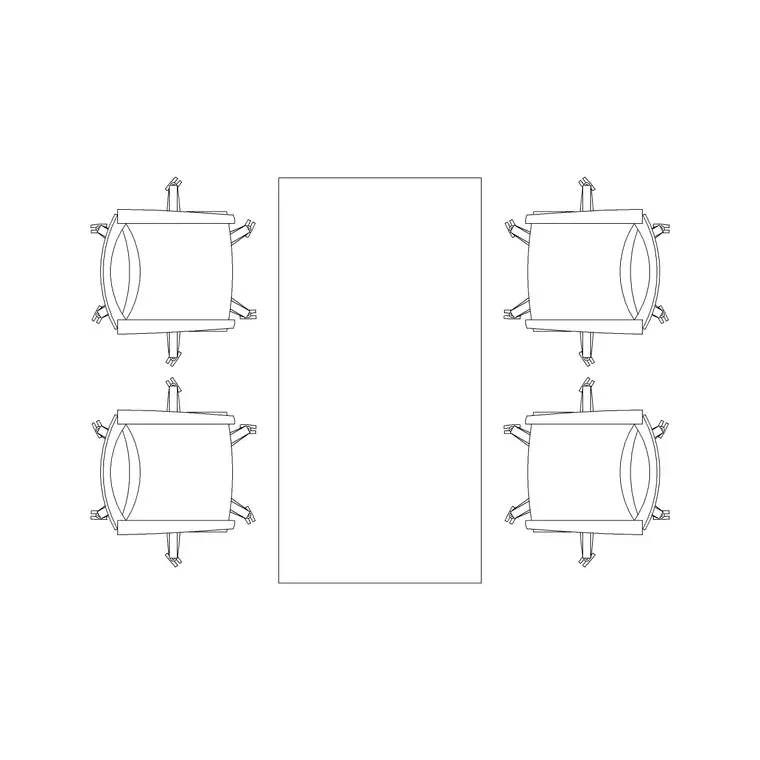
Download a desk block at a width that matches the workstation standard you're planning to — the office category includes multi-person rectangular tables and workstation blocks. Starting near scale 1 means the desk lands right and the spacing checks that follow are honest.
Insert the desk and add the chair
Confirm UNITS reads Millimeters, run INSERT, and browse to the desk DWG. Desk blocks usually carry their base point at a corner of the worktop, which makes it easy to snap the desk against a wall, a partition or a setting-out grid line.
A desk is only half a workstation — drop the office chair block in front of it, tucked under the worktop. The chair plus the space behind it for a seated person is what governs spacing: allow roughly 900 to 1000 mm behind the desk edge for the chair and the seated occupant, and more where that space is also a walkway. Insert desk and chair together and you're planning the real footprint, not just the furniture outline.
Array desks into a workstation grid
One workstation proves the module; an array builds the floor. Once a desk-and-chair unit checks out, ARRAY it into the layout — a rectangular array across and down gives you a regular grid, while a path array can run desks along an angled or curved partition line. For a bench-desk layout, mirror the unit back-to-back so two people share a continuous worktop run, then array the pair.
Keep the spacing honest as you array: the gap between rows must hold both occupants' chair-pull-out space plus a circulation route. If two facing rows of desks leave only a metre between chairs, no one can get past a seated colleague — the arrayed scaled blocks make that clash obvious before it reaches a fit-out.
Check circulation and clearances
A workstation layout lives or dies on circulation. Behind each desk, allow the chair zone (around 900 to 1000 mm) plus a walkway where needed; a primary circulation route through an open-plan floor wants roughly 1200 to 1500 mm clear so people can pass comfortably, more for an accessible route. Drop a plan scale figure into the aisle if you want to see the clearance with a human reference.
Also check the approach to each desk: a person must be able to reach their seat without squeezing past others. Corner and back-to-wall desks need their chair-pull space kept clear of the wall. These are exactly the checks a scaled desk block makes visual rather than arithmetic, which is why you plan with real geometry rather than rough boxes.
Layer furniture and build a schedule
Put desks (and chairs) on a furniture layer rather than layer 0, so you can produce a clean structural plan by freezing furniture and a full furnished plan by thawing it — from one drawing, with no duplicate geometry. Giving furniture its own colour and lineweight also keeps the workplace layer visually distinct from the architecture.
If you tag each desk block with an attribute — a workstation number or a furniture code — you can extract a furniture schedule and a desk count straight from the drawing, which is exactly what an FF&E spreadsheet or a procurement order wants. When a workstation arrangement is finalised, WBLOCK the desk-plus-chair as a single unit and array that, so each placement carries the complete, counted workstation.
Common desk-layout mistakes
The biggest is spacing desks by their outlines alone and ignoring the seated person — two desks can sit comfortably apart on paper yet leave no room to pull a chair out and sit down. Always plan the workstation footprint (desk plus chair plus occupant space), not just the worktop. Second, packing rows so tight that the circulation between them disappears; check that aisles hold both chair zones plus a walkway.
Third, distorting a desk by stretching a fixed block to a non-standard size, which throws off the module the whole grid relies on — download the right width or use a dynamic desk block instead. Finally, leaving furniture on the architecture layer makes it impossible to isolate, so you lose the ability to plot a clean shell drawing. Keep furniture on its own layer and the whole set stays flexible.
Free download
Browse the full library — DWG & DXF, no signup.
Questions
Frequently asked
What size is a standard office desk?+
A single workstation desk is commonly 1200 to 1600 mm wide and 700 to 800 mm deep; bench-desk modules run about 1400 to 1600 mm per person. Worktop height is around 720 to 750 mm. Download a block at the standard width so the layout spacing stays honest.
How much space do I leave behind a desk?+
Allow roughly 900 to 1000 mm behind the desk edge for the chair and the seated person, and more where that space doubles as a walkway. Primary circulation routes through an open-plan floor want about 1200 to 1500 mm clear, more for an accessible route.
How do I lay out a whole office of desks quickly?+
Validate one desk-and-chair workstation, then ARRAY it into a grid, or mirror it back-to-back for a bench-desk run and array the pair. A path array runs desks along an angled partition. Keep the row spacing wide enough for chair pull-out plus circulation.
Can I get a desk count from the drawing?+
Yes. Tag each desk block with an attribute — a workstation number or furniture code — and extract a schedule and count directly from the drawing. That feeds an FF&E spreadsheet or procurement order without manually counting desks on the plan.
Related downloads
Blocks for this guide
Popular blocks to download
Related categories
Related guides
How-to guide
How to Create a Block in AutoCAD (BLOCK & WBLOCK)
Learn how to create a block in AutoCAD with the BLOCK and WBLOCK commands — pick a base point, choose objects, set units, and save a reusable DWG block library.
How-to guide
How to Convert DWG to DXF in AutoCAD
Convert a DWG to DXF in AutoCAD with SAVEAS — choose the right DXF version, set precision, and export clean geometry for laser cutters, CNC and other CAD apps.
How-to guide
How to Convert DXF to DWG (3 Ways)
Convert a DXF to DWG three ways — in AutoCAD with SAVEAS, free with the ODA File Converter, or in DraftSight. Pick the right DWG version and keep layers intact.