How-to guide · how to insert a sliding door block in autocad
How to insert a sliding door block in AutoCAD
By Saumyajit Maity · Published 18 Mar 2025 · Updated 5 Mar 2026
A sliding door is the block people most often place wrongly, because unlike a hinged door it has no swing arc to anchor it — instead it has travel. The leaf moves sideways along a track, into a wall pocket or across the face of an adjacent wall, and the plan has to show where the leaf sits closed and where it stacks when open. This guide covers inserting sliding door blocks in AutoCAD so the track length, the pocket and the leaf overlap all read correctly.
We'll handle the three common types together because they share the same logic: a single-track surface slider, a pocket door that disappears into the wall, and a wider patio or balcony slider with two or more panels. Each one trades a door swing for clear floor space, which is exactly why architects reach for them in tight rooms — and exactly why the drawing must make the track and clearance obvious.
Pick the right sliding door type
Decide which slider you're drawing before downloading. A surface-mounted slider (including barn-style doors) runs along a track fixed to the wall face, so the open leaf sits in front of the adjacent wall and you must keep that wall clear of switches and pictures. A pocket door slides into a cavity built inside the wall, vanishing when open — the cleanest option for space but it needs a thicker wall to host the pocket. A patio or balcony slider spans a wide opening with two, three or four panels that overlap as they slide.
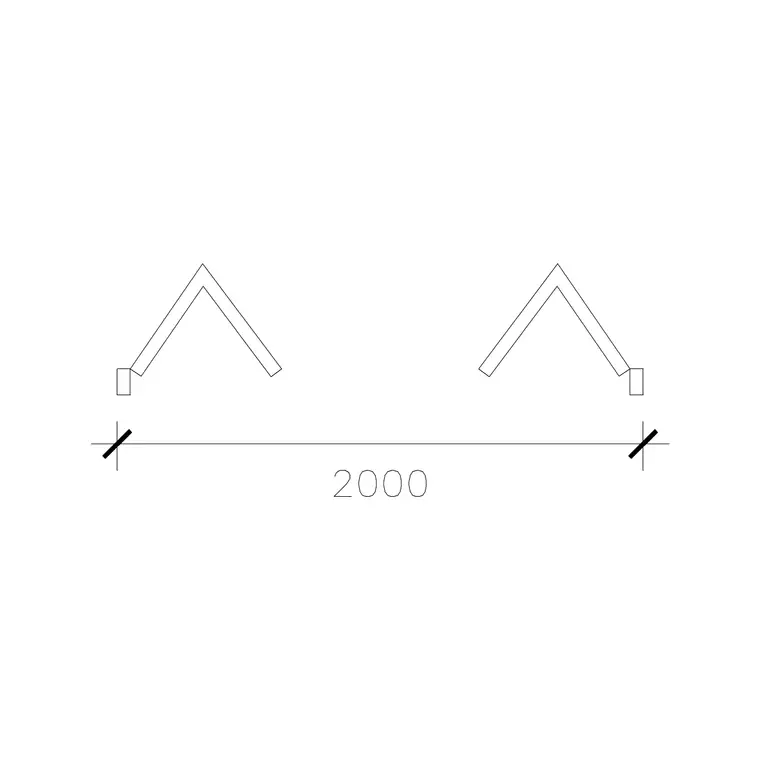
The doors category includes pocket and wide sliding door blocks drawn in plan. Match the block's panel count and opening width to your design so you place it near scale 1.
Size the opening and the track travel
A slider needs more than the opening width — it needs room for the leaf to go somewhere. For a surface slider, the track is usually about twice the leaf width so the door fully clears the opening; reserve that adjacent wall length as travel space. For a pocket door, the wall cavity must be at least the leaf width plus the frame, so a 900 mm pocket door wants roughly a 1900 mm run of wall to house both the opening and the pocket.
Cut the opening in the wall as you would for a hinged door — OFFSET the jambs, then TRIM or BREAK the wall faces. For a pocket door, also draw the cavity lines inside the wall so the hidden leaf position is shown, conventionally as a dashed rectangle.
Insert the block and align it to the opening
Confirm UNITS shows Millimeters so the block rescales correctly, then run INSERT and browse to the sliding door DWG. Sliding door blocks are usually drawn with their base point at one jamb or at a track end. Snap that point to the corresponding jamb of your cut opening.
Use 'Specify On-screen' for rotation so you can align the track to the wall direction as you place — sliders read horizontally along the wall line, not perpendicular to it like a swing door. Once placed, the leaf should sit in the closed position covering the opening, with the track extending toward the wall the door slides against.
Show the open position and direction of travel
Good sliding door drawings show travel, not just the closed leaf. The convention is a fine line or dashed outline indicating the open leaf position along the track, plus a small arrow showing which way it slides. For a pocket door, dash the leaf inside the wall cavity so a reader sees where it disappears.
If the block doesn't already include the open-position indication, add it: COPY the leaf to its stacked position and change that copy to a dashed or thin layer, then draw a short directional arrow. This is what stops a contractor from boxing in the very wall the door needs to slide across, or running services through a door pocket.
Layer it and reuse it
Put the slider on the doors layer (A-DOOR or similar) so it isolates cleanly from the walls, and consider a sub-distinction — sliders behave differently from swing doors during fire and access checks, so some offices tag them separately. The track, leaf and open-position indication should sit on layers you can control independently.
Because a building often repeats the same slider — a row of identical balcony doors, say — keep it as a clean block reference and ARRAY or COPY it down the elevation. A later edit to the leaf or track in the block definition then updates every instance, which is far safer than copying loose lines.
Common sliding-door mistakes
The biggest error is forgetting the travel space: drawing a slider as if it were a swing door, with the leaf shown only at the opening and no track or open position. The whole reason to use a slider is the floor space it saves, and the drawing has to prove the leaf has somewhere to go.
For pocket doors, a frequent clash is running electrical conduit or plumbing through the wall that hosts the cavity — the pocket leaves no room for services, so the drawing must flag the pocket clearly. Finally, watch the wall thickness: a standard 100 mm stud wall is too thin to host a pocket without a special studded cavity frame, so either thicken the wall on plan or switch to a surface slider. Always picture the leaf moving, not just sitting closed.
Free download
Browse the full library — DWG & DXF, no signup.
Questions
Frequently asked
How much wall length does a sliding door need?+
A slider needs travel space roughly equal to the leaf width beyond the opening. A surface slider needs that length of clear adjacent wall; a pocket door needs a wall cavity at least the leaf width plus frame — so a 900 mm pocket door wants about 1900 mm of wall to house the opening and the pocket.
How do I show a sliding door's open position?+
Show the open leaf as a fine or dashed line along the track, with a short arrow indicating slide direction. For a pocket door, dash the leaf inside the wall cavity. This tells contractors where the leaf travels so they keep that zone clear of services and fixtures.
Can I use a pocket door in a thin stud wall?+
Not a standard 100 mm stud wall — it's too thin to host the cavity. You need a wider studded pocket frame, so either thicken the wall on plan to suit the cavity, or switch to a surface-mounted slider that runs along the wall face instead of inside it.
Where is the base point on a sliding door block?+
Sliding door blocks are usually drawn with the base point at one jamb or at a track end. Snap that point to the corresponding jamb of your cut opening, then align the track horizontally along the wall using on-screen rotation.
Related downloads
Blocks for this guide

Popular blocks to download
Related categories
Related guides
How-to guide
How to Create a Block in AutoCAD (BLOCK & WBLOCK)
Learn how to create a block in AutoCAD with the BLOCK and WBLOCK commands — pick a base point, choose objects, set units, and save a reusable DWG block library.
How-to guide
How to Convert DWG to DXF in AutoCAD
Convert a DWG to DXF in AutoCAD with SAVEAS — choose the right DXF version, set precision, and export clean geometry for laser cutters, CNC and other CAD apps.
How-to guide
How to Convert DXF to DWG (3 Ways)
Convert a DXF to DWG three ways — in AutoCAD with SAVEAS, free with the ODA File Converter, or in DraftSight. Pick the right DWG version and keep layers intact.