How-to guide · how to insert a people scale figure block in autocad
How to insert a people / scale figure block in AutoCAD
By Sumana Kumar · Published 30 May 2025 · Updated 23 Jan 2026
People blocks — scale figures, or 'entourage' — do something no dimension line can: they tell the eye, instantly, how big a space is. A person standing in a doorway or seated at a desk gives a drawing the one reference everyone reads without thinking, which is why presentation elevations and sections almost always include figures. They also double as a clearance check, since a human footprint and reach are the real constraints behind corridor widths and counter heights. This guide covers inserting people blocks in AutoCAD for both purposes.
Unlike furniture or fixtures, people come in one job: setting scale. So the key with these blocks is correct height, sensible placement and restraint — a few well-placed figures read as professional, a crowd reads as clip-art. We'll place figures in plan and elevation, size them to a believable human height, and keep them on a layer that stays out of the way of the technical drawing.
Choose plan or elevation figures
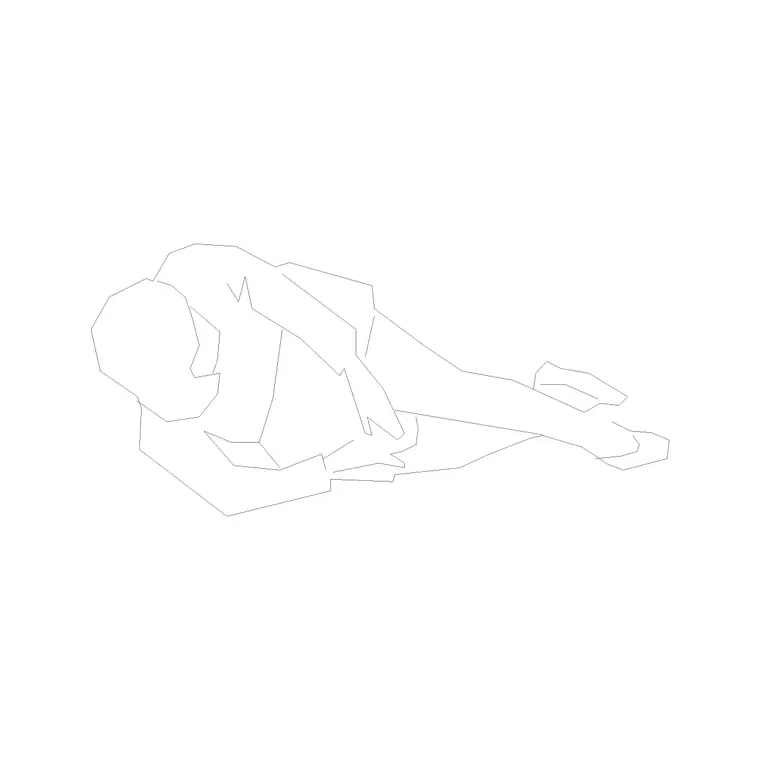
People blocks come in two views and you'll use both. A plan-view figure is a simple footprint or shoulder-circle seen from above — useful for showing occupancy, queue space and circulation on a floor plan (how many people fit at a counter, how a crowd moves through a foyer). An elevation or side-view figure is a drawn human seen from the side, and this is the one that sets scale on elevations, sections and presentation views.
The people category includes plan human figures and elevation figures. Pick the view that matches your drawing: plan figures for occupancy and circulation, elevation figures to give a section or facade its sense of size.
Size the figure to a real human height
Scale is the whole point, so the figure must be a believable height. An average adult is around 1.7 to 1.8 m tall; allow shorter figures for children if you're showing a school or a play area. If the block is drawn at, say, 1.75 m and your drawing units are millimetres, it inserts at scale 1 and lands at the right height.
Never fudge a figure's height to fill a gap on the page — an oversized person makes a room look small and a tiny one makes it look cavernous, which defeats the purpose. If you need a figure to read at a particular height for a specific point (a child at a low counter, say), use a block drawn for that, not a rescaled adult.
Insert and place figures where they make sense
Confirm UNITS reads Millimeters, run INSERT, and browse to the figure DWG. People blocks are typically drawn with the base point at the feet, so the figure stands on the floor or ground line when you snap it — exactly what you want for an elevation or section.
Place figures where a person would actually be: standing at a reception desk, seated in a waiting area, walking through a foyer, leaning on a balcony. Thoughtful placement reinforces the design story — a figure at the entrance shows the door height works; a seated figure at a table confirms the chair-and-table relationship. Avoid lining figures up like a police identity parade; stagger their positions and poses for a natural look.
Use figures as a clearance check
Beyond presentation, people blocks quietly verify ergonomics. Drop a plan figure into a corridor to confirm two people can pass — a comfortable two-way circulation route is around 1.5 to 1.8 m wide, and the figures make that legible at a glance. Place a figure at a counter to check the height suits a standing user, or in a queue to test how many people the waiting space holds.
In section, an elevation figure against a worktop, a handrail or a window cill is an instant check that those heights suit a real person. Because the figure is true-sized, any clearance that looks wrong against it usually is wrong — which is exactly the feedback you want early.
Keep entourage on its own layer
Put people on a dedicated entourage or annotation layer, well away from the building geometry, so you can freeze them for issue drawings and thaw them for presentations from the same file. Figures are context, never setting-out, so they must never share a layer with walls, fixtures or dimensions.
Giving entourage its own colour and lineweight also lets you plot it lighter than the technical linework, so the figures sit quietly behind the drawing rather than competing with it. When the figures are arranged well for a presentation view, you can WBLOCK the populated scene as a reusable group, though most people simply copy a small set of favourite figures between projects.
Pitfalls with scale figures
The first mistake is too many figures: a drawing packed with people reads as busy and amateurish, and the figures stop setting scale because the eye can't find a single clear reference. Use a few, placed deliberately. The second is wrong height — a figure scaled to fit the page rather than drawn at a real human height actively misleads, making the space look the wrong size.
A third is forgetting the base point: if a figure block isn't drawn with its base at the feet, it can float above or sink below the floor line in elevation, which looks broken — check it stands on the ground line and move it if not. Finally, leaving entourage on a building layer means it can't be isolated, so a figure ends up plotted on a drawing where it doesn't belong. Keep people on their own layer, always.
Free download
Browse the full library — DWG & DXF, no signup.
Questions
Frequently asked
How tall should a scale figure be?+
Around 1.7 to 1.8 m for an average adult, with shorter figures for children where relevant. Insert a block drawn at that real height at scale 1 in a millimetre drawing. Never rescale a figure to fill a gap — wrong heights make spaces look the wrong size.
Should I use plan or elevation people blocks?+
Both, for different jobs. Plan figures (footprints seen from above) show occupancy and circulation on floor plans. Elevation figures (people seen from the side) set scale on elevations, sections and presentation views. Pick the view that matches the drawing.
How many people should I put in a drawing?+
Only a few, placed deliberately. A handful of well-positioned figures set scale and tell the design story; a crowd reads as busy clip-art and stops working as a scale reference. Restraint is what makes entourage look professional.
Can people blocks check clearances?+
Yes. A true-sized figure verifies ergonomics: drop one into a corridor to confirm two people can pass (around 1.5 to 1.8 m for comfortable two-way flow), or against a counter or handrail in section to check the height suits a real person.
Related downloads
Blocks for this guide
Popular blocks to download
Related categories
Related guides
How-to guide
How to Create a Block in AutoCAD (BLOCK & WBLOCK)
Learn how to create a block in AutoCAD with the BLOCK and WBLOCK commands — pick a base point, choose objects, set units, and save a reusable DWG block library.
How-to guide
How to Convert DWG to DXF in AutoCAD
Convert a DWG to DXF in AutoCAD with SAVEAS — choose the right DXF version, set precision, and export clean geometry for laser cutters, CNC and other CAD apps.
How-to guide
How to Convert DXF to DWG (3 Ways)
Convert a DXF to DWG three ways — in AutoCAD with SAVEAS, free with the ODA File Converter, or in DraftSight. Pick the right DWG version and keep layers intact.