How-to guide · how to insert a light fixture block in autocad
How to insert a light fixture block in AutoCAD
By Sumana Kumar · Published 9 Nov 2023 · Updated 13 May 2026
Light fixtures split into two quite different drawing tasks, and knowing which you're doing changes everything about how you insert the block. On a reflected ceiling plan (RCP) you place schematic lighting symbols — a circle for a downlight, a rectangle for a luminaire, a cross for a spotlight — laid out on a ceiling grid. On a furniture or interior layout you place a scaled physical block — a table lamp, a floor lamp, a pendant — that occupies real space. This guide covers both, because 'insert a light fixture' means different things on an electrical plan and on an interior plan.
The distinction matters dimensionally too: a ceiling-symbol downlight is a graphic at a standard symbol size, set out to a coordination grid, whereas a table lamp is a real object with a footprint you check against the table it sits on. We'll handle the schematic RCP workflow first, then the scaled-furniture case, since most people need both at some point.
Decide: ceiling symbol or scaled fitting
First, work out which drawing you're populating. For a reflected ceiling plan or an electrical layout, you want a lighting symbol — a schematic mark (downlight circle, fluorescent rectangle, wall-light triangle, emergency-light symbol) drawn to a legible graphic size, not the real fitting size. These coordinate with the ceiling grid and feed the lighting schedule.
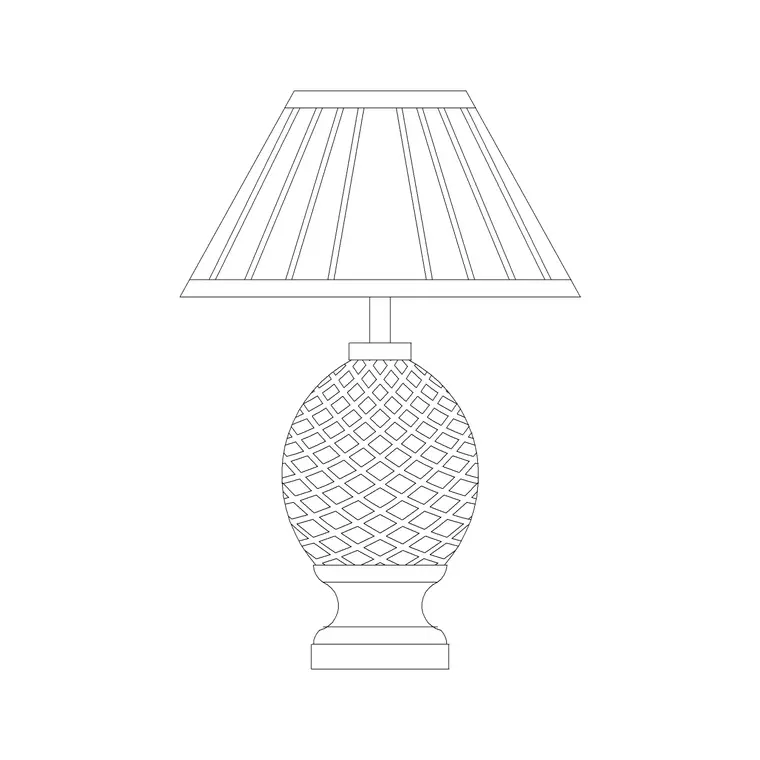
For an interior furniture plan, you want a scaled physical fitting — a table lamp, floor lamp or pendant drawn at its real footprint so it sits believably on a side table or in a corner. The lighting category includes both schematic symbols and scaled decorative fittings like classical table lamps; pick the one your drawing needs.
Insert lighting symbols on a reflected ceiling plan
For an RCP, run INSERT and browse to the lighting symbol DWG. Symbol blocks are sized graphically — what reads clearly at the plot scale — rather than to real millimetres, so don't worry about matching a fitting's true diameter; you're placing a coordinated mark, not the luminaire itself.
Set a current lighting layer (E-LITE or similar), then place each symbol at its ceiling coordinate. Snap to the ceiling grid intersections if you're working to a suspended-ceiling module (commonly 600 mm), so the lights land on grid and coordinate with the tiles, diffusers and detectors. Keep symbols consistent — one block per fitting type — so the legend and schedule stay clean.
Array lights on a regular grid
Most lighting layouts are regular, which is exactly what ARRAY is for. Lay out one downlight, then rectangular-array it across the room at the spacing your lighting design calls for — downlights are often spaced at a ratio of their mounting height, but for drafting you place them at the coordinated grid you've been given. A 600 mm suspended ceiling typically takes fittings at multiples of the tile module.
For a row of pendants over a counter or a corridor run of fittings, a path array along the centreline distributes them evenly. Arraying block references rather than copying loose symbols keeps the RCP tidy and the count accurate, and lets you adjust the whole grid by editing the array.
Tag fixtures and feed the schedule
Lighting schedules are where attributed blocks pay off. If your symbol blocks carry an attribute — a type code (L1, L2…) linking to the luminaire schedule, or a circuit reference — AutoCAD prompts for it on insertion, and you can extract a fitting count and schedule straight from the drawing. That turns the RCP into live data for the electrical contractor rather than just a picture of dots.
Keep one block per luminaire type and tag consistently, so a count of L1 symbols equals the number of that fitting to order. Even on a simpler drawing, distinct symbols per type plus a legend make the plan readable and the take-off reliable.
Place a scaled lamp on a furniture plan
The scaled-fitting case is different. For a table lamp or floor lamp on an interior layout, confirm UNITS reads Millimeters and insert the block at scale 1 so it lands at its real footprint — a table lamp base is small, often around 150 to 300 mm across, and it needs to sit convincingly on the side table you've drawn.
Snap the lamp onto the table or into the corner where it belongs, on the furniture layer alongside the sofa, chairs and tables. Here the fitting is a real object occupying space, so the check is simply that it fits its surface and reads at the right size — not a coordination-grid exercise like the ceiling symbols.
Pitfalls with light fixtures
The most common confusion is mixing the two cases — placing a tiny schematic ceiling symbol on a furniture plan where a scaled lamp belongs, or trying to draw real-size luminaires on an RCP where schematic symbols read better. Match the block to the drawing: symbols for ceiling and electrical plans, scaled fittings for interior layouts.
Second, inconsistent symbols — using two different downlight blocks for the same fitting — breaks the legend and the count, so standardise one block per type. Third, placing ceiling symbols off the coordination grid leaves the lights clashing with tiles, diffusers and detectors; snap to the grid. Finally, keep lighting on its own layer (a lighting or electrical layer for symbols, the furniture layer for scaled lamps) so each can be isolated for the right drawing in the set.
Free download
Browse the full library — DWG & DXF, no signup.
Questions
Frequently asked
Are light fixture blocks drawn to real size?+
It depends on the drawing. Ceiling and electrical-plan lighting symbols are drawn to a legible graphic size, not the real fitting size, because they're schematic coordination marks. Scaled fittings like a table lamp on a furniture plan are drawn at their true footprint and inserted at scale 1.
How do I lay out downlights on a reflected ceiling plan?+
Place one lighting symbol on the lighting layer, snap it to the ceiling grid, then rectangular-array it across the room at the coordinated spacing. For a suspended ceiling (commonly a 600 mm module) align fittings to the tile grid so they coordinate with diffusers and detectors.
How do I get a fitting count from the drawing?+
Use attributed symbol blocks — give each a type code (L1, L2…) and AutoCAD prompts for it on insertion. Keep one block per luminaire type and extract a schedule and count directly from the plan, so the take-off matches what the contractor orders.
What's the difference between an RCP light and a furniture lamp?+
An RCP light is a schematic ceiling symbol set out on a coordination grid and tied to the lighting schedule. A furniture lamp (table or floor lamp) is a scaled physical block placed at real size on an interior layout, where the only check is that it fits its surface.
Related downloads
Blocks for this guide
Popular blocks to download
Related categories
Related guides
How-to guide
How to Create a Block in AutoCAD (BLOCK & WBLOCK)
Learn how to create a block in AutoCAD with the BLOCK and WBLOCK commands — pick a base point, choose objects, set units, and save a reusable DWG block library.
How-to guide
How to Convert DWG to DXF in AutoCAD
Convert a DWG to DXF in AutoCAD with SAVEAS — choose the right DXF version, set precision, and export clean geometry for laser cutters, CNC and other CAD apps.
How-to guide
How to Convert DXF to DWG (3 Ways)
Convert a DXF to DWG three ways — in AutoCAD with SAVEAS, free with the ODA File Converter, or in DraftSight. Pick the right DWG version and keep layers intact.