How-to guide · how to insert a hospital bed block in autocad
How to insert a hospital bed block in AutoCAD
By Saumyajit Maity · Published 2 Apr 2026 · Updated 27 Apr 2026
A hospital bed block is never placed casually. In a ward or patient room, the bed anchors a whole zone of clearances — the access on each side for nursing and transfers, the foot-of-bed circulation, the space for a hoist, the reach to the bedhead services. Healthcare planning is governed by these dimensions, so inserting a patient bed in AutoCAD is really about laying out the safe space around it as much as placing the block.
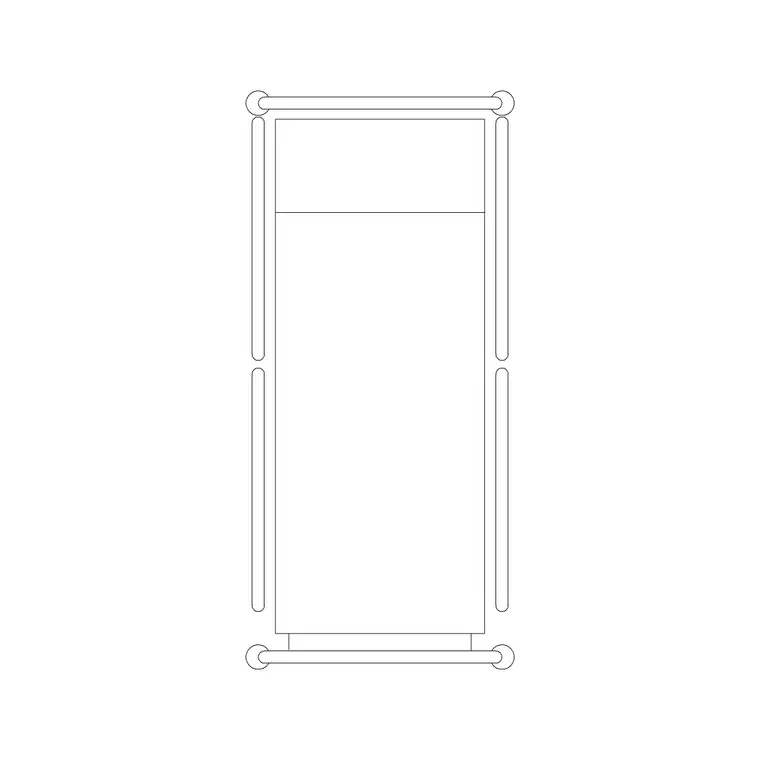
This guide covers inserting a hospital bed CAD block in AutoCAD and positioning it with the bedside and circulation clearances that ward planning demands. Patient beds are placed in plan view, because the job is to lay out the room or ward from above and verify that staff, trolleys and equipment can reach and move around the bed. We will use a patient bed plan block as the worked example.
Healthcare drawings carry real consequences if the clearances are wrong, so we will lean hard on the access zones around the bed rather than just the bed footprint itself.
Pick the correct bed block and view
Patient bed libraries often include several variants — a plain bed plan, a bed with bedside lockers, a bed with a curtain track, and an elevation for interior views. For ward and room planning you want the plan-view bed; for an interior elevation of the bedhead wall you want the elevation block. Pick the one that matches the drawing you are producing.
If the block includes the bedside furniture or the curtain track, that is useful — it lets you check that the locker and the privacy curtain fit within the bed bay. Save the bed you standardise on into your project library so every bay in the ward uses the same block.
Set units to millimetres
These blocks are drawn full size in millimetres, so set insertion units to millimetres with UNITS before inserting. In healthcare work the clearances are specified to the millimetre and often code-driven, so the bed and everything around it must be at true scale or your access checks are worthless.
After inserting, sanity-check the bed against a known dimension — a patient bed reads at a believable couple of metres long. If it lands at the wrong scale, stop and correct the units before you place a single clearance line.
Insert the bed and set the head against the services wall
Run INSERT, browse to the patient bed DWG, and place the bed with its head against the bedhead services wall — the wall carrying the medical gas, power and nurse-call outlets. Use ROTATE so the bedhead faces that wall, because the bed's whole position is dictated by reaching those services.
The insertion base point is often a corner or the bedhead centre; snap it so the head of the bed sits at the services position. In a multi-bed ward this orientation repeats down the room, so getting the first bed correctly addressed to its services panel sets the pattern for the rest.
Hold the bedside and access clearances
A patient bed needs clear access on both sides for nursing, examination and patient transfer, clear space at the foot for circulation and equipment, and often room for a mobile hoist or a trolley to come alongside. These access zones are the reason ward bays are the size they are, so draw or visualise the clearance on each side and keep it free.
Do not let a locker, a chair or the next bed's clearance encroach on that access strip. Where your healthcare guidance specifies bed-space and clearance dimensions, follow them exactly; these are not aesthetic preferences but safety and operational requirements. The clearance zone, not the bed, defines the bay.
Lay out a multi-bed ward
For a ward, repeat the bed bay across the room. ARRAY or COPY the bed-and-clearance bay along the ward, spacing on the full bay module — bed width plus both bedside clearances plus the partition or curtain zone — so each patient gets the same protected space. Beds typically sit head-to-the-wall in rows down each side of the ward with a central circulation aisle.
Keep that central aisle wide enough for trolleys and beds to pass, and ensure each bay has access to its bedhead services. Trim the row where it meets the entrance, the sanitary facilities or the nurse base. The ward capacity is the number of complete, clearance-respecting bays that fit — never the number of beds you can physically wedge in.
Layer the beds and finish
Place the beds on a furniture or equipment layer kept separate from walls, partitions and services, so you can plot the room shell, the services layout and the furnished plan independently. If the block carries the locker, curtain and bed on sub-layers, preserve that structure for flexible plotting.
Finish with a clearance audit: every bedside access strip is clear, the foot-of-bed circulation is unobstructed, the central aisle runs clear end to end, and each bed reaches its services. In healthcare drawings this audit is the deliverable as much as the layout itself, so do not skip it.
Free download
Browse the full library — DWG & DXF, no signup.
Questions
Frequently asked
How much clearance does a hospital bed need in a ward?+
Enough for nursing access on both sides, patient transfer, foot-of-bed circulation, and often a mobile hoist or trolley alongside. The exact figures are set by your healthcare design guidance and local code, so follow those specified bed-space dimensions rather than eyeballing the gap.
Which way should the head of a hospital bed face?+
Toward the bedhead services wall — the wall carrying medical gas, power and nurse-call outlets. Rotate the block so the bedhead addresses that wall, because the bed's position is dictated by reaching those services. In a ward this orientation repeats down each side.
What view is a hospital bed block drawn in?+
Plan view for ward and room layout, since the job is to arrange beds from above and verify access and circulation. An elevation patient-bed block is used only when you are drawing an interior elevation of the bedhead wall.
What units should a hospital bed block be inserted at?+
Millimetres. These blocks are drawn full size in millimetres and healthcare clearances are specified to the millimetre, so set insertion units to millimetres with the UNITS command before inserting or your access checks will be invalid.
Related downloads
Blocks for this guide
Popular blocks to download
Related categories
Related guides
How-to guide
How to Build a Personal CAD Block Library
How to build a personal CAD block library — folder structure, naming, WBLOCK, layer-0 discipline and tool palettes so you stop redrawing the same symbols.
How-to guide
How to Organize a CAD Block Library by Category
How to organize a CAD block library by category — a clean folder taxonomy, naming rules, thumbnails, and tool palettes so any block is two clicks away.
How-to guide
How to Add Attributes to a Block in AutoCAD
How to add attributes to a block in AutoCAD — use ATTDEF to define tags, build an attributed block, edit values, and extract a schedule from your drawing.