How-to guide · how to insert a car block in autocad
How to insert a car block in AutoCAD
By Saumyajit Maity · Published 14 Aug 2022 · Updated 22 Apr 2026
A car block does two jobs in a drawing: it shows that a parking bay or driveway can actually hold a vehicle, and it gives a site plan a sense of human scale. The trick is that cars come in a fairly tight range of real sizes, so a correctly-scaled car block is a quick reality check on whether your bays, aisles and turning circles work. This guide covers inserting a car block in AutoCAD and using it to validate a parking layout rather than just decorate it.
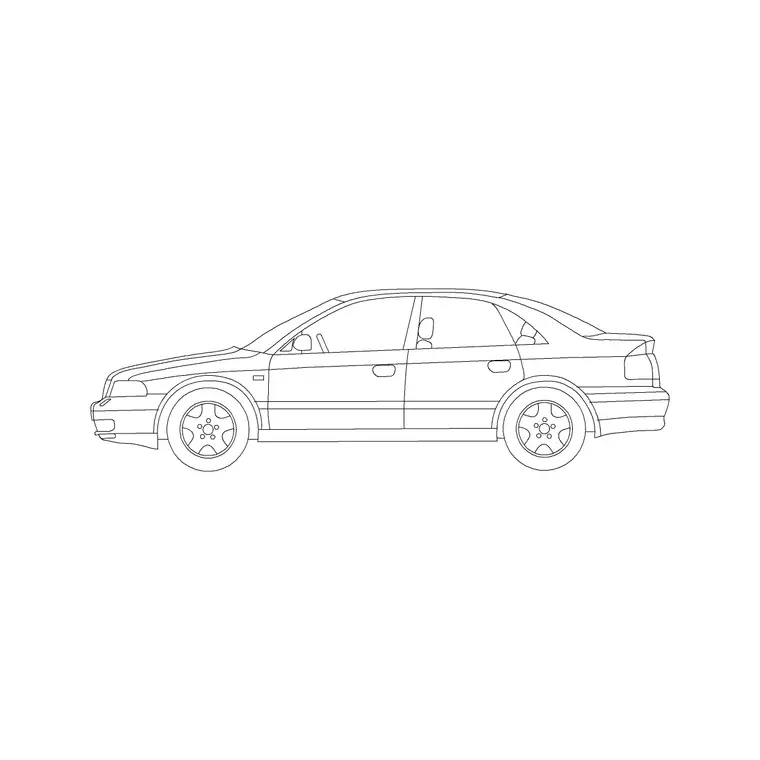
We'll work mainly in plan, because that's where cars earn their keep — laid into parking bays, queued in a drop-off, or filling a forecourt. A side-elevation car is occasionally useful for a street section, but the parking-design value is almost entirely in the plan view, set against standard bay and aisle dimensions.
Know real vehicle sizes before you place one
Cars cluster around predictable sizes, which is what makes the block useful as a check. A typical family sedan or hatchback is roughly 4.5 to 4.8 m long and 1.8 m wide; a compact car is shorter at around 3.8 to 4.2 m; an SUV or estate runs 4.8 to 5.0 m long and a touch wider. A design vehicle for a standard car bay is often taken at about 4.8 m by 1.8 m.
Download a car block drawn to one of these real footprints — the vehicles category includes scaled sedans in plan — so when you drop it into a bay, the fit you see is the fit you'll get on site, not a guess.
Insert the car into a parking bay
Confirm UNITS reads Millimeters, run INSERT, and browse to the car DWG. Car blocks are usually drawn with the base point at the centre of the vehicle or a corner of its bounding box; either works, but centre is convenient for spinning the car within a bay.
Draw your parking bay first — a standard perpendicular bay is commonly about 2.4 to 2.5 m wide by 4.8 to 5.0 m long — then insert the car and centre it in the bay. The gap you see between the car and the bay lines is the door-opening and manoeuvring clearance, so if the car fills the bay edge to edge, the bay is too tight. This visual check is the whole point of placing a scaled car.
Array a row of cars across a car park
One car proves a bay; a row of cars proves a car park. Once you've validated a single bay, ARRAY the car block across the run of bays — a rectangular array with the spacing set to the bay width gives you a filled row in one move. For a double-loaded aisle (bays both sides), array a second row facing the first across the drive aisle.
Vary the cars slightly for realism on presentation drawings — rotate a couple a few degrees, swap in a different model, leave the odd bay empty — so the lot doesn't look robotically stamped. For a pure technical layout, identical arrayed cars are fine and read clearly.
Check aisle widths and turning clearance
Cars don't just sit in bays — they have to get into them. The drive aisle between rows of perpendicular bays typically needs about 6.0 m for two-way circulation so a car can swing into a bay in one or two moves; angled (herringbone) bays allow narrower one-way aisles. Place a car block part-way into a bay, mid-turn, to sanity-check that the swing path clears the cars in the opposite row.
For entrances, drop-offs and tight corners, a car block helps you eyeball the turning circle — a typical car needs roughly an 11 to 12 m kerb-to-kerb turning diameter. Where turning is critical, a proper swept-path analysis is the right tool, but a scaled car gets you most of the way during early layout.
Layer it and keep the file light
Put cars on their own layer — often a site-furniture or vehicles layer — so you can freeze them for the engineering drawing and thaw them for the presentation plan from the same file. Cars are a context element, not setting-out geometry, so they should never live on the same layer as the bay lines and kerbs.
Because a busy car park might hold a hundred-plus identical cars, keep them as block references and array rather than copying loose linework — a plan with a hundred block references stays compact, while a hundred exploded cars bloats the file. If you refine the car symbol later, editing the one block definition updates every vehicle at once.
Mistakes to avoid with car blocks
The most common error is scaling the car to fit the bay instead of the other way round — if you shrink a car so it fits an undersized bay, you've hidden a real problem rather than solved it. Keep the car at its true size and let it reveal whether the bay works. Second, forgetting clearance: a car that exactly fills the bay lines leaves no room to open a door, so build in the manoeuvring gap.
Third, ignoring the aisle: bays that look fine in isolation can be unusable if the drive aisle is too narrow to turn into them, so always check the car's swing path against the opposite row. Finally, leaving cars on an architectural or kerb layer makes them impossible to isolate — keep them on a dedicated vehicles layer so the technical drawings stay clean.
Free download
Browse the full library — DWG & DXF, no signup.
Questions
Frequently asked
What size should a car block be?+
Use real vehicle sizes: a family sedan or hatchback is about 4.5 to 4.8 m long and 1.8 m wide; an SUV runs 4.8 to 5.0 m. A design car for a standard bay is often taken at roughly 4.8 m by 1.8 m. Download a block at true size rather than scaling to fit.
How big is a standard parking bay?+
A standard perpendicular car bay is commonly about 2.4 to 2.5 m wide by 4.8 to 5.0 m long, with the drive aisle between opposing rows around 6.0 m for two-way circulation. Drop a scaled car into the bay to check the door-opening clearance visually.
How do I fill a car park with cars quickly?+
Validate one bay with a single car block, then use ARRAY to repeat it across the run of bays at the bay-width spacing. For a double-loaded aisle, array a second facing row. Vary a few cars on presentation drawings so the layout doesn't look stamped.
Can a car block replace a swept-path analysis?+
No — for critical turning movements a proper swept-path (turning template) analysis is the right tool. A scaled car block is a quick early-stage check: place it mid-turn to sanity-test that the swing clears the opposite row and the aisle is wide enough.
Related downloads
Blocks for this guide
Popular blocks to download
Related categories
Related guides
How-to guide
How to Create a Block in AutoCAD (BLOCK & WBLOCK)
Learn how to create a block in AutoCAD with the BLOCK and WBLOCK commands — pick a base point, choose objects, set units, and save a reusable DWG block library.
How-to guide
How to Convert DWG to DXF in AutoCAD
Convert a DWG to DXF in AutoCAD with SAVEAS — choose the right DXF version, set precision, and export clean geometry for laser cutters, CNC and other CAD apps.
How-to guide
How to Convert DXF to DWG (3 Ways)
Convert a DXF to DWG three ways — in AutoCAD with SAVEAS, free with the ODA File Converter, or in DraftSight. Pick the right DWG version and keep layers intact.